Recovering Software
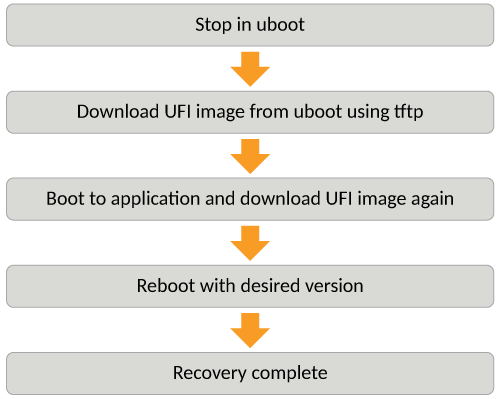
This section explains how to recover devices from image installation failure or deleted or corrupted flash images.
- Connect a console cable from the console port to the terminal server.
- Connect an Ethernet cable from the management port (the port located under the console
port on the device) to the TFTP server.
The device will be in boot mode for recovery.
- Display the existing variables
from the boot prompt.
ICX7150-Boot> printenv
baudrate=9600
ipaddr=10.176.134.154
serverip=10.176.195.200
netmask=255.255.255.128
gatewayip=10.176.134.129
uboot=mnz10120b35.bin
image_name=SPR08095d.bin
ver=10.1.20b35T225 (Apr 29 2021 - 23:48:55 -0700)
The path is to the boot image on the TFTP server. - Set the TFTP server that hosts a valid ICX software image using the setenv serverip command.
- Set the IP address, gateway IP address, and netmask for the device management port,
and save the configuration using the
setenv ipaddr,setenv gatewayip,setenv netmask, andsaveenvcommands. - Enter the
printenvcommand to verify the IP addresses that you configured for the device and the TFTP server. - Test the connectivity to the TFTP server from the device using the
pingcommand to ensure a working connection. - Provide the file name of the image that you want to copy from the TFTP server using
the
setenv image_namecommand. - Update the flash using the
update_primaryorupdate_secondarycommand as appropriate. - Load the image from the primary or secondary flash using the
boot_primaryorboot_secondarycommand as appropriate.