Set up the AAA Authentication Server on the Ruckus ZoneDirector Controller
Go to Configure > AAA Servers on your ZoneDirector controller. The following screen shows the AAA authentication server configuration.
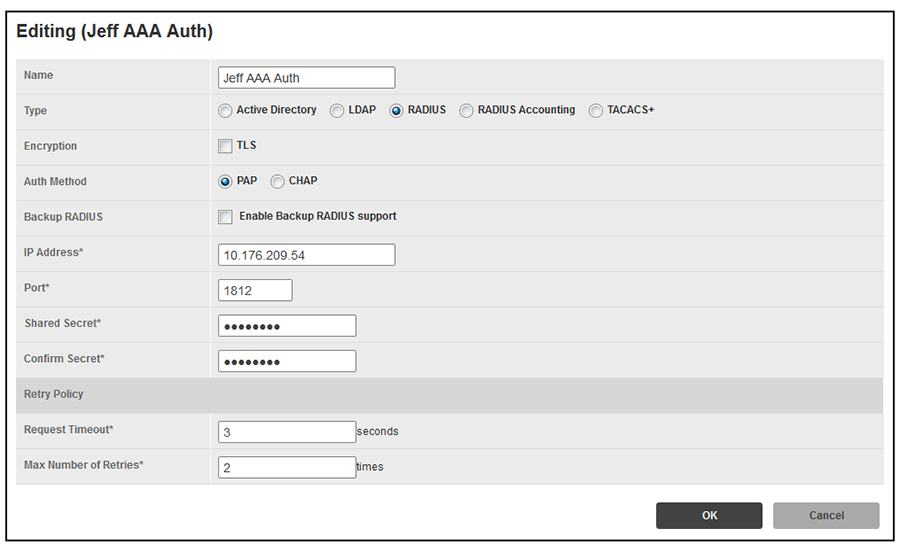
Enter the following values for the authentication server:
- Name = Any descriptive name you wish.
- Type = RADIUS
- Encryption: Leave the TLS box unchecked.
- Auth Method = PAP
- Backup RADIUS: Refer to your controller documentation if you want to use a backup RADIUS server.
- IP address = The IP address of your external RADIUS server.
- Port = 1812
- Shared Secret = The shared secret of your external RADIUS server.
Note: Leave the default values for the remaining fields.
Proceed to Configuring a PEAP WLAN on a Ruckus ZoneDirector Controller.