Configuring a PEAP WLAN on a Ruckus ZoneDirector Controller
You can configure a PEAP WLAN on a Ruckus Wireless ZoneDirector controller so that
you can then use PEAP as one method of authenticating users to Cloudpath.
Note: The procedure shown in this section is based on the user interface of a ZoneDirector
controller version 10.0. Different versions of ZoneDirector may have minor differences
in terms of which configuration options appear in what sections of a screen.
- Log in to your Ruckus ZoneDirector controller.
- Navigate to Configure > WLANs.
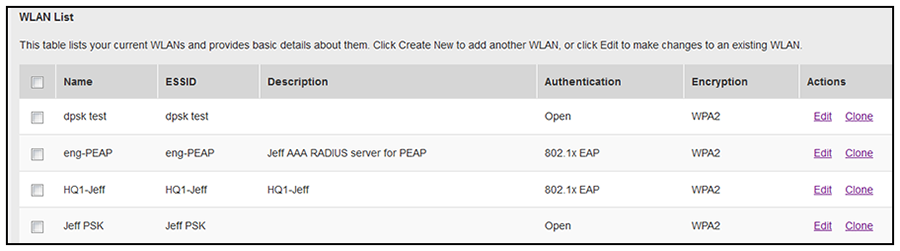
- Under the WLAN List section, click
Create New.
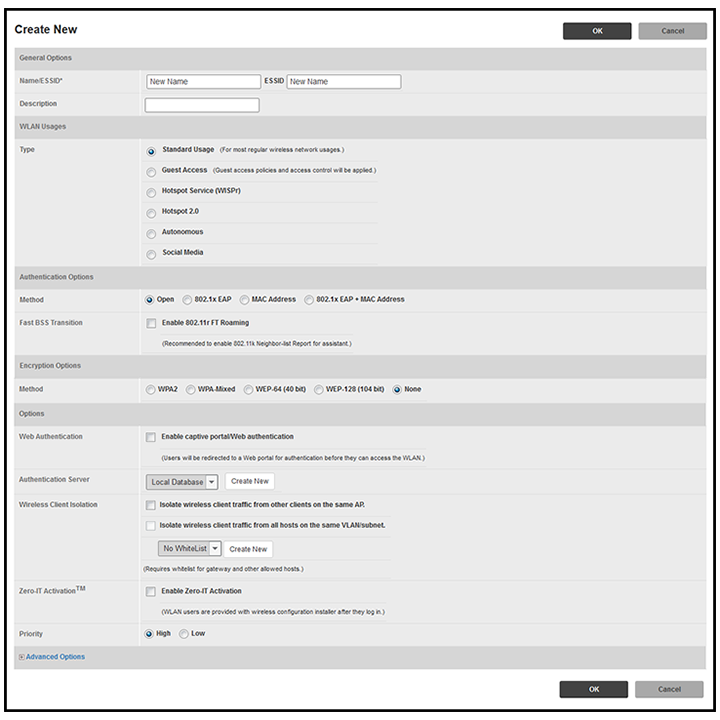
The Create New section of the screen is displayed.Note: Unless otherwise specified in the remaining steps, you do not have to change default values. The procedure described here is specific to Cloudpath; for information about any fields that are not described here, refer to your controller documentation.
- Complete the General Options section:
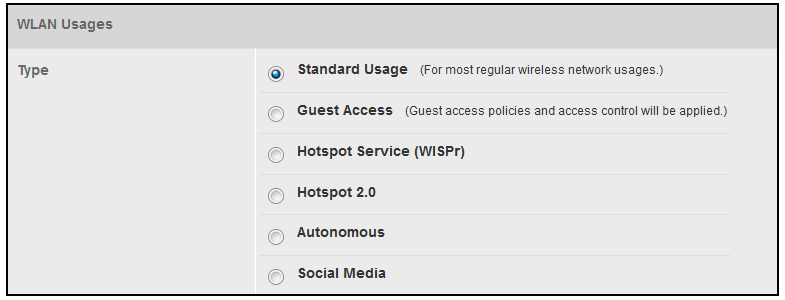
- In the WLAN Usages section, use the default selection of Standard Usage.
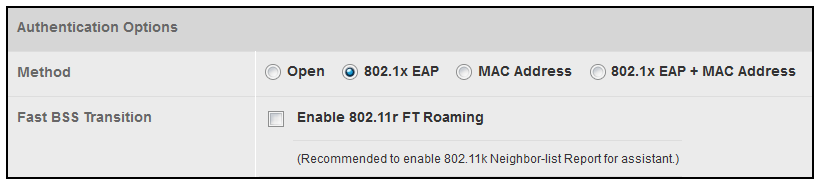
- In the Authentication Options section, be sure that you select 802.1x EAP.
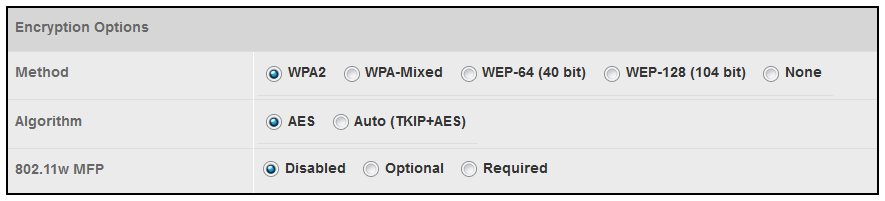
- In the Encryption Options section, choose WPA2 for the Method. When you choose WPA2, the Encryption Options section appears as shown below:
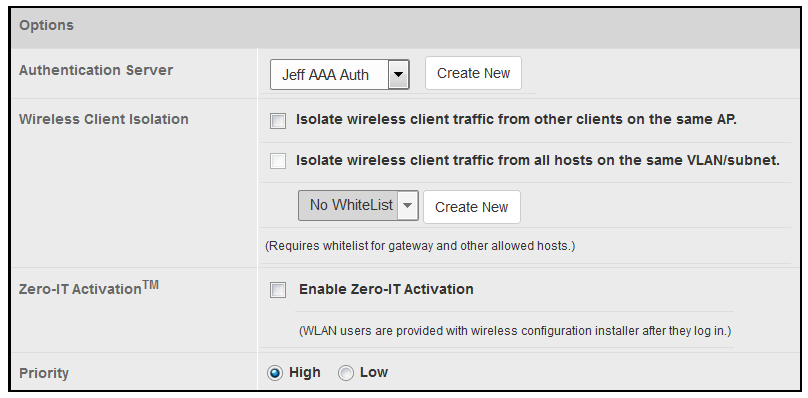
- In the Options section, select the authentication server that you configured in Set up the AAA Authentication Server on the Ruckus ZoneDirector Controller from the drop-down list.
- In the Advanced Options section, there are many fields (not shown here), but you can also use all the default values.
- Click OK to complete the PEAP WLAN configuration.

Proceed to Configuring PEAP on Cloudpath to Integrate with the Ruckus Controller.