Displaying the system log
The software provides two types of system log buffers:
- Static—Logs power supply failures, fan failures, and temperature warning or shutdown messages.
- Dynamic—Logs all other message types.
To display the current information of the system log buffer, click Monitor on the left pane and select System Log.
The Dynamic System Log Buffer window is displayed as shown in the figure below.
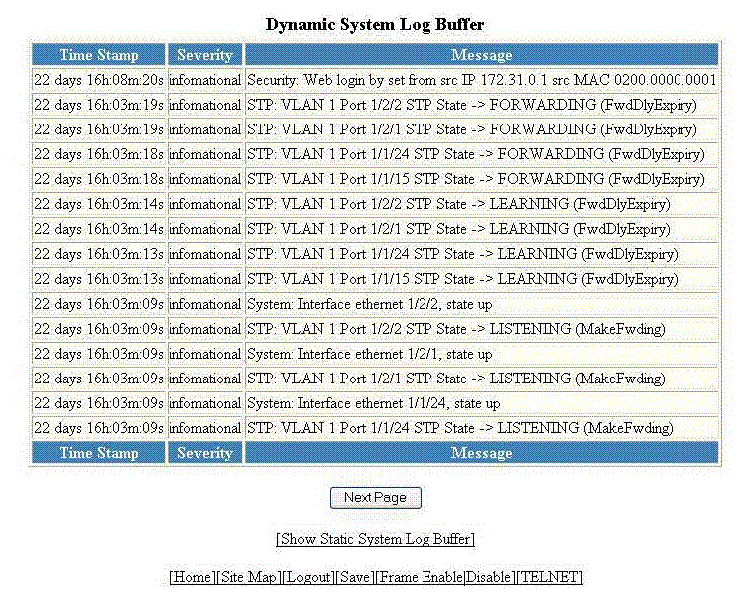
The table below describes the fields in the Dynamic System Log Buffer window.
Description of the fields in the Dynamic System Log Buffer window
To view the next set of the Dynamic System Log Buffer entries, click Next Page. To display the static system log buffer information, click Show Static System Log Buffer.
The Static System Log Buffer window is displayed as shown in the figure below.
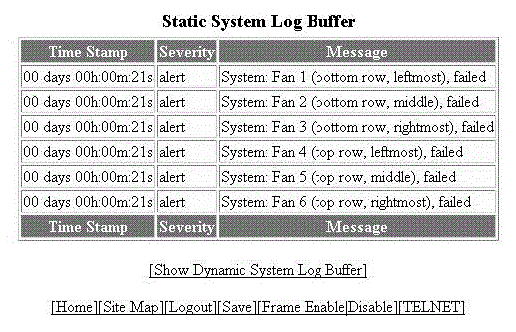
For information on the Static System Log Buffer fields, refer to the table above.