Adding Sites
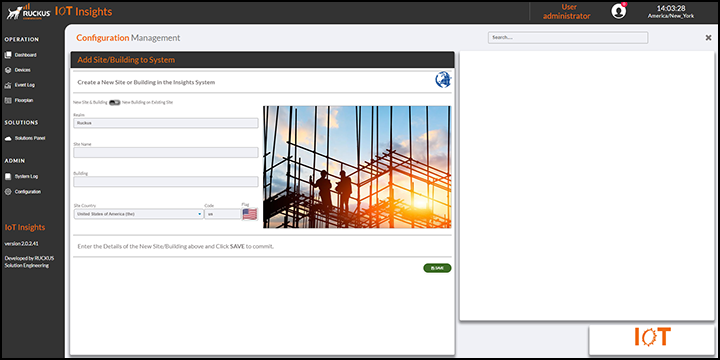
- From the main menu, go to .
- Realm: Displays the Realm name.
- Site Name: In the Site Name field, enter the name of the site.
- Building: In the Building field, enter the number of the building.
- Site Country: In the Site Country field, enter the name of the country in which the site is located.
- Click Save to store site and building details.
The Current Sites table lists the site details, including the realm, site name, country, building number, and floor number.
You can enter search criteria in the Search field to search the Current Sites table for information.