Backing Up the Database
The RUCKUS IoT Controller allows you to
back up and restore the database configuration and data files. You can restore an
existing
configuration file on the RUCKUS IoT Controller from which it
originated, or restore a configuration file from a different RUCKUS IoT Controller. The tar.gz
format contains the backed-up files.
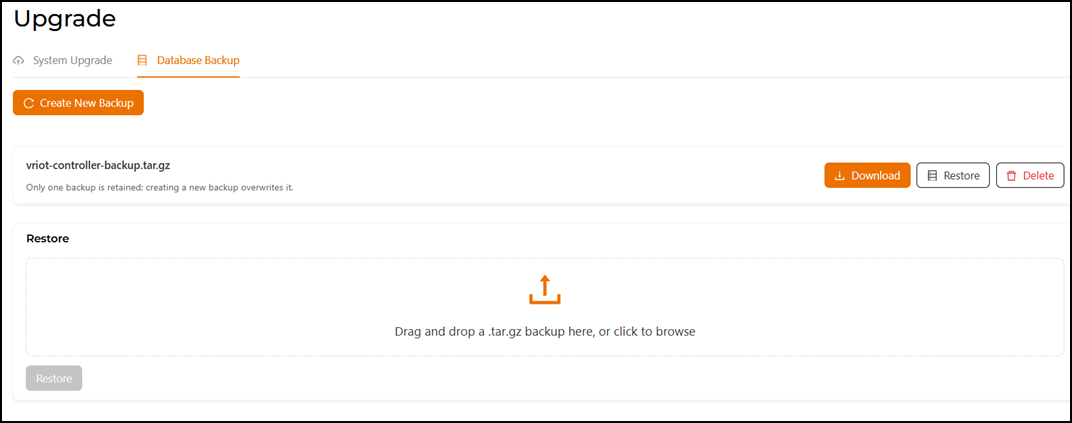
- From the main menu, select , and then click the Database Backup
tab.
Attention: Only one backup file is retained; creating a new backup overwrites it. Consider downloading the current backup file before creating a new backup.
-
Click Create New Backup to create a new backup.
- You can perform the following actions on the existing
backup file.
- Download: Click Download to send a copy of your file to local device.
- Restore: Click Restore to restore the saved backup file to the system. Drag and drop a backup file into the restore area, or click inside the box to browse and select the file manually.
- Delete: Click Delete to remove the backup file from the backup list.