Verifying the Upgrade
After you have performed a firmware upgrade, it is important to verify that the Unleashed Master and member APs are running the expected software version.
Version details can be found in the web interface. If you prefer to use the command line interface (CLI), use SSH to access the Unleashed Master AP.
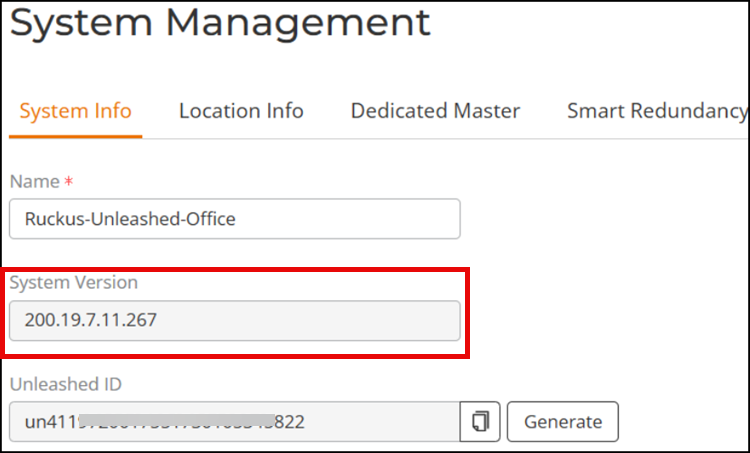
- To verify the current firmware version number using the web interface, select , and locate the System Version number.
- To verify the installed version using the CLI, use the
show sysinfocommand.ruckus# show sysinfo System Overview: Name= Ruckus-Unleashed IP Address- 192.***.***.** MAC Address= 80:**:**:3e: *** Uptime- 22h 50m Model= T670 Serial Number- 922**600**** Version= 200.19.7.11 build 267 Devices Overview: Number of APs- 7 Number of Client Devices= 0 Number of Rogue Devices- 1004 Usage Summary: Usage of 1 hr: Max. Concurrent Users= 1 Bytes Transmitted 34.23M Number of Rogue Devices= 1004 Usage of 24 hr: Max. Concurrent Users= 2 Bytes Transmitted- 883.82M Number of Rogue Devices= 1173 Memory Utilization: Used Bytes= 842888(kB) Used Percentage= 48% Free Bytes= 948792(kB) Free Percentage= 52% ruckus#