Performing an Upgrade During Initial Deployment

If your Unleashed Master AP is in factory default state, the Setup Wizard also provides an option to upgrade the firmware prior to completing the initial deployment configuration procedures.
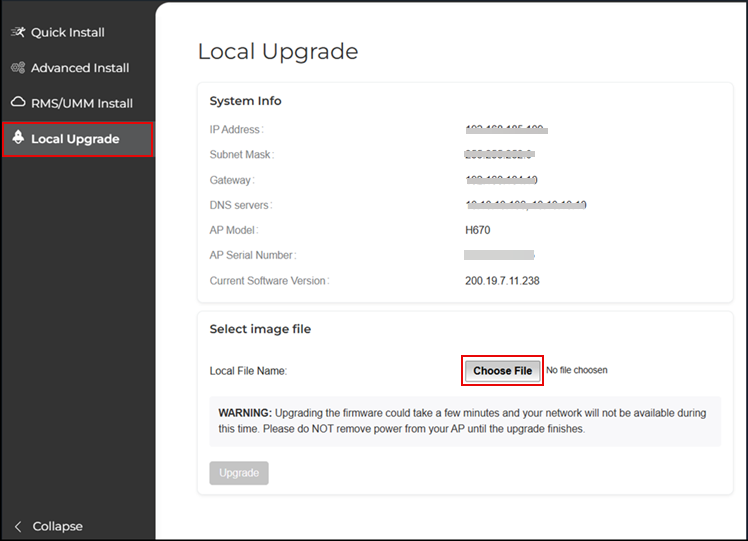
To upgrade the firmware during the initial deployment of an Unleashed AP in factory default state:
  1. On the first page of the setup wizard, select Local Upgrade. The Local Upgrade page appears.
  2. Click Choose File and select the locally stored Unleashed image file.
  3. When complete, click Reboot to reboot the AP and restart the installation process using the new Unleashed firmware.

    Choosing Local Unleashed Image File to Upgrade