ESXi Specific Configuration
Consider the following hypervisor
configurations if you are deploying vSZ-D on a VMware ESXi.
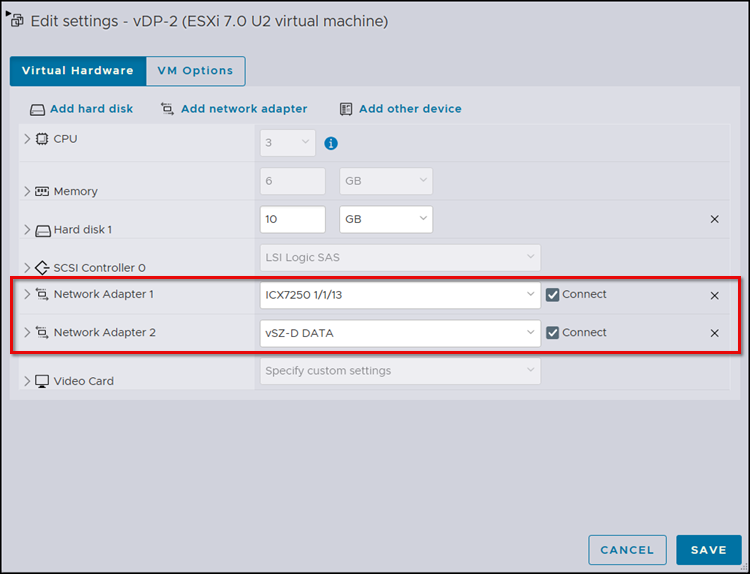
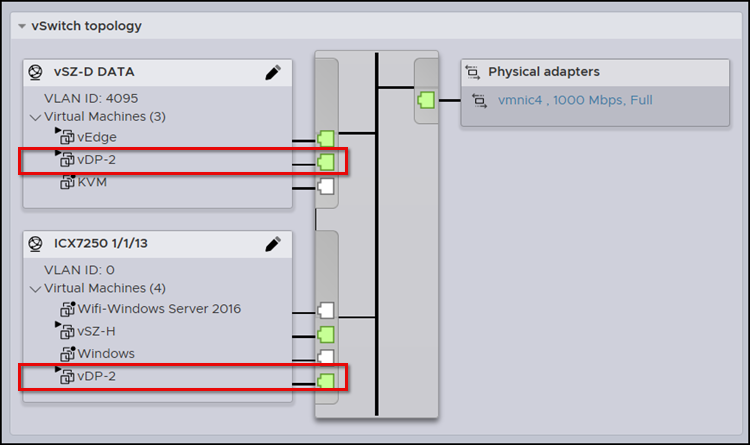
- Assign the virtual machine Network Adapters to
different subnets (the Management interface uses VLAN untagged traffic while the
Data interface uses VLAN tagged traffic). To modify the Network Adapter
configuration, in the ESXi web GUI, select Virtual Machines,
right-click the VM corresponding to your vDP, and select Edit settings. Select
the appropriate Port Group for each Network Adapter and click Save.
Note: Set the VM compatibility to Hardware Version 13 (ESXi 6.5) to enable the CPU features required by this deployment.
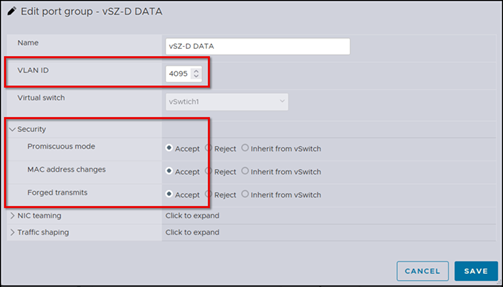
- Ensure the Port Group for the Data interface allows all VLANs.
- Ensure the Port Group for the Data interface
allows Promiscuous
Mode, MAC
Address Changes, and Forged Transmits in
the security configurations.
Note: To check the Port Group settings, in the ESXi web GUI, select Networking and click the Port groups tab. Right-click the Port Group name in the list and select Edit settings.
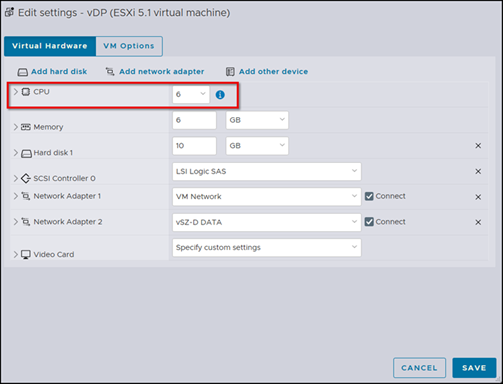
- Modify the number of CPU cores (if needed) before powering on vSZ-D. To check the CPU settings, in the ESXi web GUI, select Virtual Machines, right-click the VM corresponding to your vDP, and select Edit settings.