Switching Over Clusters
Switchover helps move individual switches
or switches in a switch groups across clusters.
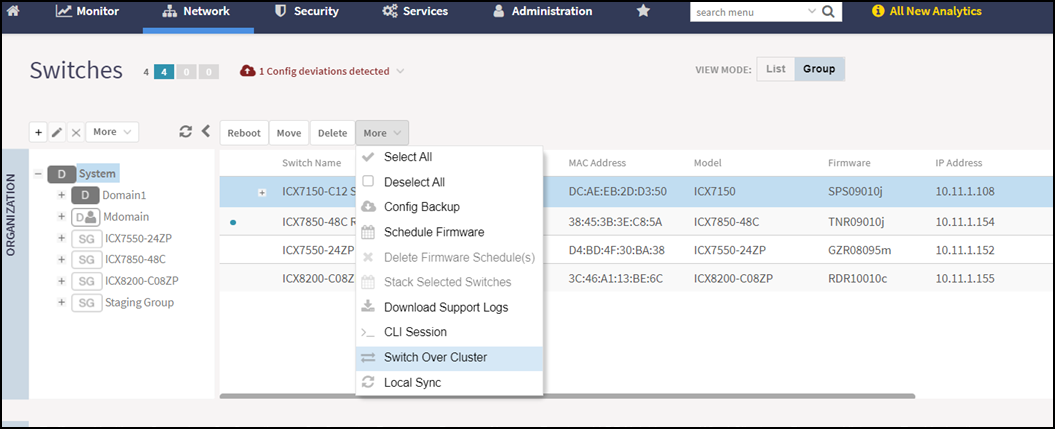
- On the menu, click to display the Switches window.
- From the system tree, select a or Switch Group and select the Switch.
- Click More. Select
Switch Over
Cluster from the list.The Switch Over Cluster dialog box is displayed.
- In the Control IP field, enter the control IP address of the switchover target cluster.
- Click OK. A Confirmation dialog box is displayed.
- Click YES to confirm.