Band Balancing
Band balancing balances the client load on radios by
distributing clients between the 2.4-GHz and 5-GHz radios.
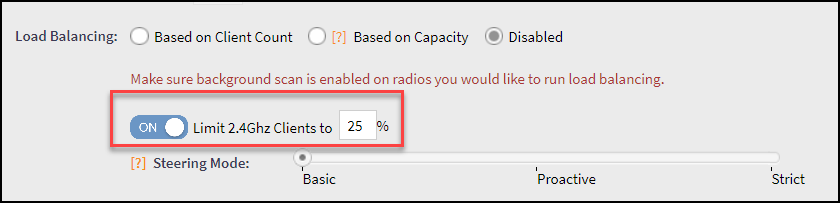
Band balancing is enabled by default and set to a target of 25 percent of clients connecting to the 2.4-GHz band. You must enable this setting in the advanced option that comes under zone configuration. To balance the load on a radio, the AP encourages dual-band clients to connect to the 5-GHz band when the configured percentage threshold is reached. To turn-off the band balancing, go to the advanced option in WLAN configuration.