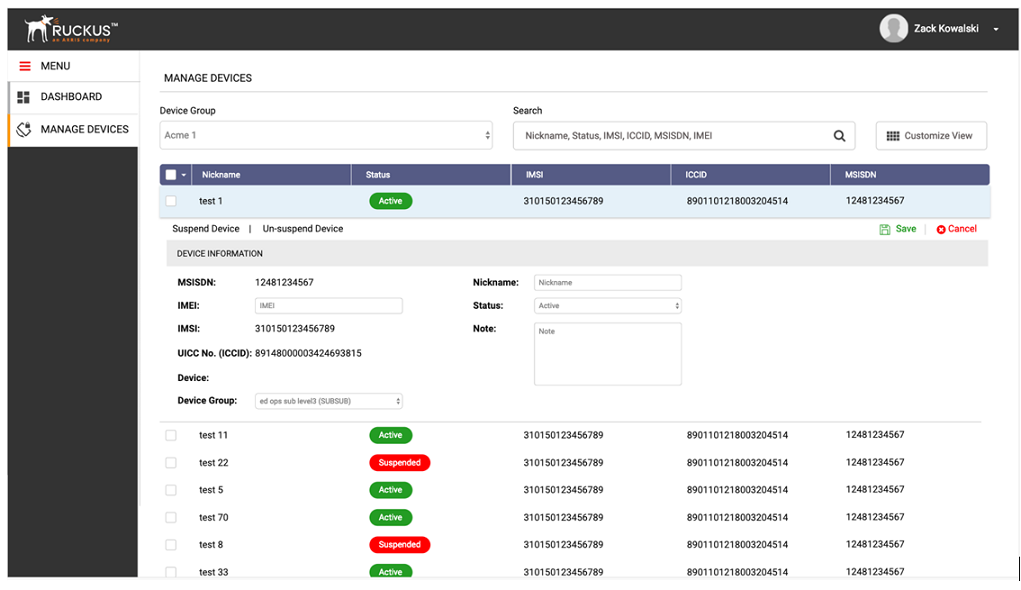
To view the device on a specific device, select it from the list of devices.
The Device Information drawer is pulled down displaying the device information. You
can also filter the list of devices by selecting a specific Device Group.
To customize the table columns, click
Customized View.
Click the
Customized View.
Select the desired columns that you would like to be displayed.