Recovering Forgotten Username or Password
- If you forget your username or password, click the Forgot username or password?.
- To retrieve your username, contact the Ruckus Support team from here: https://support.ruckuswireless.com.
- To reset your password, enter your username and click Submit. An email will be sent to the email address associated with your SMS account.
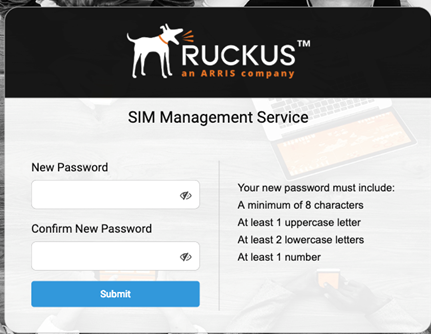
- From the email that you received, follow the one-time link to go to the Reset Password page.
- Enter your new password in the
New Password field.
The new password must meet the following requirements:
- Re-enter your password the Confirm New Password field.
- Click
Submit to set your new password.
You can now log in using your username and new password.