Editing a Device
Supported User Roles: Master Admin, Admin
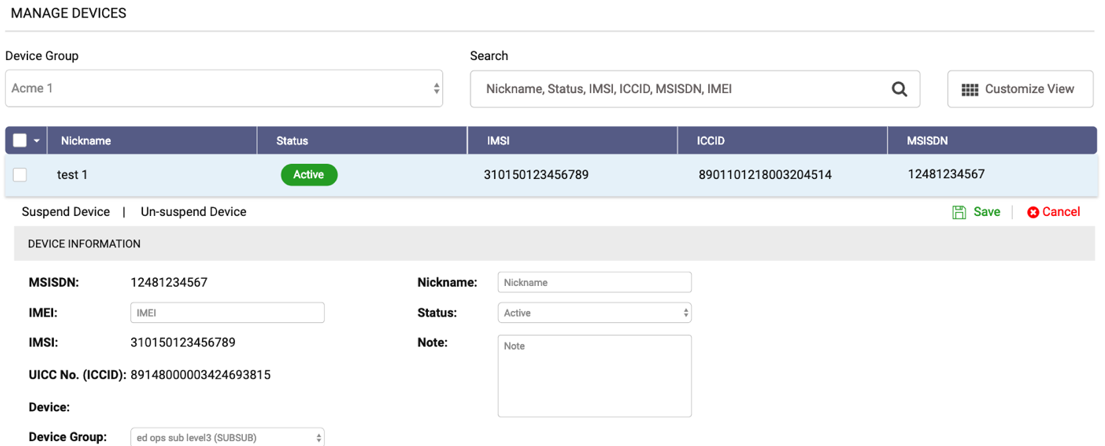
Click on a of the row. A drawer will expand with multiple options.
- To updated the device information, click
Edit.
- IMEI: You can change the IMEI of the device.
- Device Group: You can move the selected device to a different device group on your account.
- Nickname: To easily identify which device belongs to each of your end-users, you can assign nicknames to them. The Nickname can be up to 20 characters.
- Status: You can suspend or unsuspend devices.
- Note: You can enter notes for each device to keep track of any relevant information.