Activating a Core License
The RUCKUS IoT Controller is a licensed product. After downloading the RUCKUS IoT Controller, the trial license is activated and valid for 90 days. You must purchase a core license based on your requirements before the expiration of the trial license. After purchasing the core license, an email message is sent to you containing an activation code. Clicking the activation code directs you to the RUCKUS Support website. After the code is validated and attached to a device (the IoT Controller serial number), the license can be downloaded from the website.
Note: HA standby requires a separate non-trail license. No additional RCAP licenses are needed to be purchased for standby. You can onboard new devices in the HA setup, but ensure that valid RCAP and instance license subscriptions are present on the Primary controller when configuring HA.
Complete the following steps to activate the license.
- Click the activation code in the activation email message. You are redirected to the RUCKUS Support website (harp://6a7214064c282d8ad6c44b90/pr/ORIGINAL/RUCKUS%20IoT%20Controller%20Instllation%20Guide,%202.4.0.0%20GA_v1_GUID-ADF8402A-6B5E-436F-A538-AF2B2646A116/support.ruckuswireless.com). Log in to the website using your credentials.
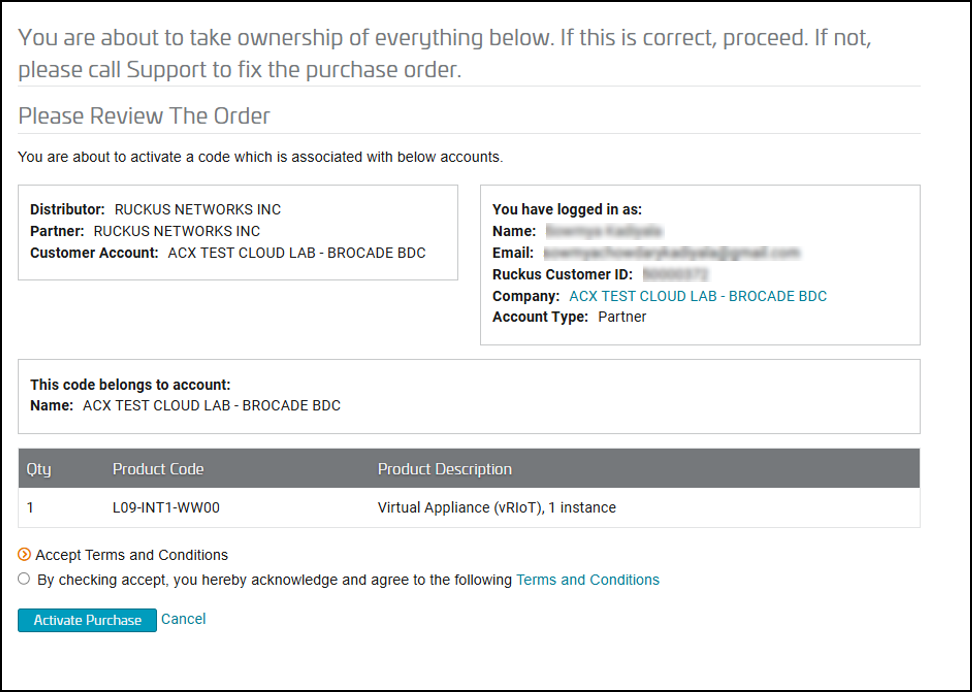
- After the successful validation of the license code, accept the Terms and Conditions, and click Activate Purchase.
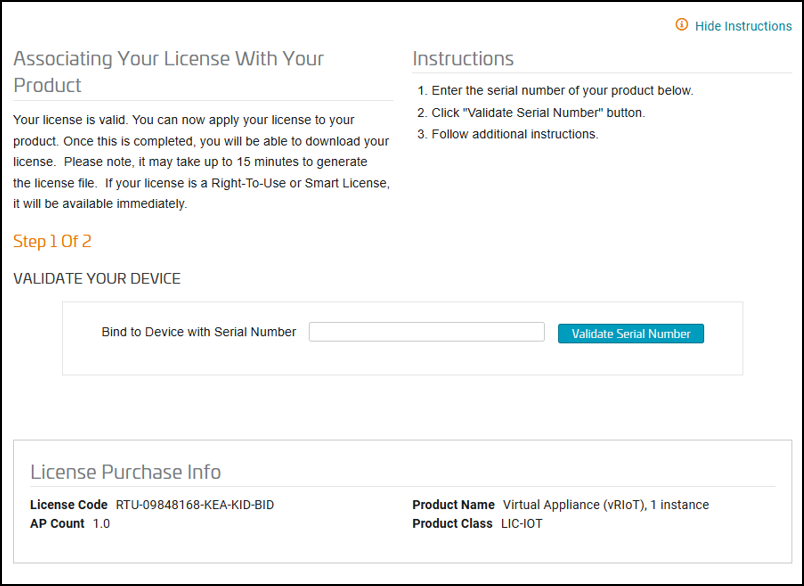
- On the Associating Your License With Your Product page, enter the
RUCKUS IoT Controller serial number, and click Validate Serial
Number to activate the license. After successful validation, the registration page is displayed.
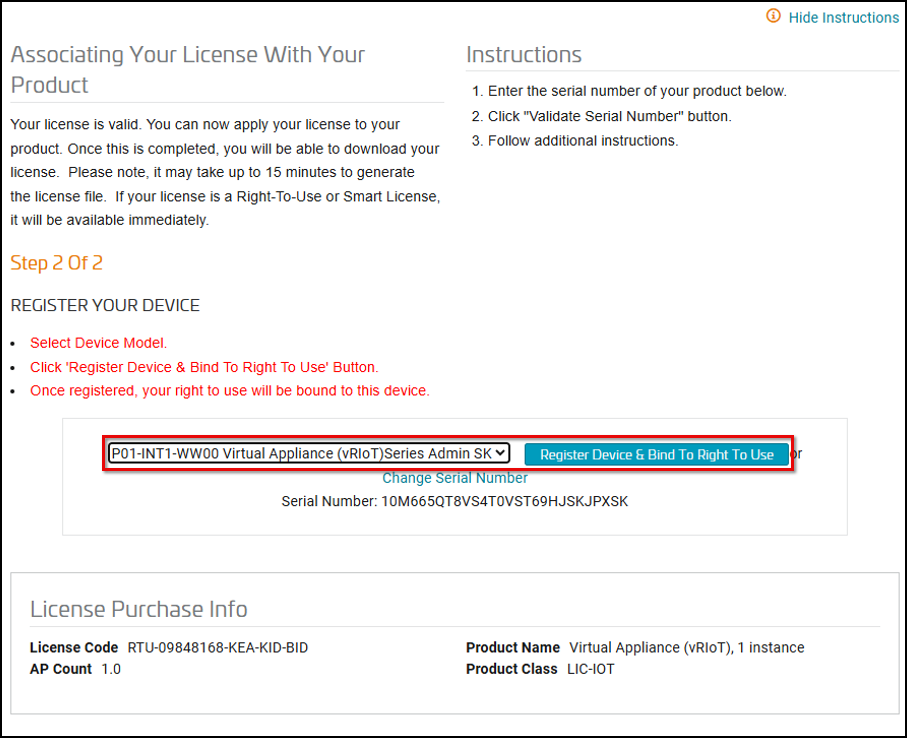
- Select the P01-INT1-WW00 device model number and click Register Device & Bind To Right To Use.
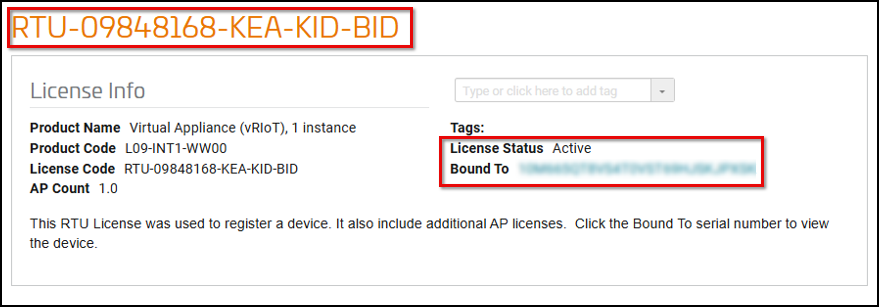
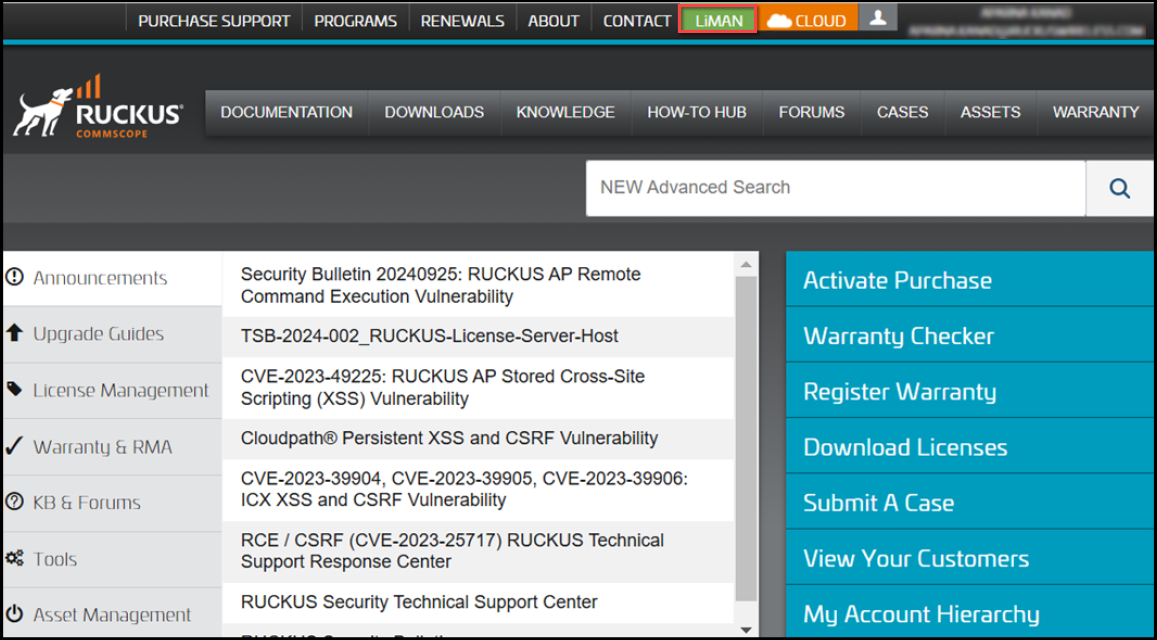
- Click the LiMAN tab located at the top of the RUCKUS Support webpage.
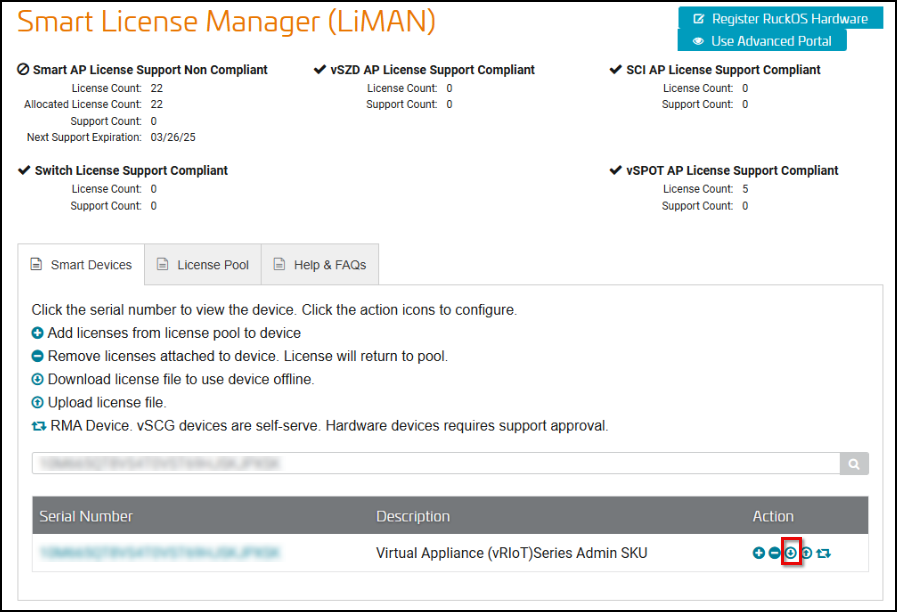
- In the Smart License Manager (LiMAN) page, enter the
serial number of the controller, and then click the
 icon in the Action column to download the license.