Configuring Plugin Subnet on the Controller Menu
The default docker network configuration might cause a conflict between the user network and the configured docker network, if both the networks are in the same IP range and subnet configuration. The CLI option Plugin Subnet configuration allows you to choose unique subnet configuration of the docker to avoid such conflicts.
In the CLI configuration, you can configure the current configuration and by opting for Plugin Subnet configuration, you can enter the suitable IP range.
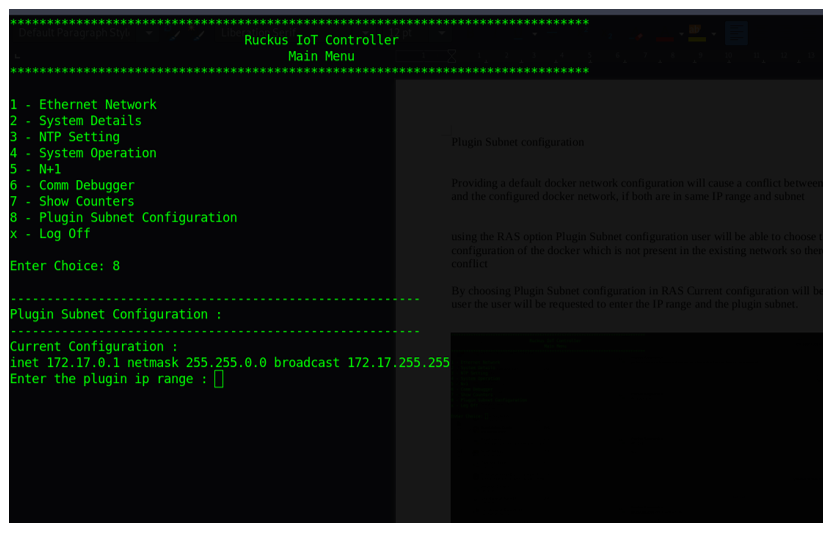
After successful configuration, a message is displayed on the CLI as “Successfully configured plugin subnet”.