IP Multicast PIM Neighbor Filter
When two PIM-enabled neighbor devices exchange Hello packets at regular intervals
they become PIM neighbors by default. The IP multicast PIM neighbor filter feature
gives you more control over which devices can be PIM neighbors by configuring the
ip pim neighbor-filter command or
ipv6 pim neighbor-filter command. You can configure the ACL to filter PIM Hello packets from sources you want
to deny or allow, thereby controlling those devices' eligibility to become PIM neighbors.
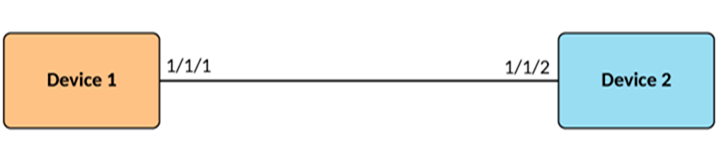
Configurations for Devices Running IP multicast PIM Filters
Limitations
ACLs deny all access by default, and
you must configure the permit command to permit access to one or more devices. You can
configure the permit
any command (or the permit any any command for an
IPv4 extended ACL) on an interface to permit traffic on the interface to pass
through without filtering.
An interface can have only one ACL configured on it.
There are no checks to validate whether an ACL applies to an interface. If the interface has no ACL, a warning that no filtering can occur is displayed.
The IP multicast PIM neighbor filter feature supports a maximum of 128 PIM neighbor filters for both IPv4 and IPv6.
Precedence-value matching in extended ACL configurations is not supported. Refer to the RUCKUSFastIron Security Configuration Guide for information on ACLs.