Remote Switched Port Analyzer
RSPAN monitors traffic from source ports distributed over multiple switches so that network capture devices can be centralized. The configured source port or ports is mirrored to the RSPAN VLAN, and the ports that are members of this VLAN receive the mirrored traffic. This VLAN is then trunked to other switches, allowing the RSPAN traffic to be transported across multiple switches to the destination port, as illustrated in the following figure. Transmitted, received, or both directions of traffic can be mirrored to the destination interface.
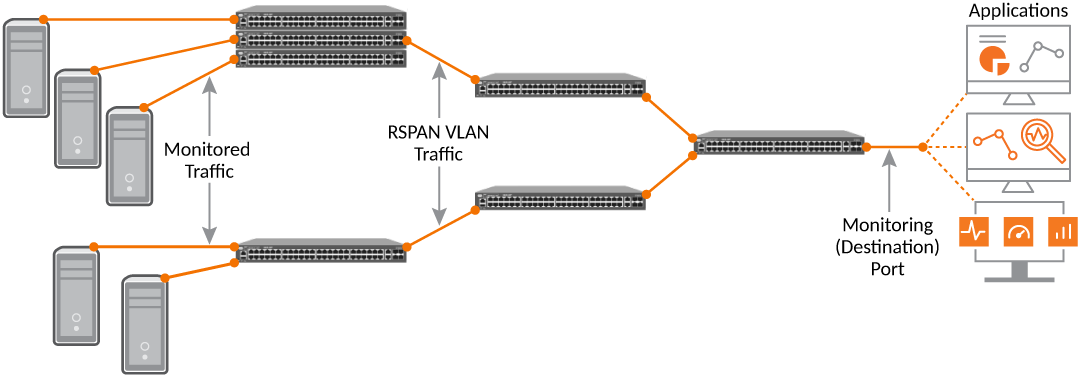
All participating devices must be connected by Layer 2 trunks, and the remote VLAN must be configured on all devices participating in the RSPAN session.
The following figure shows an RSPAN VLAN that is carrying mirrored traffic to the destination port. S1 is the host device, with interface Ethernet 1/1/1 configured as the source port on which incoming traffic is mirrored and tunneled in RSPAN VLAN 4000 through the intermediate device, S2, to S3 where interface Ethernet 1/1/2 is configured as the destination port. Refer to Configuring RSPAN to view the steps for the configuring RSPAN.

The monitored traffic can be configured to all directions of the monitor port. You can configure: