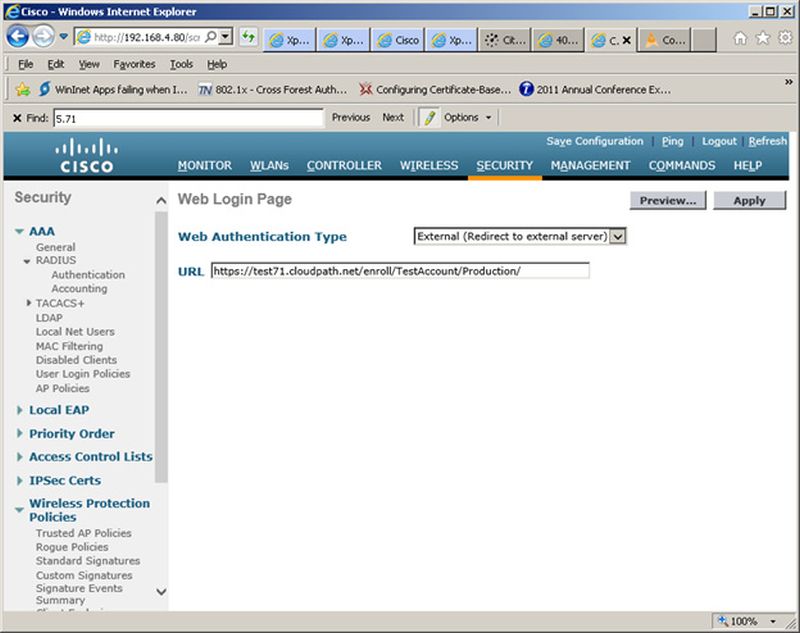
Set up the Cloudpath captive portal page. The WLC redirects the users to the Cloudpath
captive portal, where they must accept the network AUP before they are moved to the
open SSID for onboarding. Cloudpath manages the onboarding process instead of the
WLC.
On the Cisco WLAN Controller, under
Security, expand
Web Auth, and select
Web Login Page.