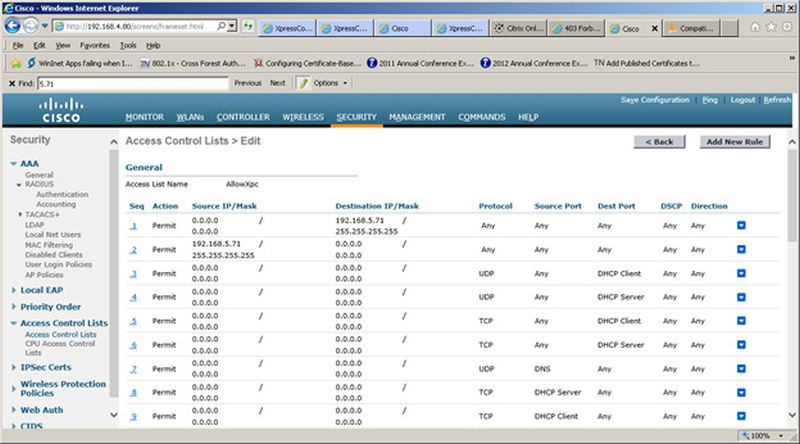
Configure Access Control Lists Configure a preauthentication ACL to allow access from the controller to and from Cloudpath. On the Cisco WLAN Controller, under Security, expand Access Control Lists, and select the ACL to use for preauthentication. Set Up the Preauthentication ACL Edit the ACL to add rules to permit the client to and from Cloudpath. Apply changes. Parent topic: Configuring the Cisco WLC for Web Passthrough