Configuration Overview
All TACACS+ configuration information can
be entered in the Cloudpath UI.
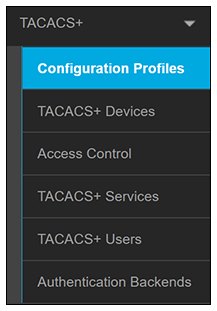
Because TACACS+ configuration components reference each other, it is recommended to proceed in the following order:
- Enabling TACACS+
- Configuring an Authentication Backend - This is the LDAP server that must contain all the configuration groups allowed to log in to the various devices you plan to configure. If you plan to add users on an individual basis, then you do not need to select an LDAP server and can instead add each user locally (described later).
- Configuring TACACS+ Devices - These are the end devices that will be clients to the TACACS+ server.
- Configuring Time Ranges - Time ranges can be called by reference into ACL configurations; therefore time ranges must be configured before ACLs.
- Configuring Access Control Lists - ACLs not only call in time ranges, but ACLs themselves can be called by reference into groups and users; therefore ACLs must be configured before groups and users.
- Configuring TACACS+ Services - Globally configured services can be called by reference into groups and users; therefore such services must be configured before users and groups.
- Configuring TACACS+ Groups - Groups can call in already-configured ACLs and services.
- Configuring TACACS+ Users - Users can call in already-configured ACLs and services.
- Creating Configuration Profiles - Profiles must be configured last because they call in the other previously configured components.