Enrollment Experience for Sponsor and Guest User
This topic describes a typical sequence
for how the sponsored-guest access process is intened to work.
- When a visitor arrives, the employee sponsor checks the visitor in.
- The sponsor now enters the sponsorship URL (provided by the Cloudpath system administrator) in their browser. Alternatively, the sponsor can perform the steps that are described here before the guest arrives.
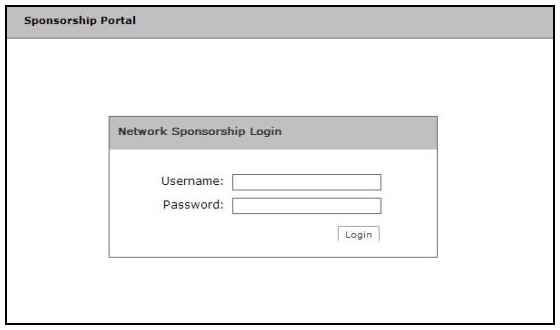
- After going to the sponsorship URL, the sponsor is presented with the login screen:
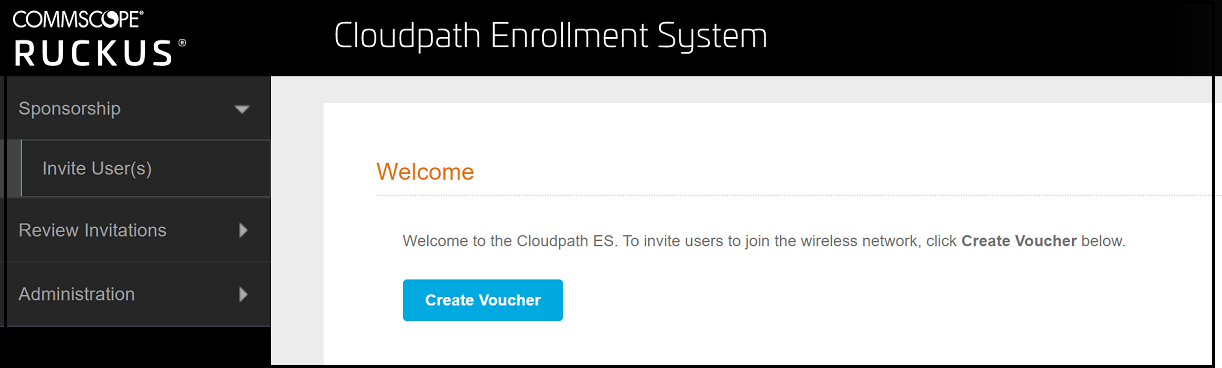
- After sponsor credentials are checked and validated, the sponsorship portal Welcome page appears.
- Click Create Voucher.
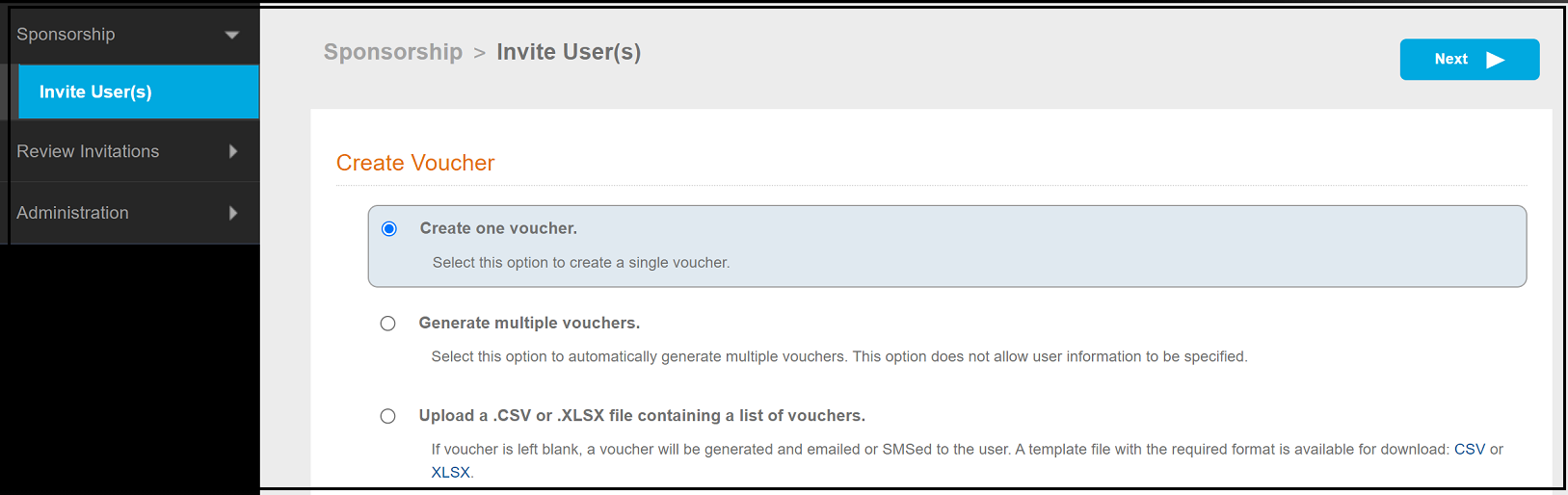
- Follow the prompts until you ger to the screen where you have different options, depending on the permissions given to you by the Cloudpath administrator, to create vouchers.
- With the Create one voucher button selected (for this example), click Next.
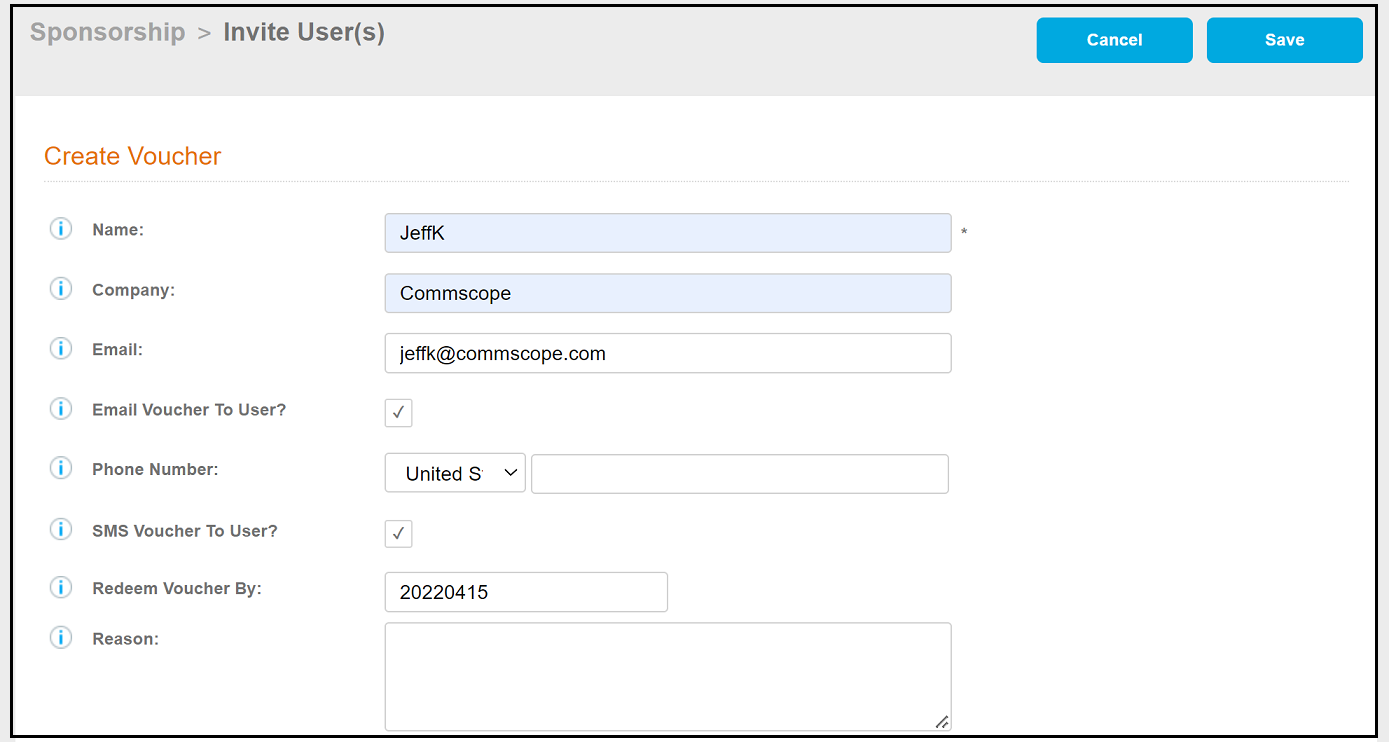
- Configure the information in this screen, as shown in the example below, then click Save.
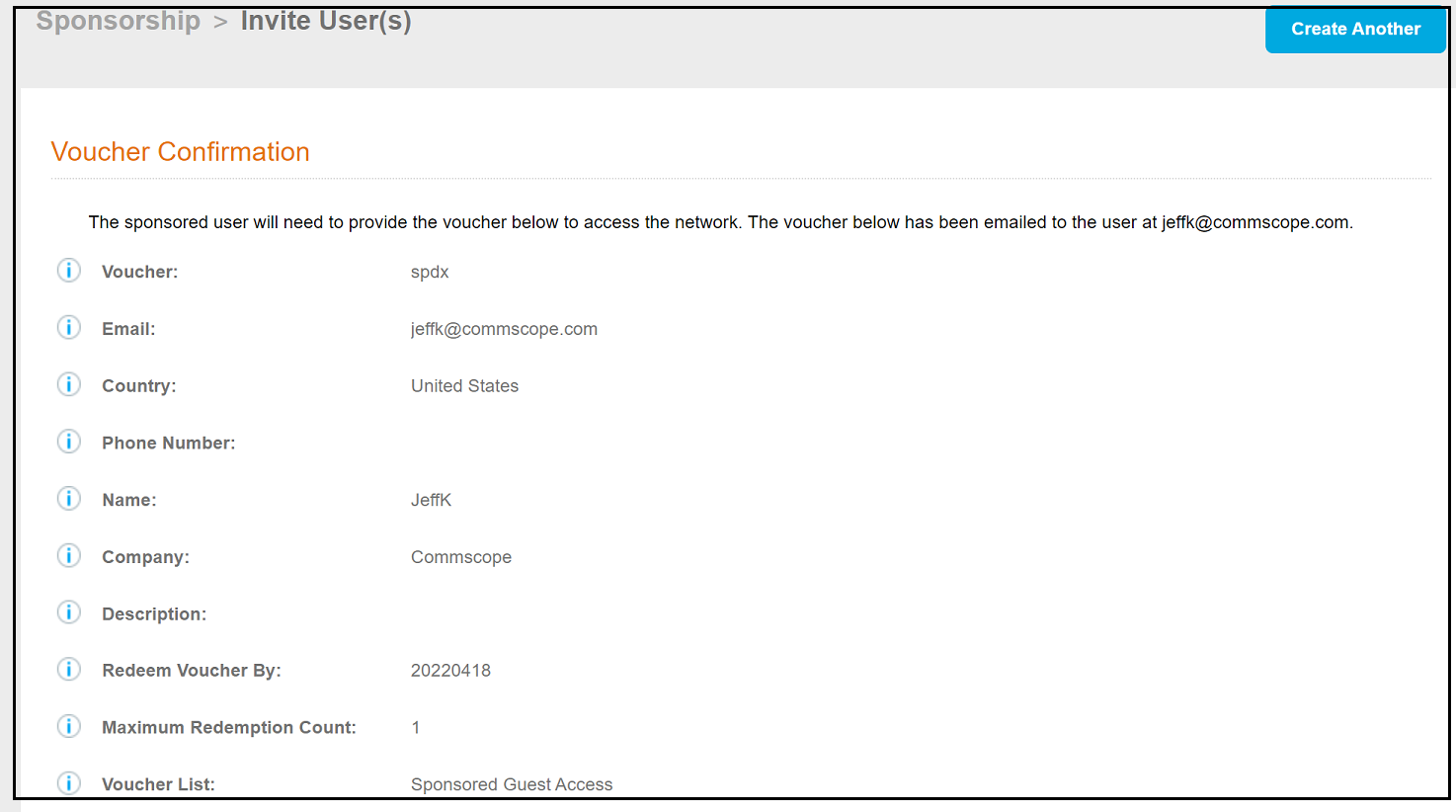
- A voucher is generated, and appears in the ensuing voucher confirmation screen (shown below).
- This same voucher code is sent to the guest user, which they will receive either by email, text, or both, depending on how the delivery method has been configured. Another option is that the sponsor can manually provide the voucher to the guest.
- The sponsor then directs the user to access the onboarding wireless network,at which time the user gets redirected to the Cloudpath system, and then follows the enrollment prompts to obtain network access.
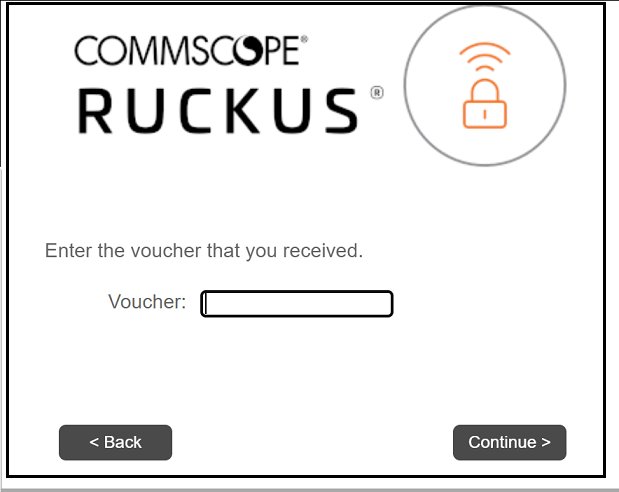
- When prompted to enter the voucher (see screen below), the guest enters the provided voucher, then continues the enrollment process. When enrollment completes, the guest will be onboarded to the secure Cloudpath network.