WLAN Configuration Overview
The Wi-Fi Networks component of the RUCKUS Unleashed dashboard provides tools for managing all aspects of your RUCKUS Unleashed wireless local area networks (WLANs).
It contains options for creating new WLANs, modifying or deleting existing WLANs, and configuring global wireless settings for deployment on all WLANs.
The Wi-Fi Networks component offers two display modes:
The Wi-Fi Networks component offers the following options:
- Search field: Search WLANs in card or table display mode.
- Summary Wi-Fi Network box: Click this box to view a summary of all WLAN clients, signal quality, and traffic statistics.
- Individual Wi-Fi network boxes: Click any of these boxes to view details specific to the indicated WLAN.
- Data Duration: Select the duration of time interval (10 minute, 1 hour, and 12 hours) to view the client status and traffic information of the indicated WLAN.
- Display Mode:
Switch between card and table display modes. If there are more than 20 WLANs, they
are
displayed in table mode automatically. The display mode returns to the default (card
mode)
when the web interface is refreshed.
Note: You can configure 64 WLANs in Dedicated mode and 16 WLANs in local bridge mode from the web interface, CLI, and mobile app.
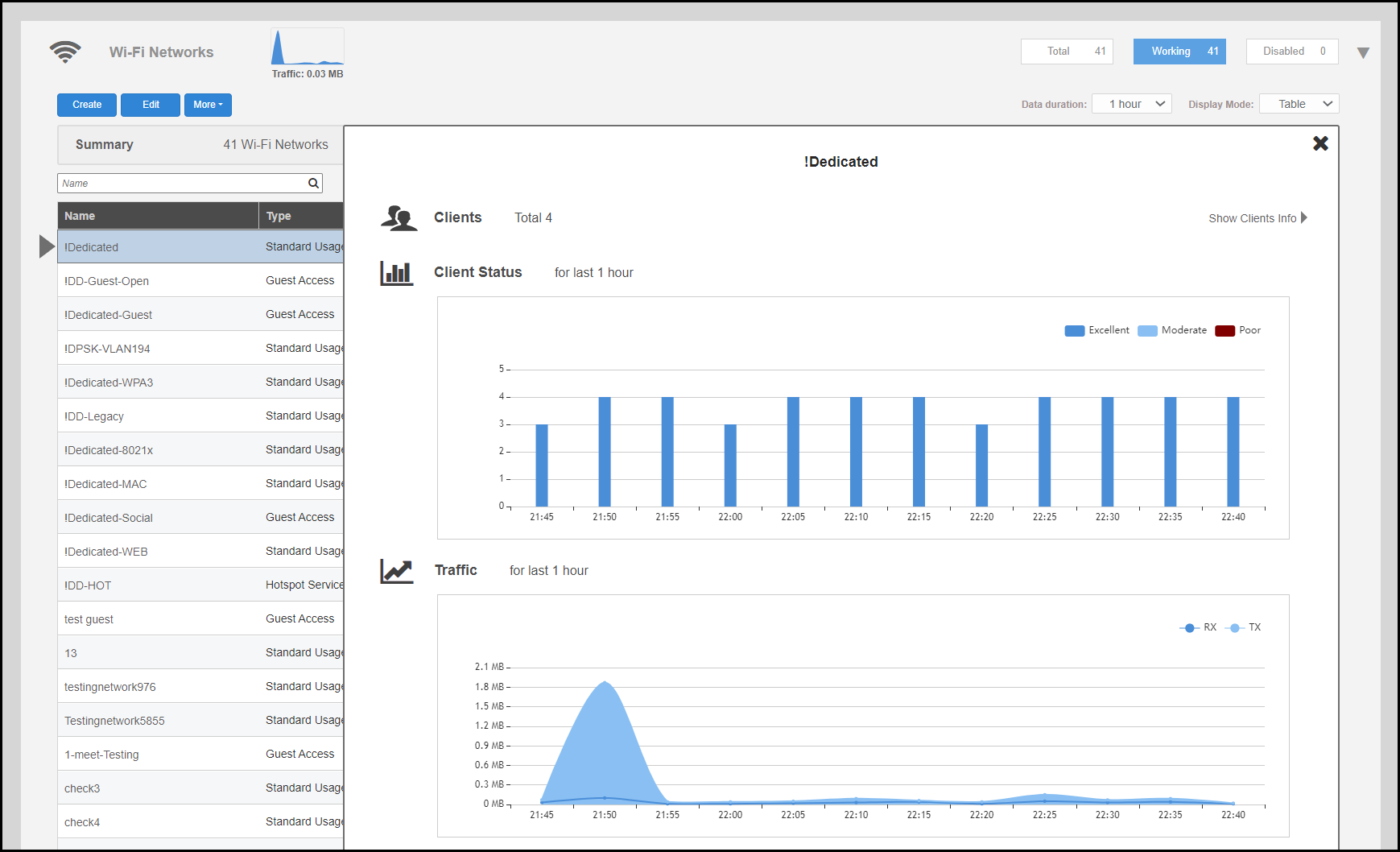
- Show Clients Info: Click this link to view a table of currently connected clients.
- Client Status bar chart: This chart displays the number of connected clients and the client signal quality across all connected WLANs at one-minute intervals (over the last 10 minutes), 5-minute intervals (over the last one hour), and one-hour intervals (over the last 12 hours) respectively.
- Traffic graph: This graph displays the Received (Rx), Transmitted (Tx), and Total traffic values as per the time interval selected for Data Duration.
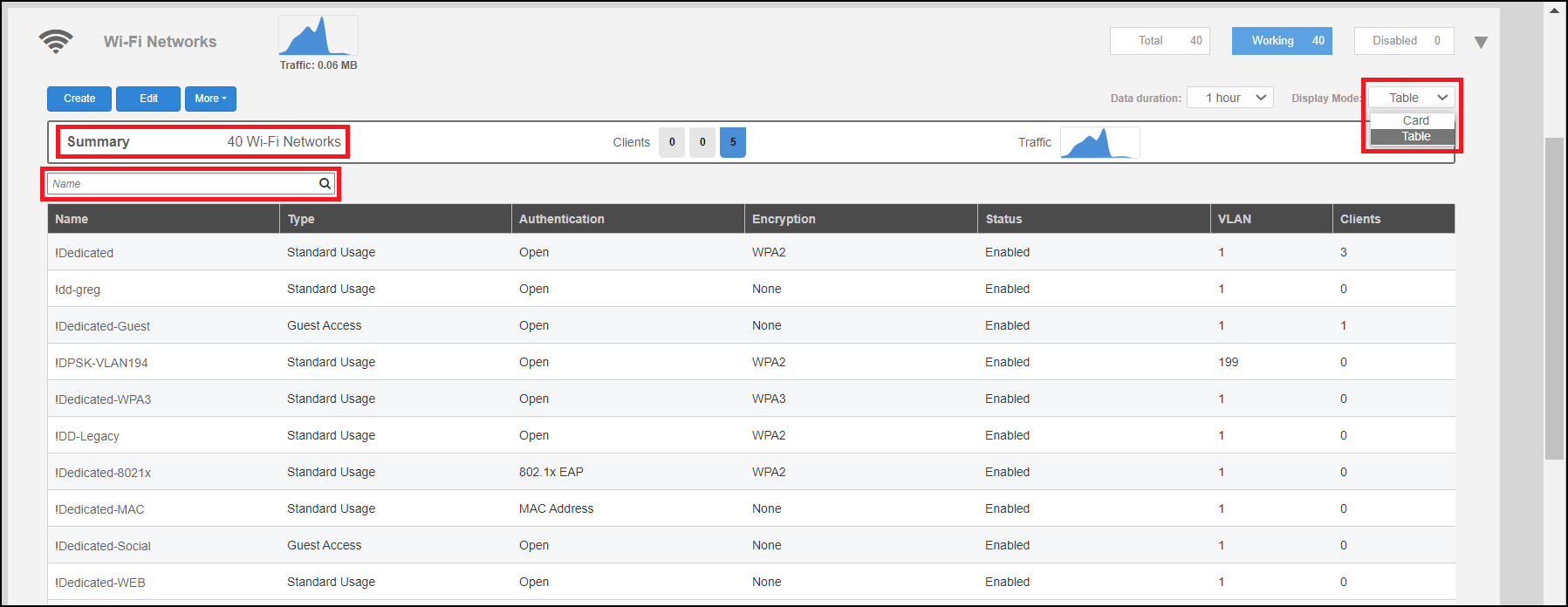
You can sort the items in the table by clicking the Name, Type, Authentication, Encryption, Status column headings.
In the table display mode, you can click individual rows to view information about the clients and traffic associated with the selected WLAN.