Using a QR Code to Join a Wi-Fi Network

Instead of entering a Wi-Fi password manually, you can join a Wi-Fi network using a QR code.
Complete the following steps to join a Wi-Fi network using a QR code.
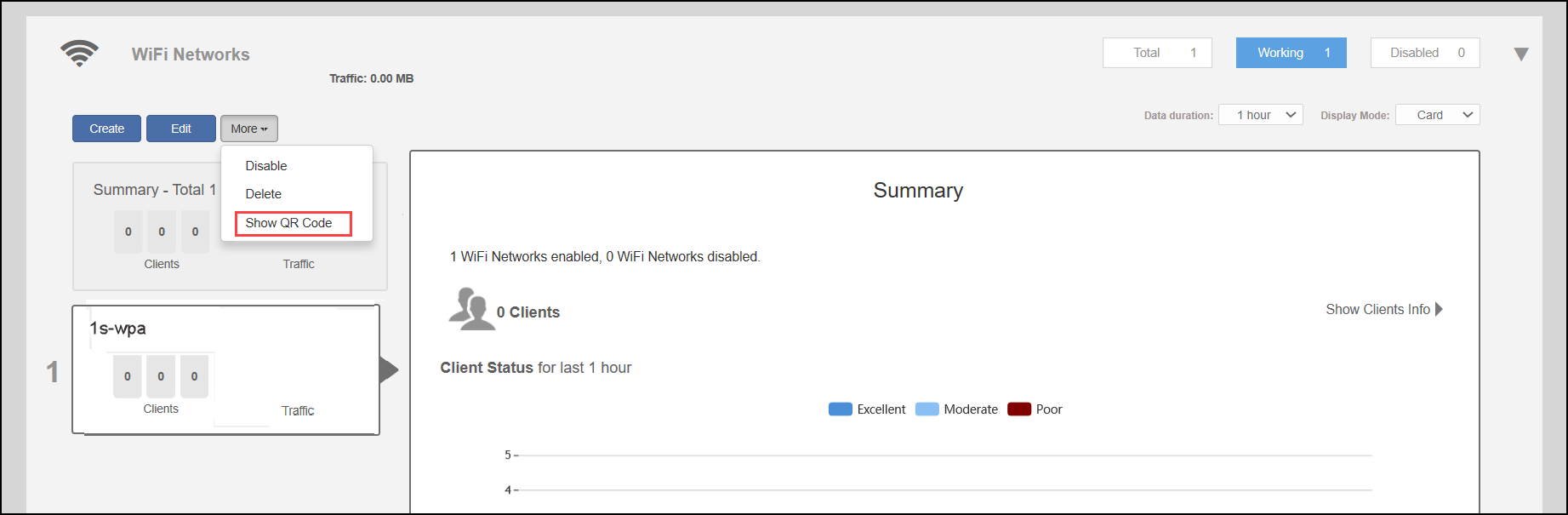
  1. From the Unleashed Dashboard, expand the Wi-Fi Networks and select a WLAN. Select More > Show QR Code.

    Joining a WLAN Using a QR Code

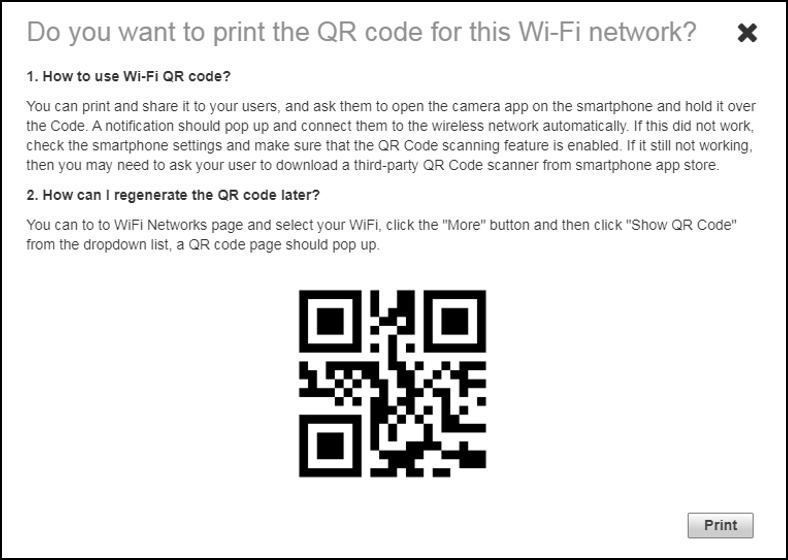
  2. In the QR Code page, click Print to print the QR code or scan the QR code using a smartphone camera.

    QR Code Page

    The Show QR Code option is not supported across all WLAN types. Refer to the following table for more information.

    QR Code Support for WLAN Types

    WLAN Type QR Code Support
    Open/None Yes
    Open WPA2 Yes
    Open WPA3 No
    Open WPA2/WPA3-Mix No
    Open OWE No
    802.1x + WPA2 No
    802.1x + WPA3 No
    802.1x + WPA2/WPA3-Mix No
    MAC + WPA2 Yes
    MAC + WPA3 No
    MAC + WPA2/WPA3-Mix No
    MAC + None Yes