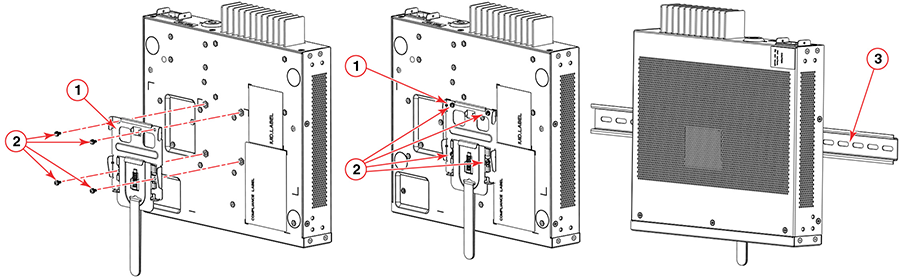
Mounting on a Wall Using the Wall-Mount Brackets
Note: You need a #2 Phillips
screwdriver, a hammer, and a drill for wall mount installation.
Note: Mount the devices that have fans so
that there is enough space for ventilation on the air-intake and air-exhaust sides
to maintain the ambient operating temperature.
Danger: This equipment is suitable for mounting on concrete or other noncombustible surfaces
only.
Note: The hardware device illustrated in
this procedure is only for reference and may not depict the actual device that
you
are installing.
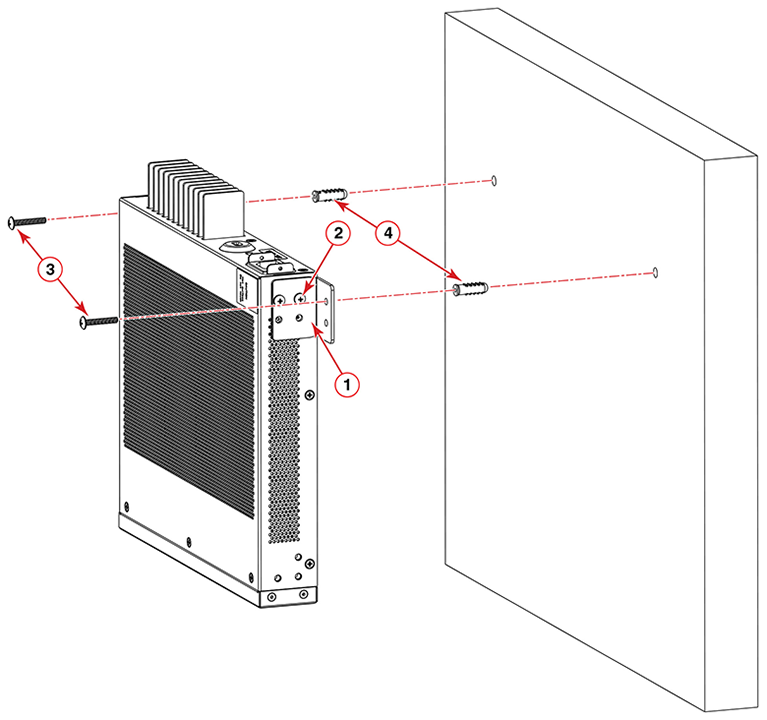
Complete the following steps to mount the device to a wall.
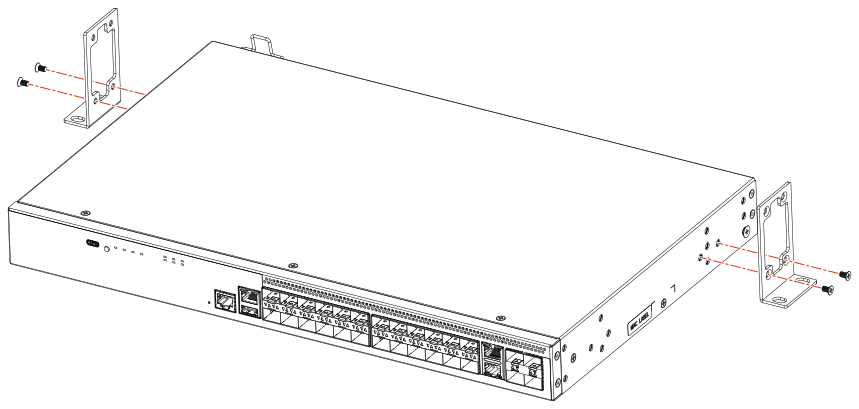
- Using a Phillips screwdriver, attach the wall mount brackets to the sides of the device using four #6-32 sink-head screws on each side.
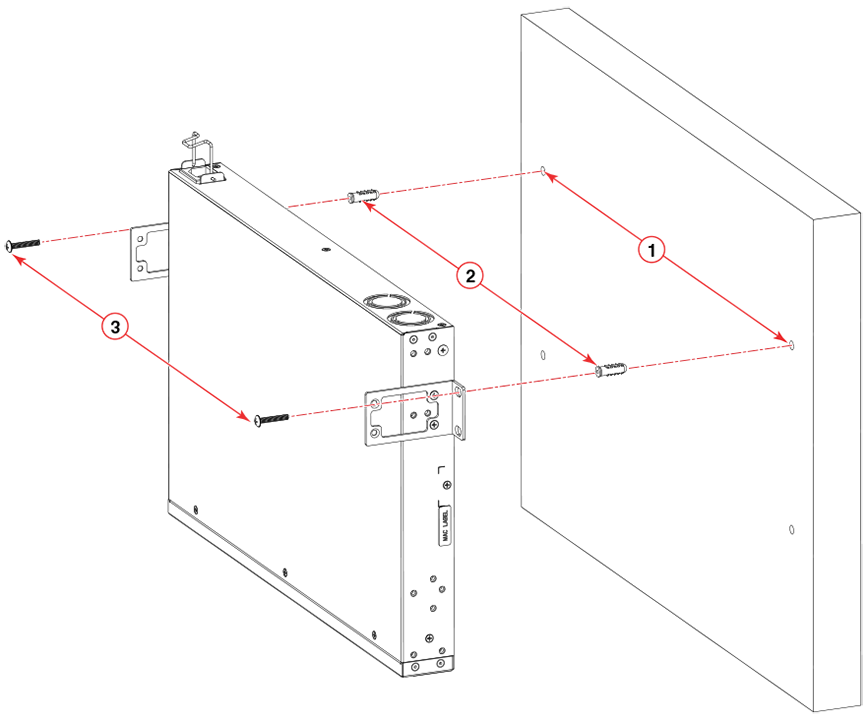
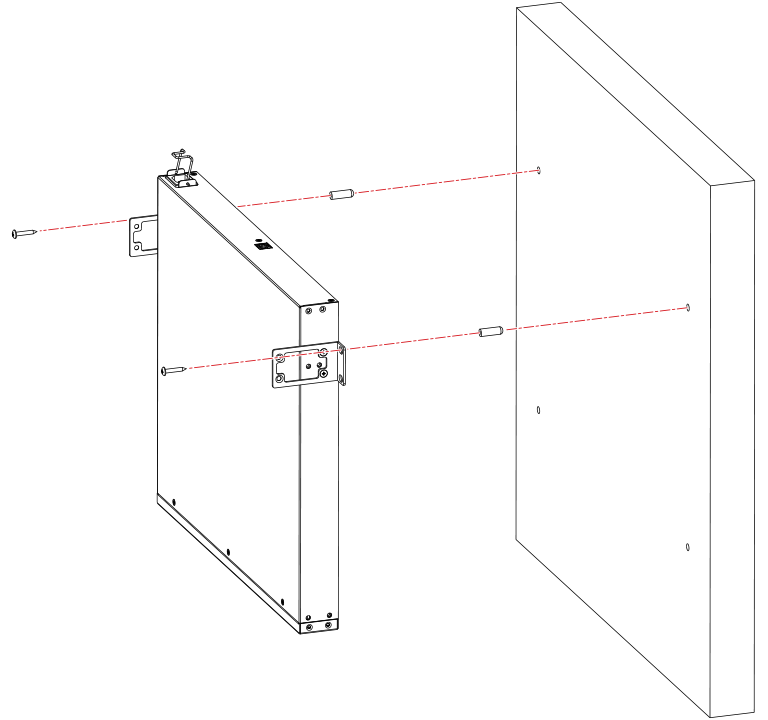
- Drill two holes on the wall where you want to mount the device.
- Hammer two wall-mount anchors into the holes on the wall.
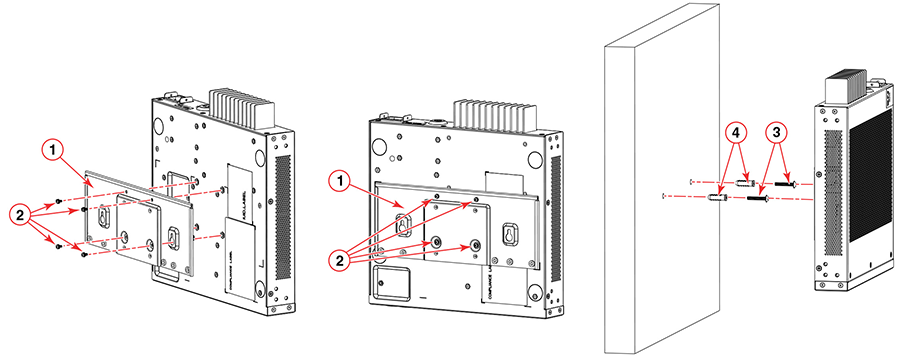
- Use the two wall-mount screws to fasten the device to the wall-mount anchors.
Wall-Mounting a 24-port Device with Port-side Up
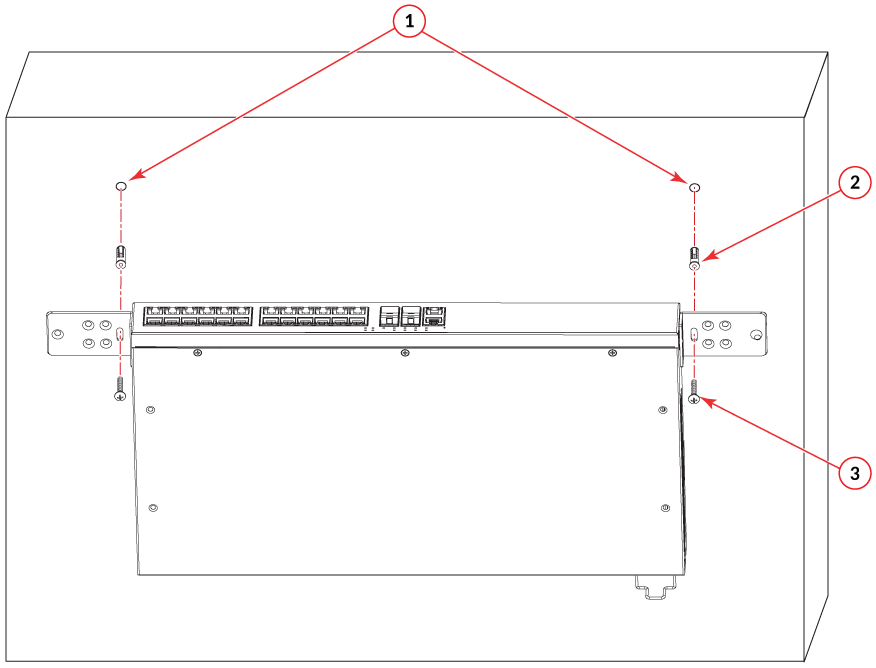
1. Drilled holes 2. Wall-mount anchors 3. Wall-mount screws 1. Wall-mount brackets 3. Wall-mount screws 2. M4L8 Pan-head screws 4. -mount anchors