Mounting on a Desktop or Flat Surface
Complete the following steps to install the device on a desktop or other flat surface. The device you are installing may look different than the one in the following illustration.
Note: The hardware device illustrated in this procedure is only for reference and may not
depict the actual device that you are installing.
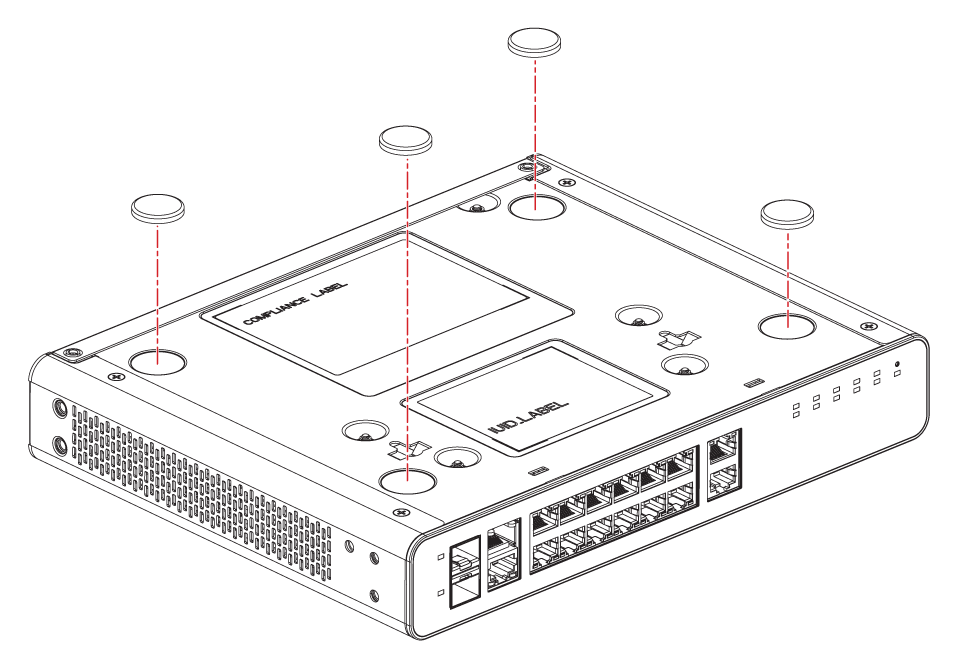
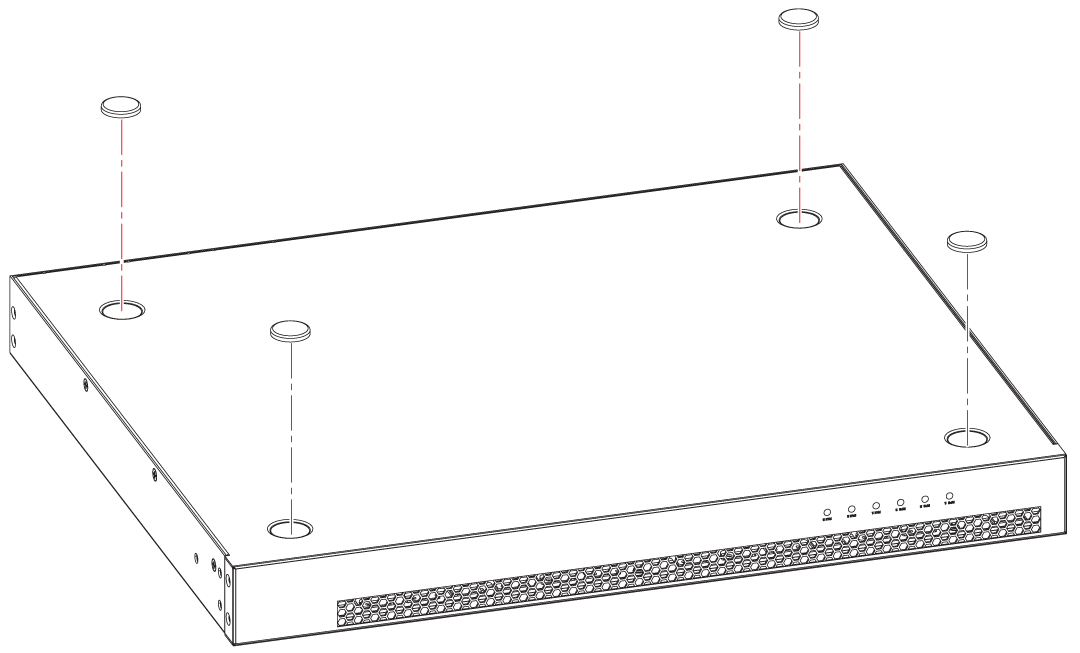
- Attach the four adhesive feet to the bottom of the device. If installing multiple devices, attach the adhesive feet to each device.
- Set the device on a flat desktop, table, or shelf near an AC power source. Make sure that adequate ventilation is provided for the system. A 7.62 cm (3 in.) clearance is recommended on each side.
- If installing multiple devices, place each device squarely on top of the one below. If you have both compact devices and regular devices, place the regular devices at the bottom.
- Power on the system.