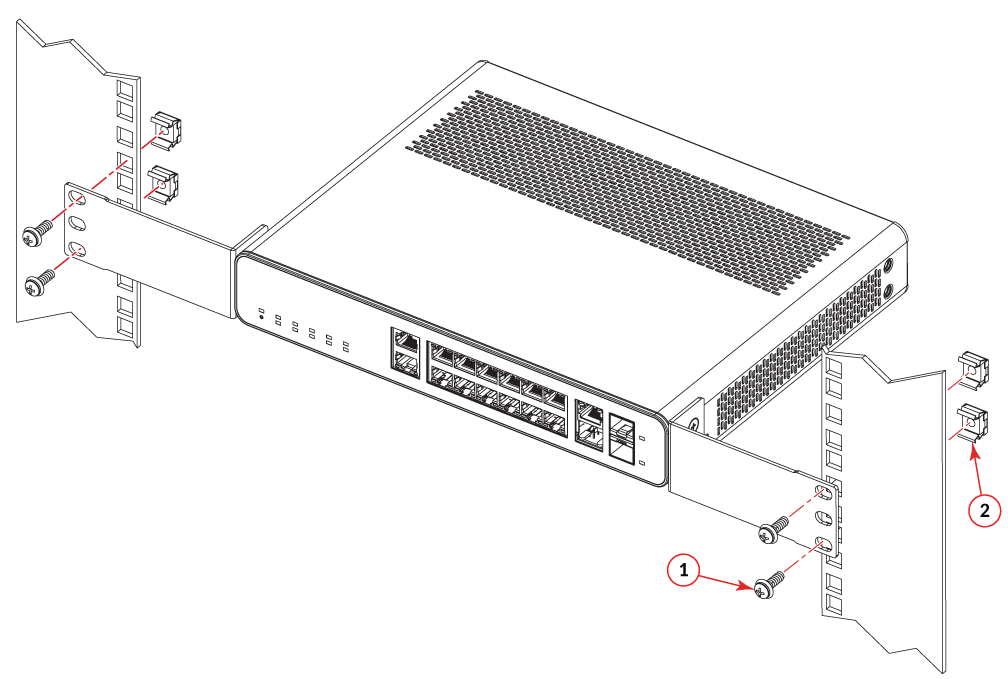
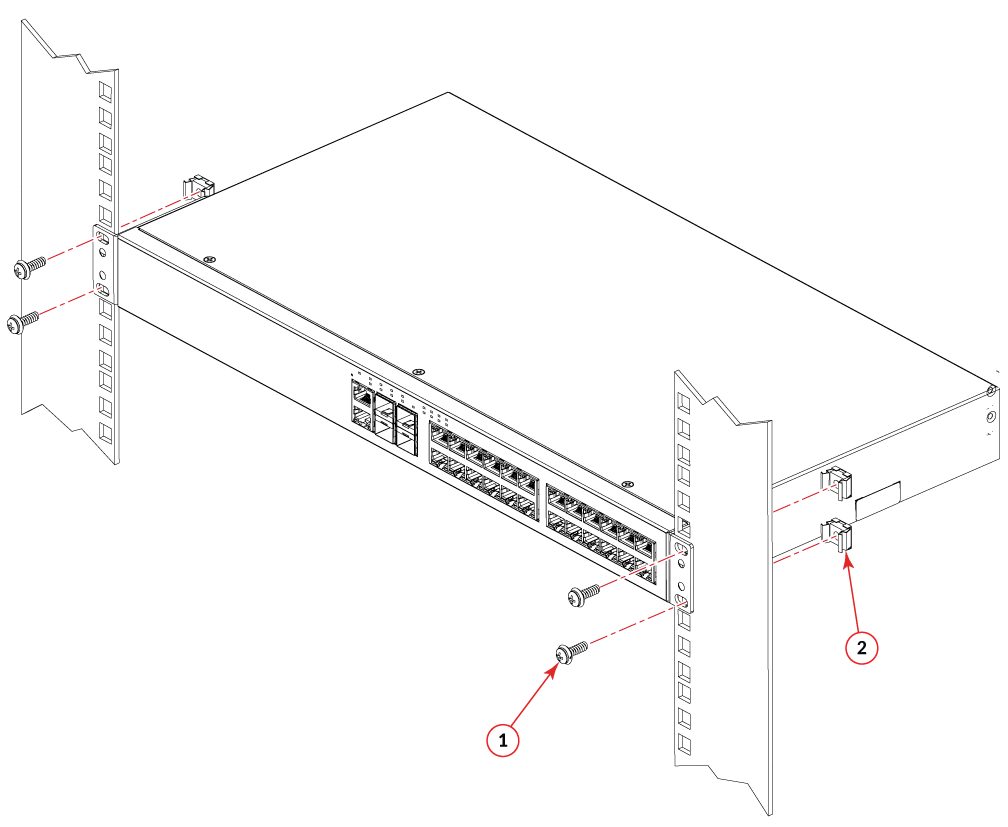
Mounting on a Two-Post Rack
The devices use stationary mounting when mounted in a rack.
Danger: Make sure the rack housing the device is adequately secured to prevent it from becoming
unstable or falling over.
Caution: Ensure that adequate ventilation and airflow is provided for the system. A 4.5 cm
(1.77 in) clearance is recommended above and below the device and 8 cm (3.15 in) clearance
is recommended on each side.
Note: You need a #2 Phillips screwdriver for rack mount installation.
Note: The ICX 7150-C12P, ICX
7150-C08P, and ICX 7150-C08PT compact device require the ICX7000-C12-RMK rack-mount
kit which is optionally orderable.
Note: The ICX 7150-C10ZP compact devices require
the ICX 7150-C10ZP-RMK rack mount kit, which is optionally orderable.
Complete the following steps to mount devices in a rack.
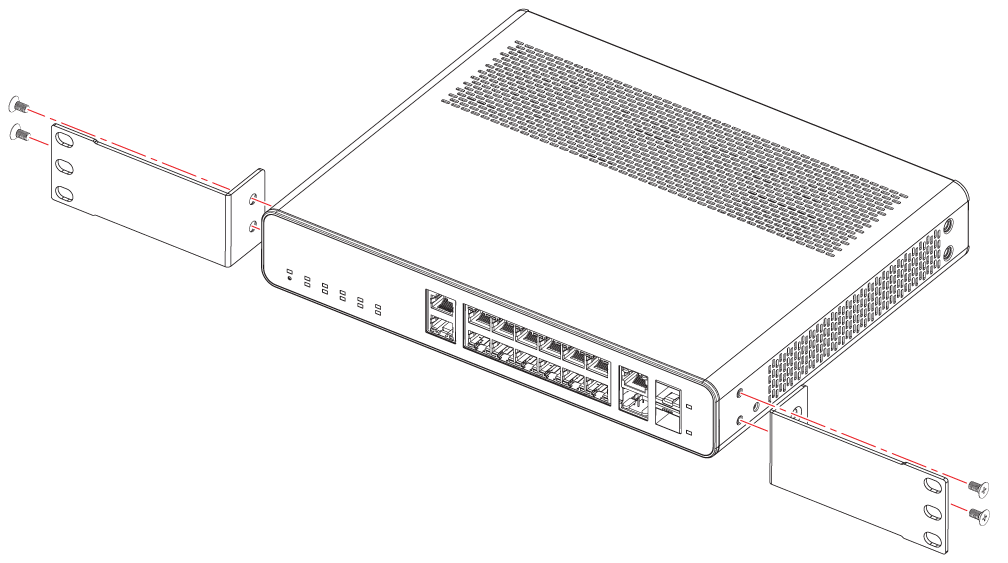
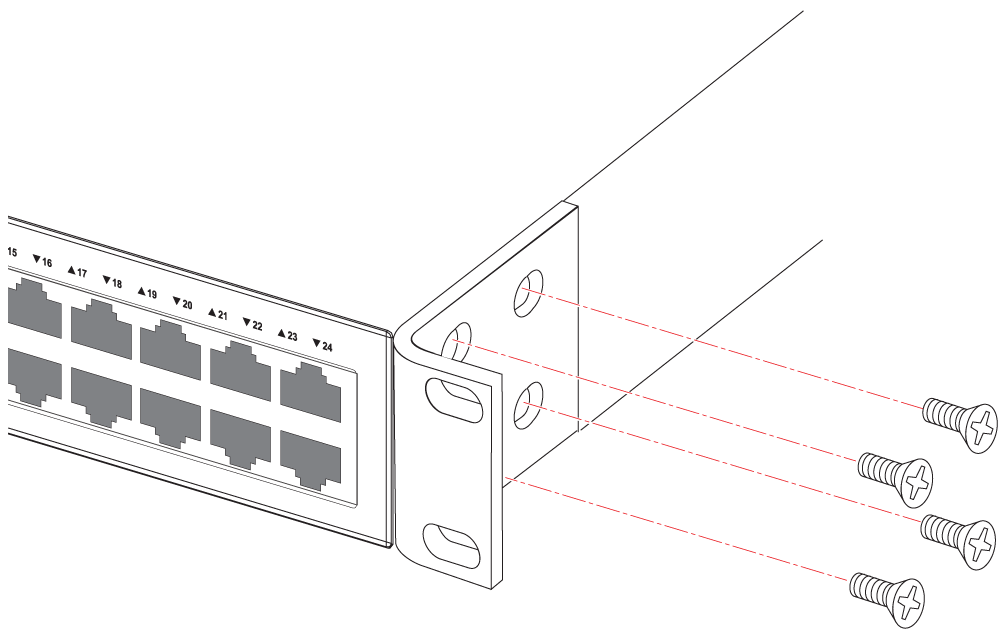
- The kit contains two L-shaped mounting brackets and six sink-head screws.
- Using a Phillips screwdriver, attach the mounting brackets to the sides of the device using six sink-head screws.
- The two-post rack kit contains four rack-mounting screws and four cage nuts.
- Insert the cage nuts in the two-post rack where you want to mount the device.
- Using a Phillips screwdriver, mount the device in a two-post rack using four rack-mounting screws.
- If installing multiple devices, mount them in the rack, one below the other with the heaviest device at the bottom and lightest device on the top.
=GUID-58069E26-83F9-4A9A-ADE3-9C64FB63CC83=2=en-US=Low.png)