Editing an AV Profile
- On the ICX web management
interface (Main UI), select AV Profiles in
the main menu.The AV Profiles overview page is displayed.
- In the AV Profiles
section of the page, click the
 icon (in the Actions column) for the profile that you want to edit.
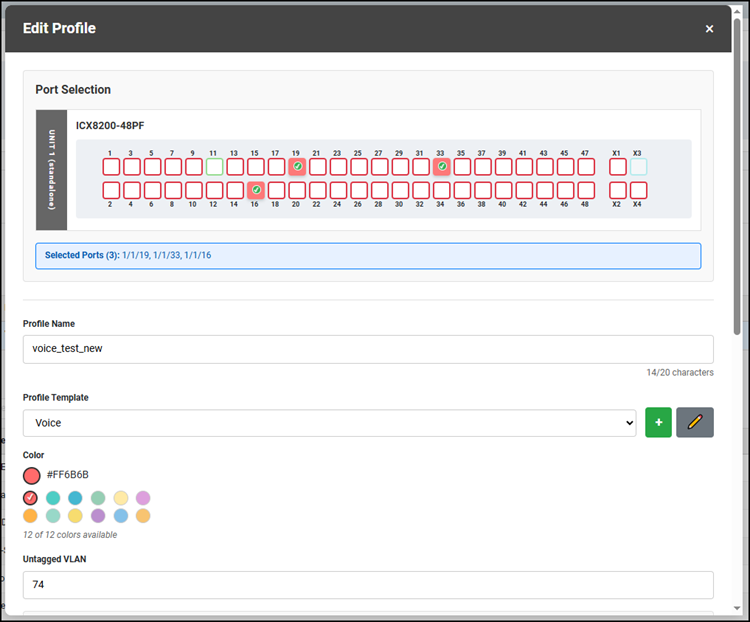
- In the Port Selection section, select the ports to be included in the edited profile.
- For Profile Name, change the name of the profile.
- For Profile Template,
change the profile template by selecting a different template from the drop-down
list.If the desired template is not in the list, refer to Creating a New AV Profile Template.
- For Color, you can select any available color to indicate which ports are part of this AV Profile.
- For Untagged VLAN, change the VLAN ID.
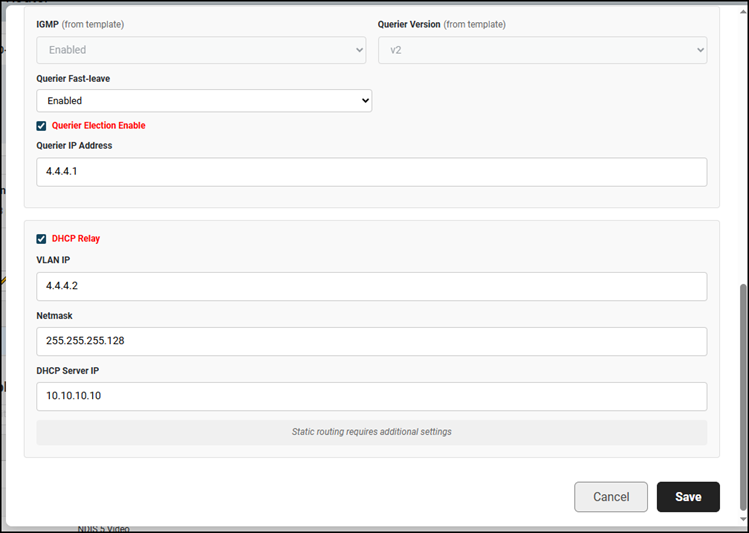
- For Querier Fast-leave, select Enabled or Disabled from the list.
- (Optional) Change the querier election setting by clicking the Querier Election Enable checkbox. If enabling this option, then enter the IP address in the Querier IP Address field.
- (Optional) Change the DHCP relay option by clicking the DHCP Relay checkbox. If enabling the option, then enter IP addresses for the following fields:
- When all the information is correct, click Save to save and apply the updated AV profile.