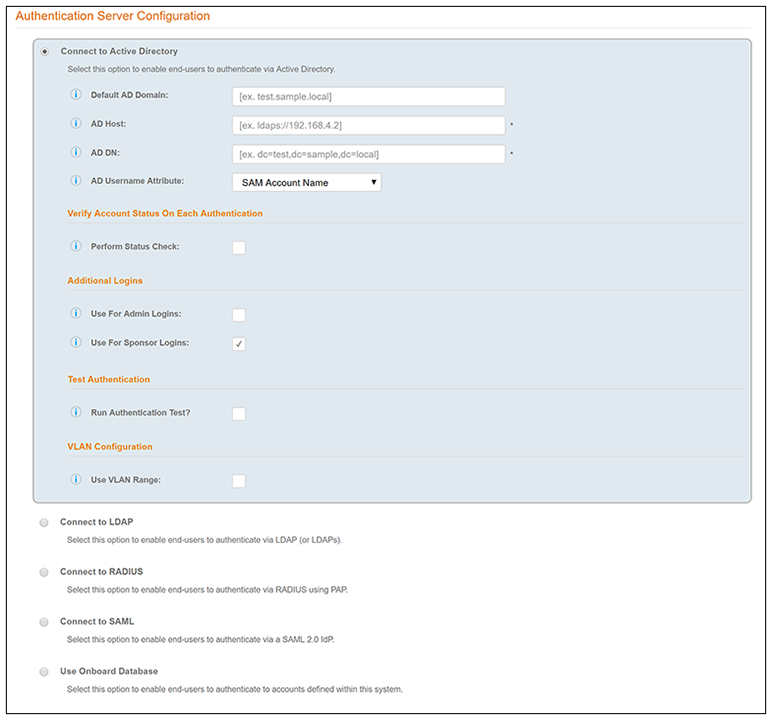
Authentication to a Traditional Authentication Server
You can run the authentication test at any time from the workflow, or from the page.
- Select the Employee tab in Step 2 of the example enrollment workflow.
- Insert a step above the Result: step in the enrollment workflow.
- Select Authenticate to a traditional authentication server.
- Select Define a new authentication server. The Add Authentication Server page opens.
- Enter the Reference and Active Directory Information .
- (Optional) To test connectivity to the authentication server, select the Run Authentication Test box, and enter a Test Username and Password.
- (Optional) To allow users from a specific group to log in to the Cloudpath Admin UI as administrators, check the Use for Login Admin box and enter the Admin Group Regex for the authentication server group.
- Click Next.
- Select Use a new webpage created from a standard template.