Preloading AP Firmware in Unleashed Master
- Log in to the Unleashed web interface and enter the administrator name and password. Click Login.
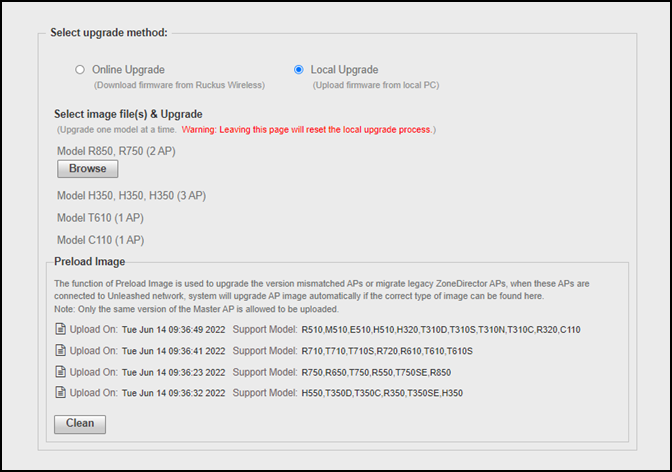
- Select , and select Local Upgrade as the upgrade method.
- Download the AP firmware from
the following RUCKUS Support Site for the preload:https://support.ruckuswireless.com/software?filter=82Attention: The version for the migration AP models must match with the Unleashed Dedicated Master version.
- In the Preload Image table, click Browse to upload the Unleashed AP firmware for the migration AP model.
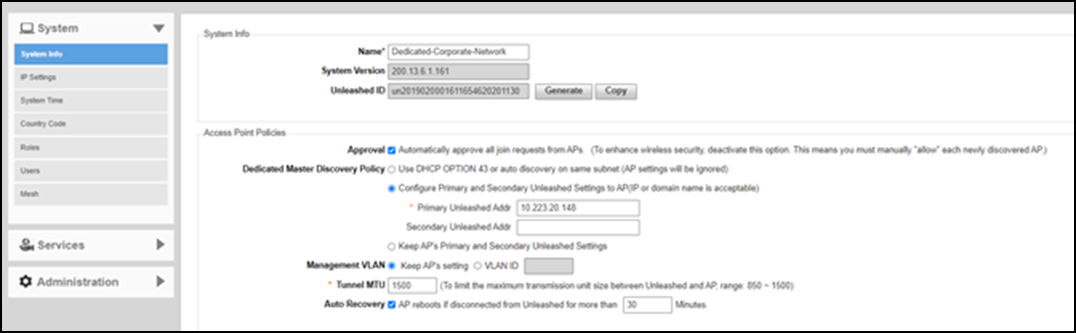
- Select and complete the following steps: