RUCKUS Cloud Services
Complete the following steps to enable
cloud analytics on SmartZone.
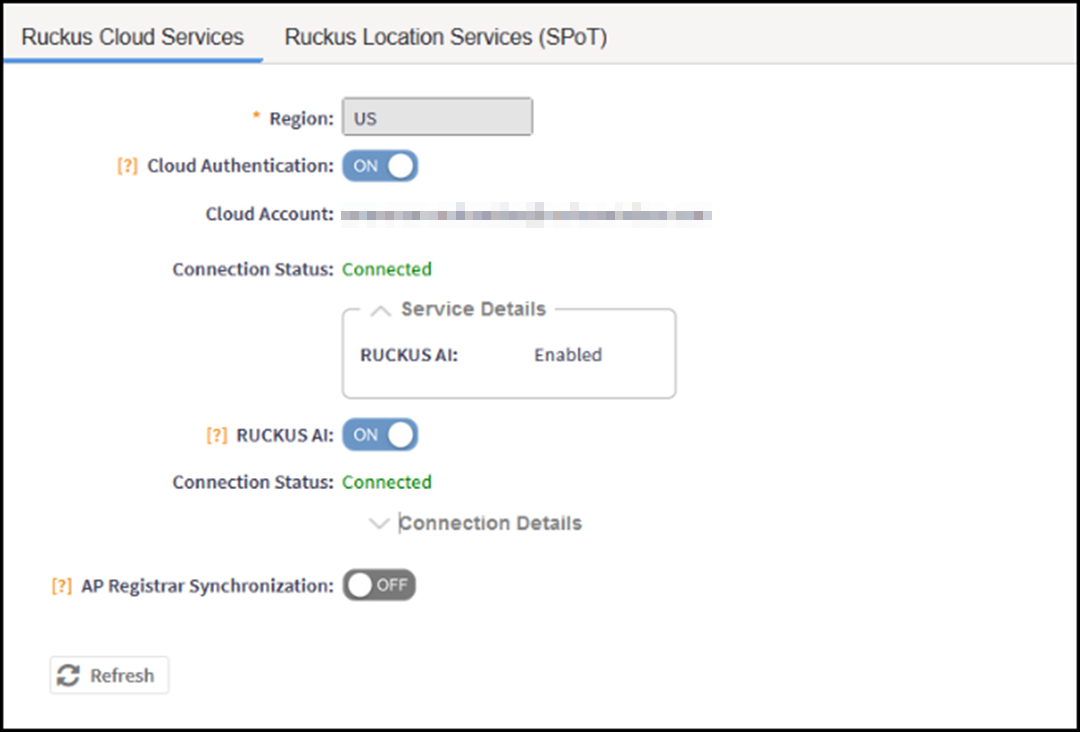
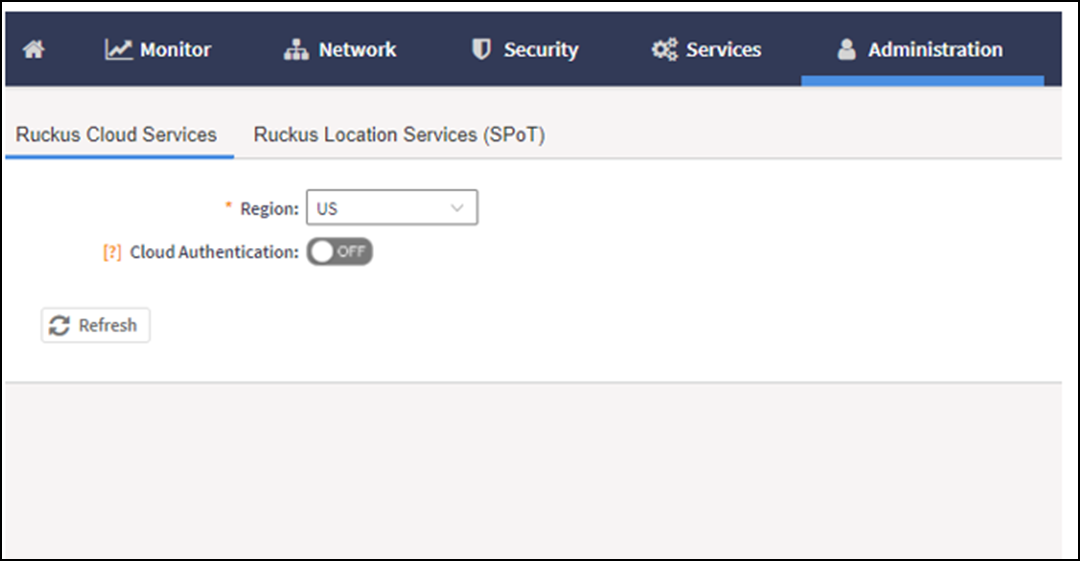
- From the main menu, go to , and select Ruckus Cloud Services.
-
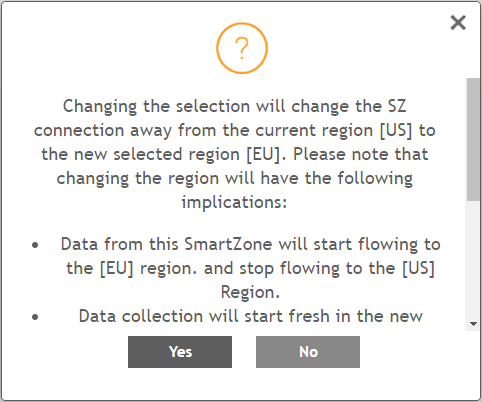
5.2.1 UpdateFor Region, select a specific cluster region to control. Options include US, EU, and Asia.
- Click Yes to confirm. An error message is displayed if the cluster receives an unexpected response.
- Select Cloud SZ Services.
- Select RUCKUS AI. The connection status for RUCKUS Cloud AI is displayed.
- Select AP Registrar Synchronization.
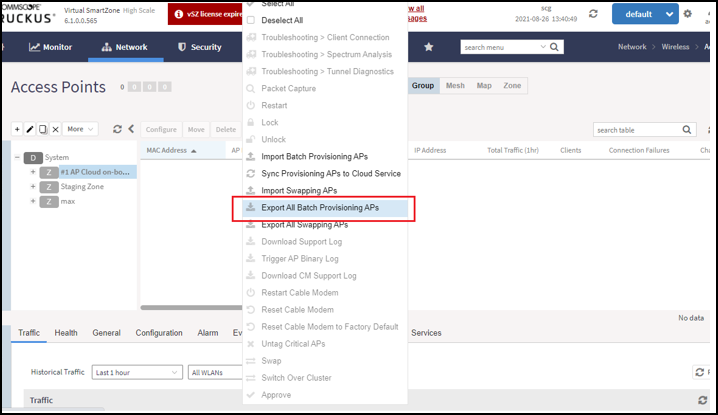
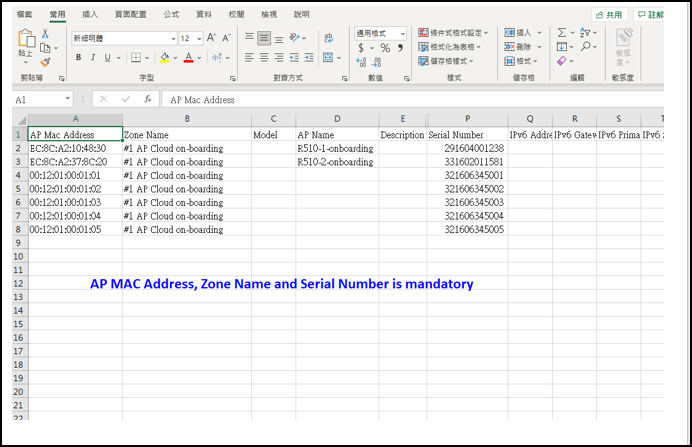
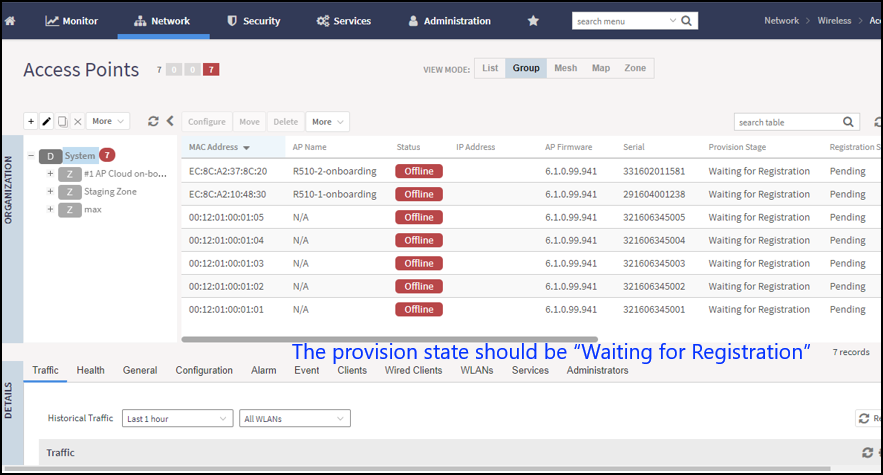
- Go to . Select an AP and click More.. From the list, select Export All Batch Provisioning APs. A blank provisioning AP template is exported from SZ. Ensure that the AP MAC address, the zone name, and the serial number are entered in the CSV file.
- Import the provisioning AP list to an AP Zone.
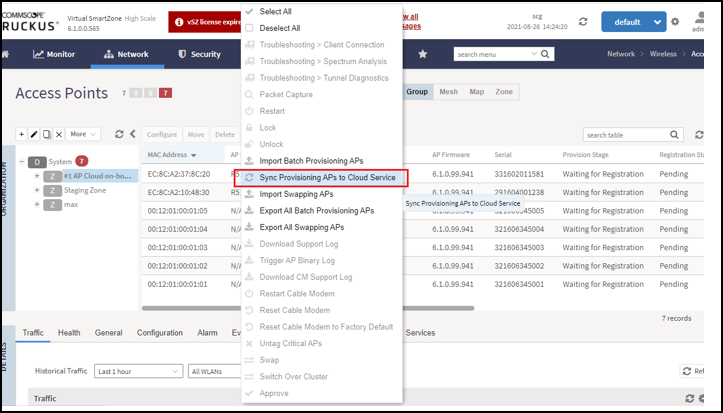
- Click More, and select Sync Provisioning APs to Cloud Service from the list.
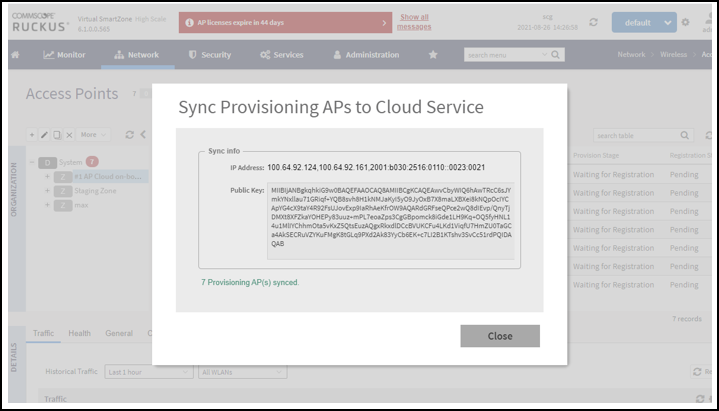
- Ensure synchronization is successful.
%20Controller%20Administration%20Guide,%207.0.0_v3_GUID-52A9F0E1-75FB-4097-896E-1A861E706B9E/Cloud%20services%20-%20Login=GUID-38EFB508-4119-4595-B461-E117CE9B6F21=2=en-US=Low.png)
%20Controller%20Administration%20Guide,%207.0.0_v3_GUID-52A9F0E1-75FB-4097-896E-1A861E706B9E/Cloud%20services%20-%20screen%201=GUID-B18BE30B-C60E-4250-8CA8-75B8AABBA92D=2=en-US=Low.png)
%20Controller%20Administration%20Guide,%207.0.0_v3_GUID-52A9F0E1-75FB-4097-896E-1A861E706B9E/RegionConfirmation=GUID-769F5124-C3B7-43F5-93F4-E4E39419A949=1=en-US=Low.png)
%20Controller%20Administration%20Guide,%207.0.0_v3_GUID-52A9F0E1-75FB-4097-896E-1A861E706B9E/cloud%20services%20-%20screen%202=GUID-B68479B1-F042-46B0-B099-B0CAAD86D12F=2=en-US=Low.png)
%20Controller%20Administration%20Guide,%207.0.0_v3_GUID-52A9F0E1-75FB-4097-896E-1A861E706B9E/cloud%20services%20-%20screen%203=GUID-9801834D-874D-43DA-96D1-28251598E592=2=en-US=Low.png)
%20Controller%20Administration%20Guide,%207.0.0_v3_GUID-52A9F0E1-75FB-4097-896E-1A861E706B9E/cloud%20services%20-%20screen%204=GUID-06637D21-6483-4745-AF23-ABEF42383939=2=en-US=Low.png)
%20Controller%20Administration%20Guide,%207.0.0_v3_GUID-52A9F0E1-75FB-4097-896E-1A861E706B9E/cloud%20services%20-%20screen%205=GUID-8BAE07A4-45A0-495C-B15E-8325538A5B81=2=en-US=Low.png)
%20Controller%20Administration%20Guide,%207.0.0_v3_GUID-52A9F0E1-75FB-4097-896E-1A861E706B9E/Cloud%20services%20-%20screen%206=GUID-BF2E1412-C475-44D9-AB0B-FC330D1D68FA=2=en-US=Low.png)