IPv6 Configurations and Considerations
The IPv6 version support can be enabled within the installation wizard only during the initial setup process of the controller. SmartZone and Virtual SmartZone controllers offer the option to configure dual-mode IPv4/IPv6 addressing, or IPv4 only. Once configured and deployed, this configuration cannot be undone, unless the controller is set to factory defaults and re-deployed.
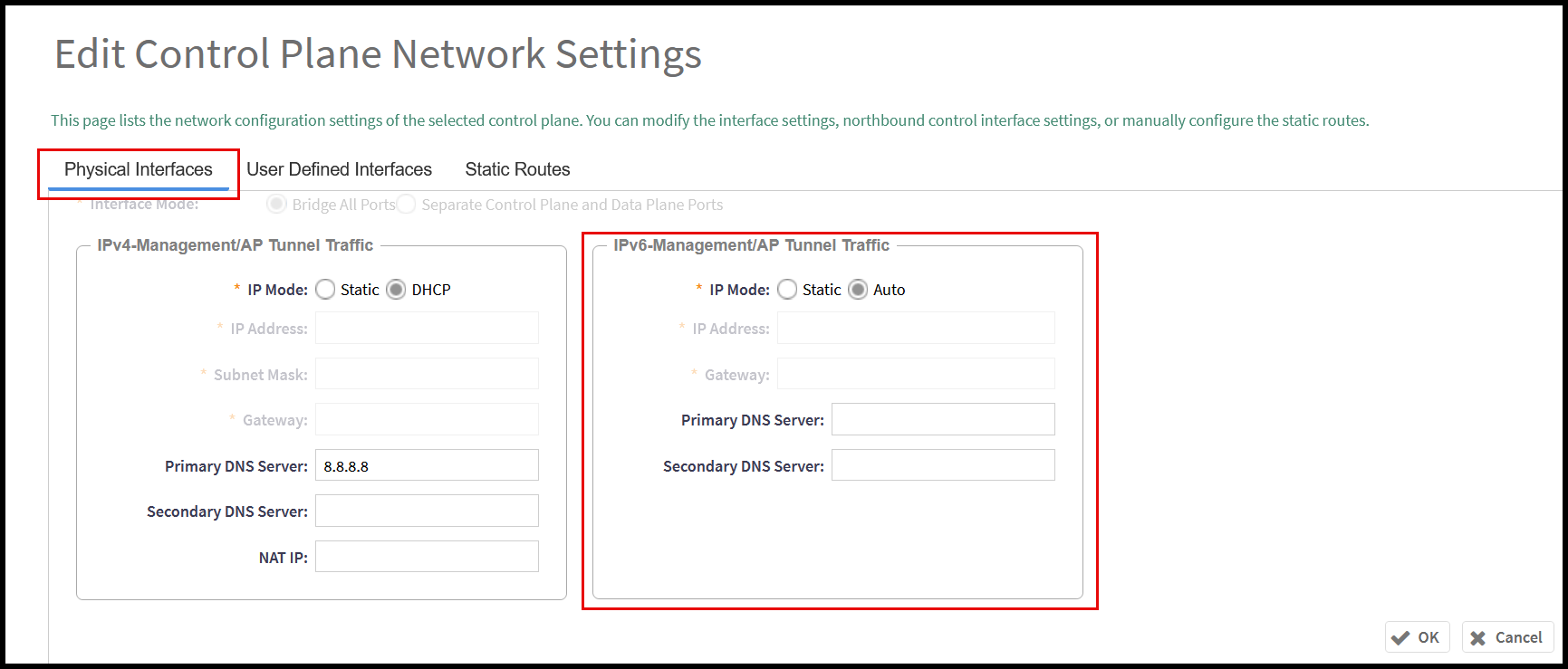
To modify the current IPv6 configuration of the controller, navigate to Network > Data and Control Plane > Cluster, select the control plane that requires the modification, and click Configure (optionally, just double-click the node that requires the configuration). The Edit Control Plane Network Settings window opens; modify the configuration options as desired. Click OK to save the changes.