Viewing Networks Configured for a Venue
You can view the details of networks that are configured for a venue.
- On the navigation bar, click
Venues.The Venues page is displayed.
- Click on a specific venue name,
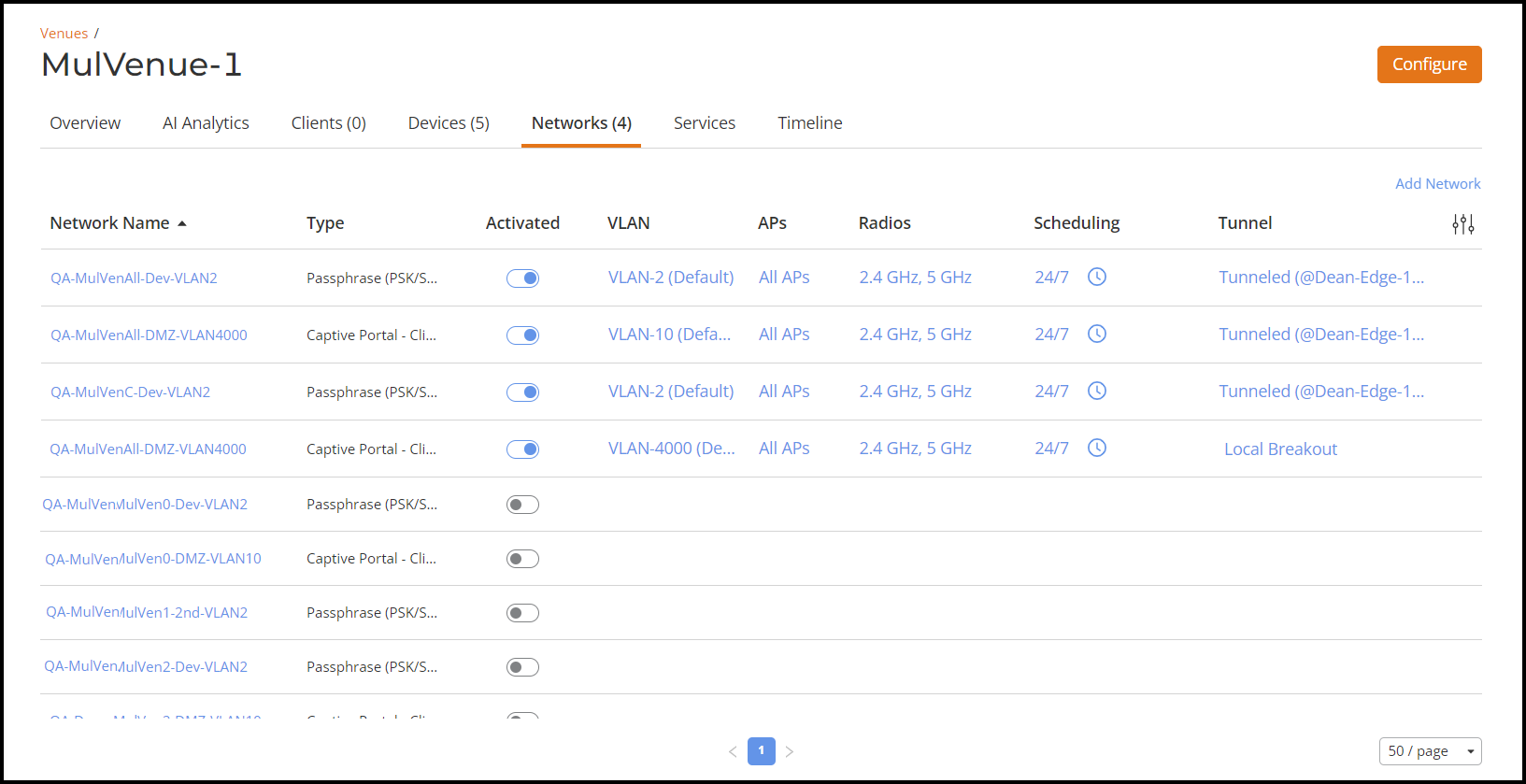
then click the Networks tab.The Networks tab for the venue displays the following information about each network that is assigned to the venue:
- Network Name: The name of the network. To view more information about this network, click the network name.
- Type: One of the following types of network representing the network security:
- Activated: Shows ON or OFF to display whether the network is activated.
- VLAN: Shows the VLAN ID that is assigned to the network.
- APs: Displays if the network is active on all the APs or
on specific AP Groups in the venue. Click the link to open a dialog box
with the Radios option to configure the APs or AP Groups that are
advertising this network.
Click the information icon to view the AP and Wi-Fi feature compatibility information.
- Radios: Shows whether this network is available on the 2.4 GHz or 5 GHz bandwidth, or both. Click the link to open a dialog box with the APs/AP Group selection to configure the radio bandwidth.
- Scheduling: Shows network availability. Click the clock icon to open a window to set either 24/7 availability or customize the network availability down to 30-minute time periods for an individual day. Click Save to save your changes.
- Tunnel: Shows if the selected venue is
associated to an SD-LAN service. When the Tunnel column for venue
networks is blank, it indicates that they are not using SD-LAN or Local
Breakout tunneling. No tunneling method is being employed for those
networks.
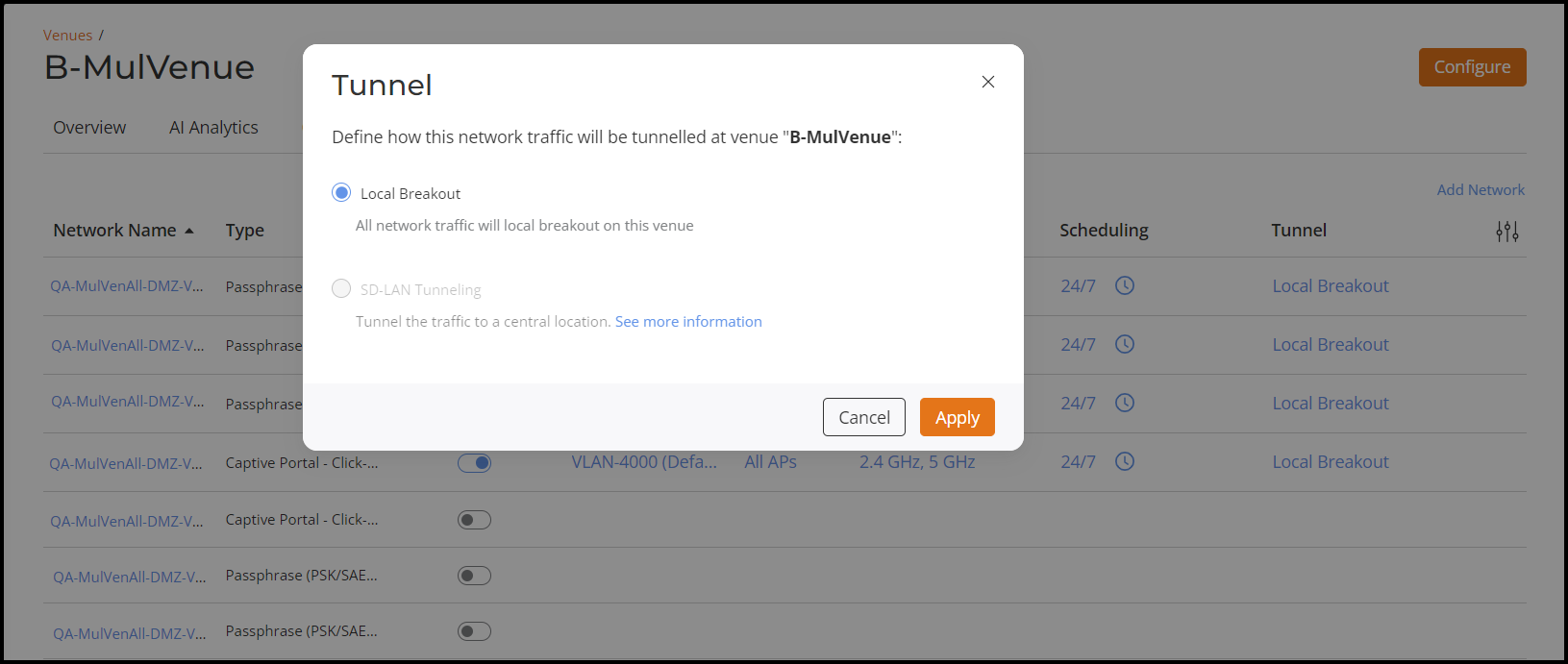
- Local
Breakout : This option is automatically chosen
when the venue is not linked to any SD-LAN service. The network
traffic will not be tunneled to the Edge cluster. APs will
bridge this network traffic on its uplink ethernet port with
appropriate VLAN on the ethernet network.
Click the See more information link, to view information on Configuring an SD-LAN service.
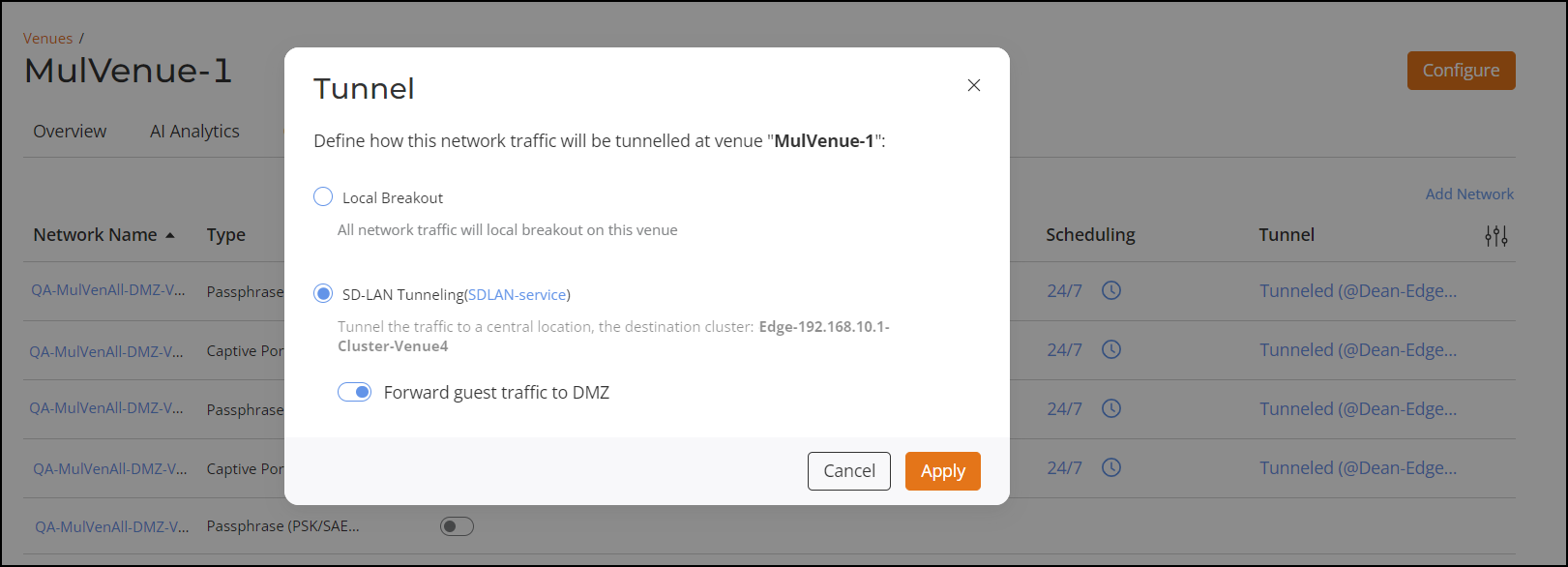
- SD-LAN
Tunneling
- When the venue is linked to an SD-LAN service but does not enable tunneling guest traffic to another cluster in the DMZ.
- When the venue is linked to an SD-LAN service but does not enable tunneling guest traffic to another cluster in the DMZ, where the network type is Captive portal. Enable the Forward guest traffic to DMZ option.
- Local
Breakout : This option is automatically chosen
when the venue is not linked to any SD-LAN service. The network
traffic will not be tunneled to the Edge cluster. APs will
bridge this network traffic on its uplink ethernet port with
appropriate VLAN on the ethernet network.