Installing RUCKUS IoT Insights on Amazon Web Service
Installing RUCKUS IoT Insights under Amazon Web Service (AWS) requires the set-up of two parts. First, you must set up an AWS account. Next, the AWS command line interface must be configured. Finally, you install RUCKUS IoT Insights.
Setting Up an AWS Account
- Login into the AWS console
using the url
https://aws.amazon.com/console/ - Select .
- Click Users in the left pane.
- Select Roles in the left pane and create a new role called vmimport.
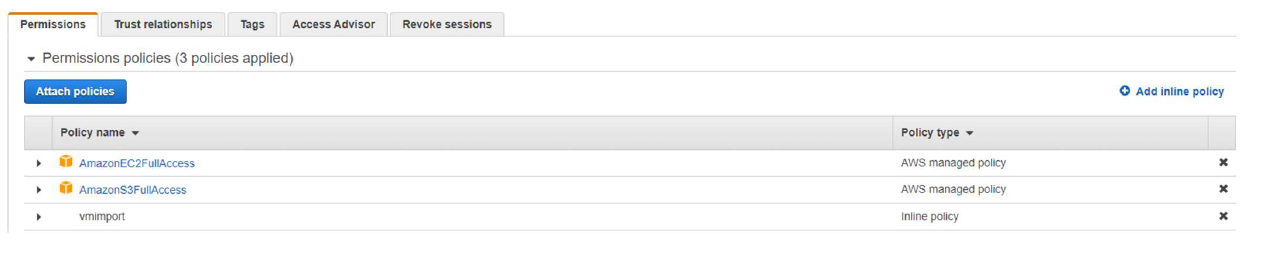
- Select the vmimport role and attach the following policies:
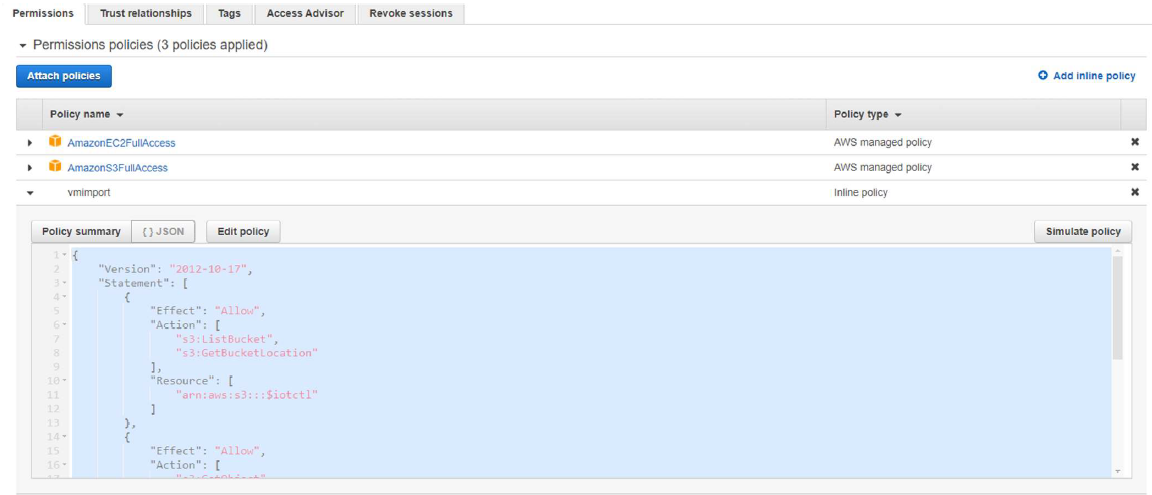
- Edit the vmimport policy JSON file {} as per the following code.
- Download the access keys (excel file).
- Select
Roles in the left pane, and create a new role
called “vmimport”
{ "Version": "2012-10-17", "Statement": [ { "Effect": "Allow", "Action": [ "s3:ListBucket", "s3:GetBucketLocation" ], "Resource": [ "arn:aws:s3:::$iotctl" ] }, { "Effect": "Allow", "Action": [ "s3:GetObject" ], "Resource": [ "arn:aws:s3:::$iotctl/*" ] }, { "Effect": "Allow", "Action": [ "ec2:ModifySnapshotAttribute", "ec2:CopySnapshot", "ec2:RegisterImage", "ec2:Describe*" ], "Resource": "*" } ] } - Select .
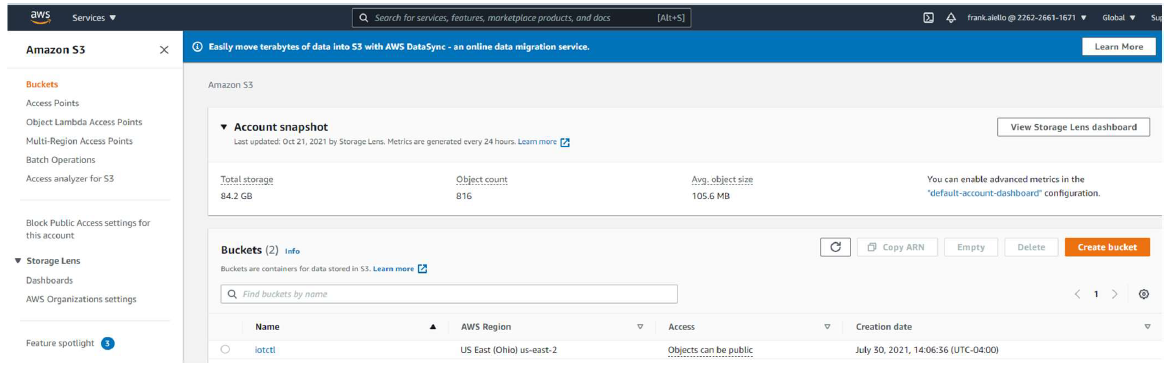
- Create an S3 bucket iotcl.
- Download the IoT Insights OVA file from the RUCKUS Support site https://support.ruckuswireless.com.
- Upload the Insights2 .ova file to the iotctl s3 bucket.
Configuring the AWS Command Line Interface
- Open the command prompt, and enter the following commands:
- Configure the AWS CLI access keys shown in the following figure.
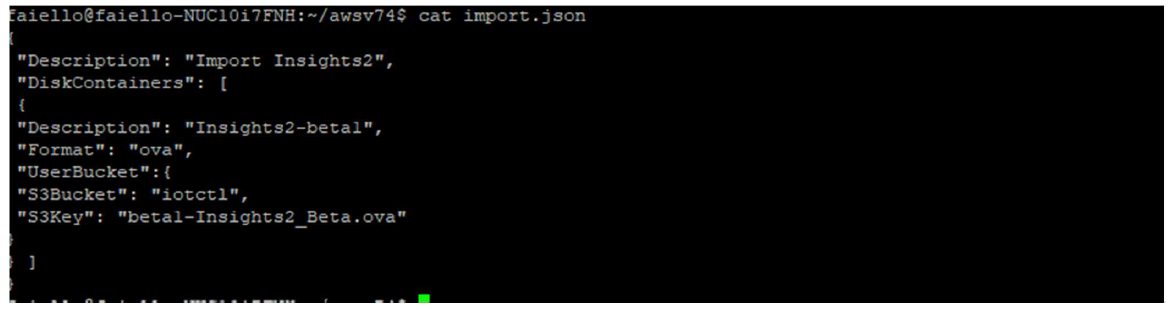
- Create a JSON file called "import.json". The file must contain the attributes shown in the following figure.
- Enter the command
aws ec2 import-image
                        --cli-input-json file://import.json
command to attach the policy to the role previously created. - Enter the command
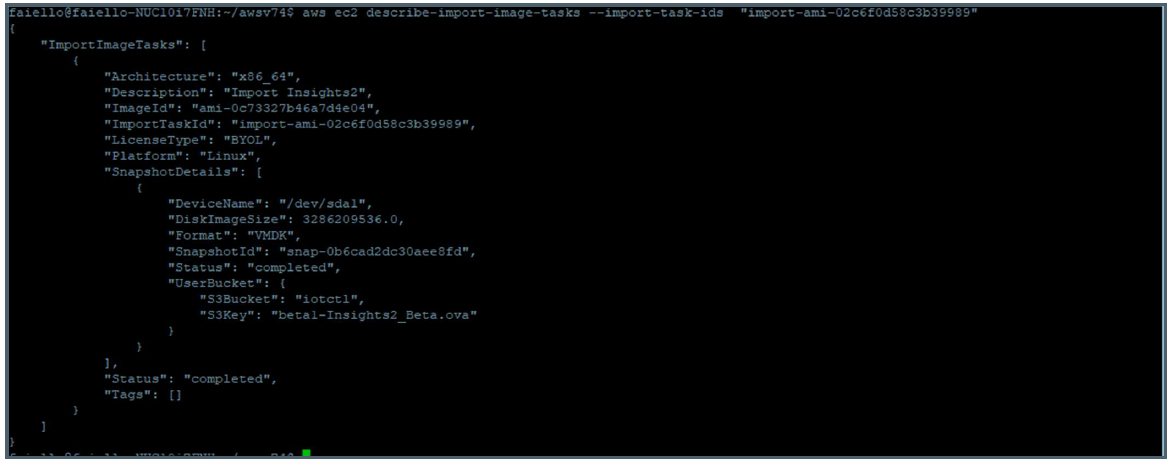
aws ec2
                        describe-import-image-tasks –import-task-ids
                        “import-ami-of662ebae1a3c5ed4"
command to monitor the status of the imported Insights2 OVA image. - When the status shows “completed”, the Insights2 instance is installed in your AWS account. Refer to .
- After configuring the AWS, refer to the topic Installing RUCKUS IoT Insights to complete the installation process.