Adding Tags to an AP
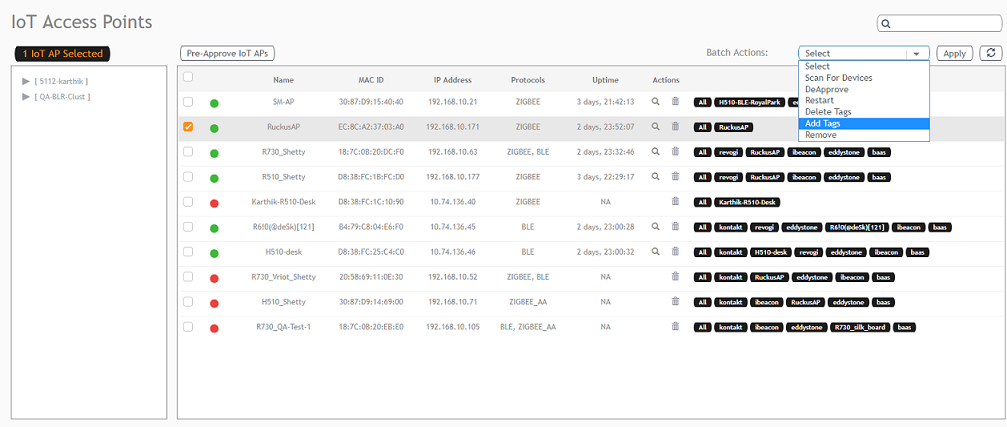
- From the main menu, click
IoT APs.
A list of IoT APs is displayed.
- Select an IoT AP.
Note: You can select one or more APs to add tags.
- Select Add Tags from the Batch Actions list.
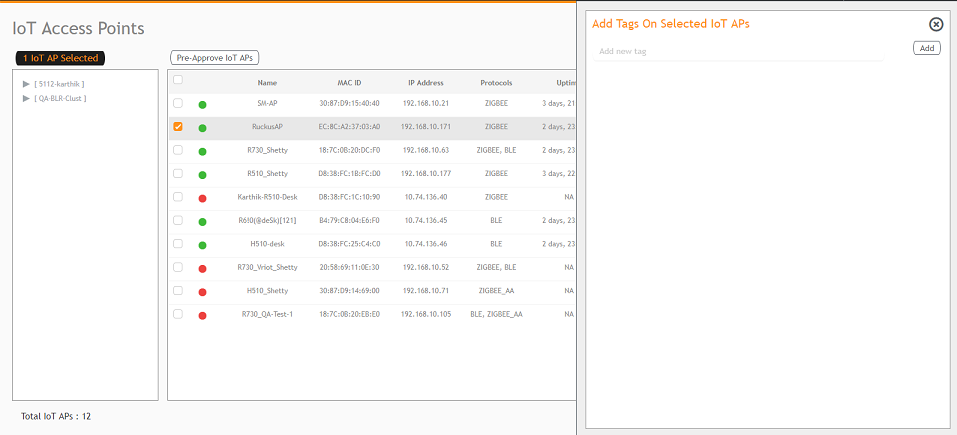
- Click Apply. The Add Tags on Selected IoT APs page is displayed. Enter the tag name in the field Add new tag field and click Add.