Introduction
The Cloudpath UI provides information
about licensing and the licenses you are currently using so that you can determine
when you
may need more licenses (or fewer licenses) over time.
For the purposes of this document, the following assumptions are made:
- You have already deployed your Cloudpath system.
- You have purchased either perpertual licensing or subscription licensing. Perpertual licensing is available only for on-premise deployments.
- You have already activated your license(s).
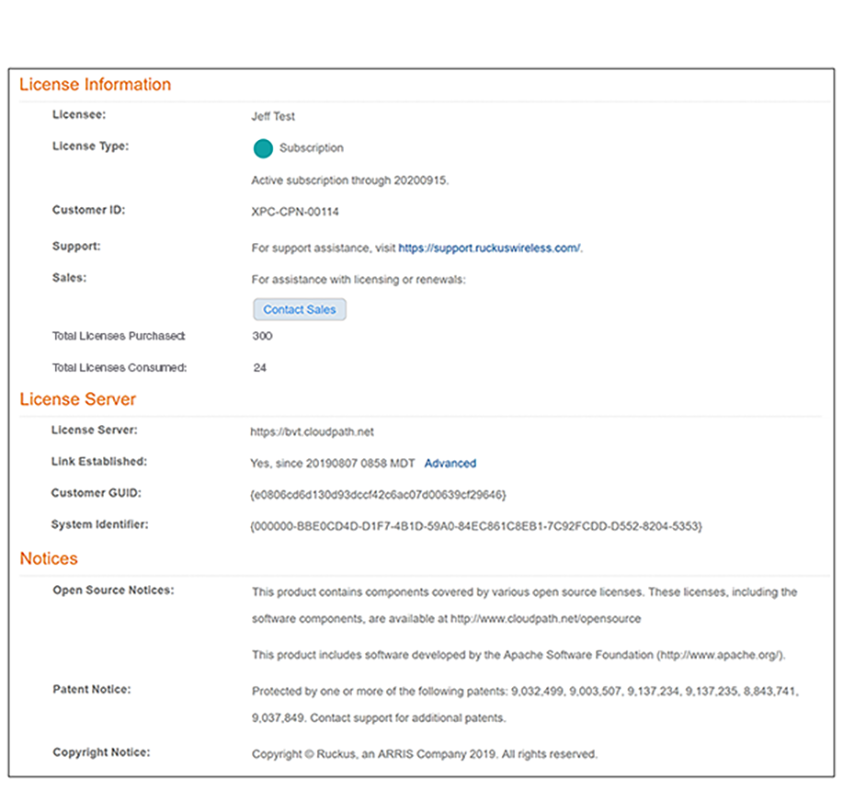
For information about your licensing, navigate in the Cloudpath Admin UI to Support > Licensing > License tab. A screen such as the one shown below provides your licensing information. Use the information as needed. The License Type field, for example, indicates the "type" of licensing being used - in this case "subscription" as opposed to "perpertual."