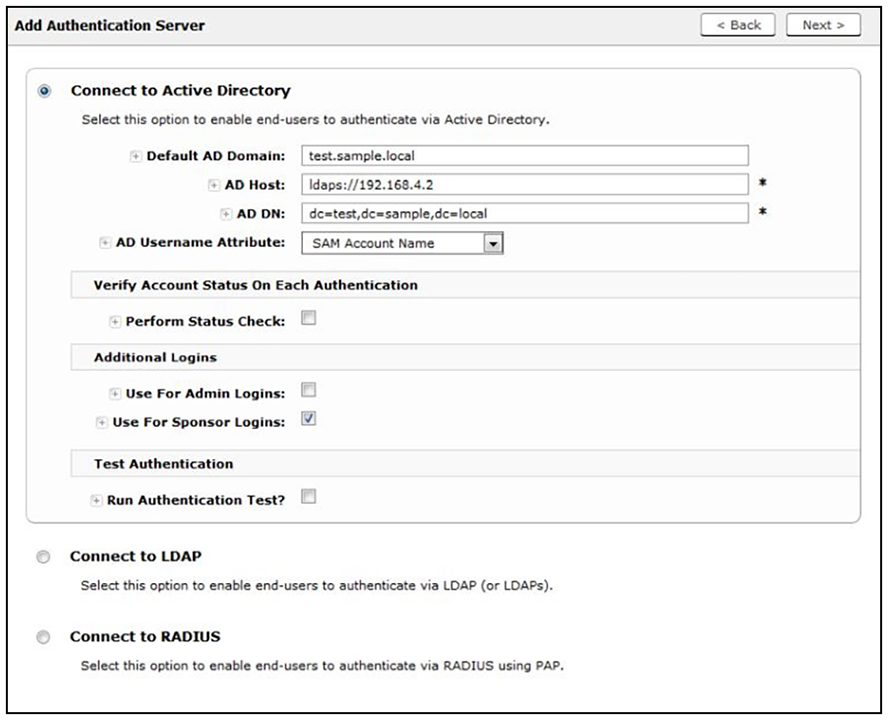
Authentication Server Configuration
How to Configure the Authentication Server for Sponsorship:
- From the ES Admin UI, go to Configuration > Authentication Servers.
- On the Authentication Servers page, edit the AD or LDAP server you will be using to authenticate sponsors and guest users.
- Select the User For Sponsor Logins box, to allow sponsors to log into the sponsorship portal using credentials from this authentication server.