Prerequisites
This manual includes the following terms:
- Application ("APP") node: A node in the cluster that sends all database requests to another node in the cluster that is running a replicated database server.
- Database ("DB") node: A node in the cluster that is running a replicated database
server, and handles all database requests from one or more application nodes.
Note: In a two-node cluster, each node is an application node that also runs its own replicated database server.
To configure replication, set up a minimum of two Cloudpath virtual appliances with the same OVA. These are for the two database nodes. Also, set up an additional appliance with the same OVA for each application node that will be part of your cluster. When configuring these virtual appliances, all application and network properties must be the same for all nodes in the cluster.
Each server must have a unique FQDN Hostname and network IP address. The DNS servers and gateway need not be the same as long as there is network connectivity between the servers.
New System Activation: Primary Node vs. Add On
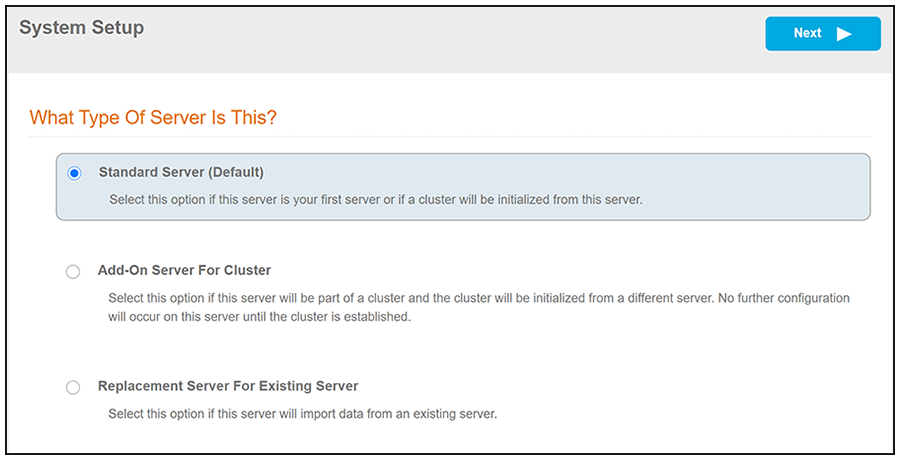
When you first activate a new system, you are presented with a System Setup screen that contains the question: "Which Type Of Server is This?"
For the node that will serve as your primary database node in the cluster, select the "Standard Server (Default)" option, as shown in the following illustration.
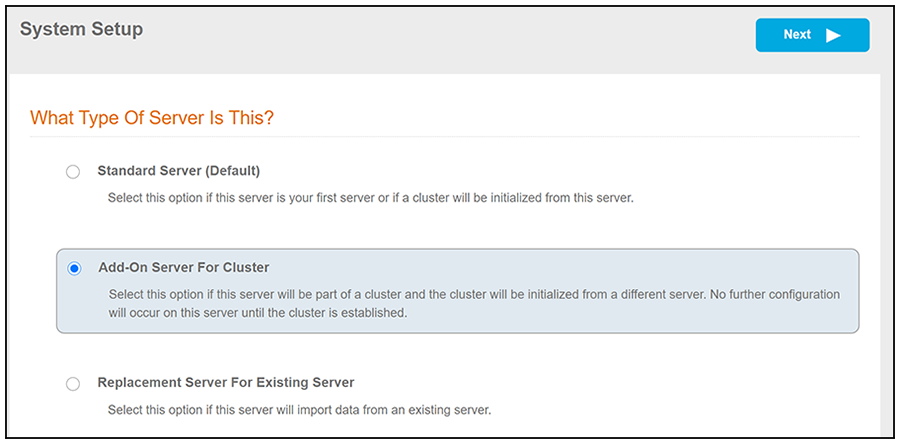
For all other nodes in the cluster (the secondary database node and any application nodes), select the "Add On Server For Cluster" option, as shown in the following illustration.
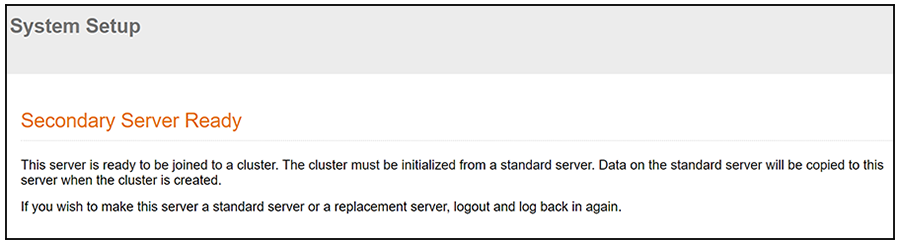
After you click Next, the following screen should be presented:
Ports Used by Replication
Replication configuration opens the following ports between two servers:
Test Connectivity
When configuring replication, be sure that each system can resolve DNS and that each virtual appliance can communicate with the other nodes to be replicated.