How to Customize the Sponsorship Portal
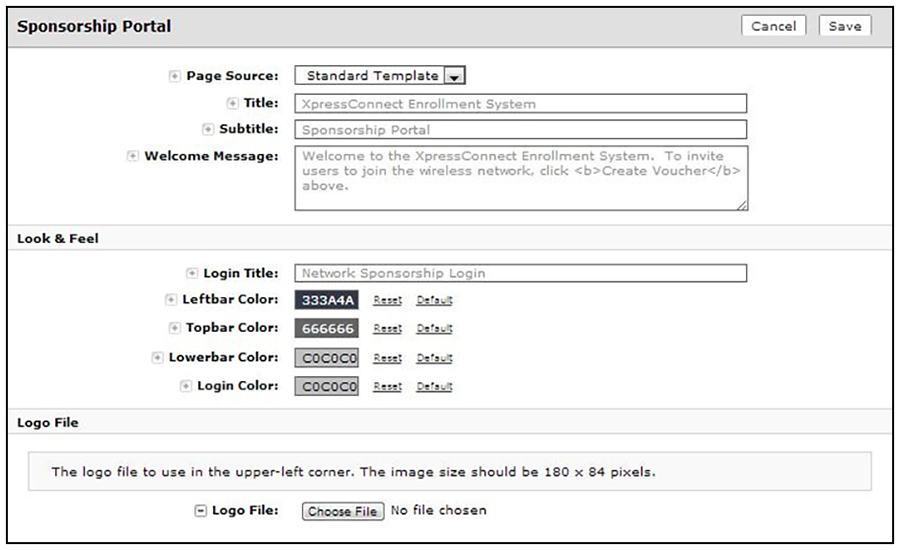
- From the ES Admin UI, go to . The sponsorship portal System Setup page displays the titles and colors for the sponsorship portal.
- Click Edit to customize the sponsorship portal.
- Modify titles and colors as needed.
- To import a customized logo file to display in the upper-left corner of the sponsorship portal, the image size should be 180 x 84 pixels.
- Save the customizations.