Overview
The Support tab provides links to technical documentation, information related to product licensing and statistics, diagnostics, and a process for uploading a support file, if needed.
Documentation
The Documentation page contains technical documents for getting the system set up, integration with other systems, managing the system, and special configuration instructions. This page also provides links to the most commonly used pages in the Cloudpath Admin UI.
Licensing
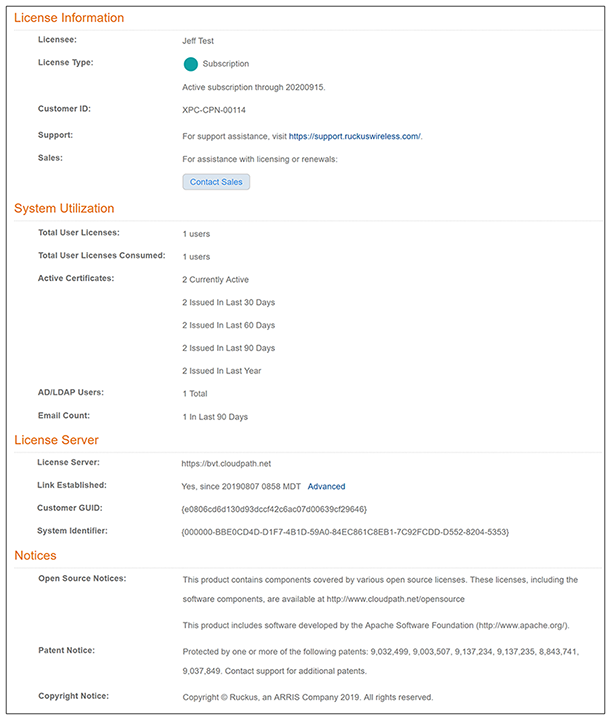
The Licensing page displays information about the type and number of Cloudpath licenses, active certificates, usage statistics, and copyright notices.
What Happens If More Licenses Are Being Consumed Than Have Been Allocated?
Licenses are counted as follows:
- Each active user consumes one license, no matter how many devices are linked to a specific user account.
- Each active device where no user is linked to that device also consumes one license.
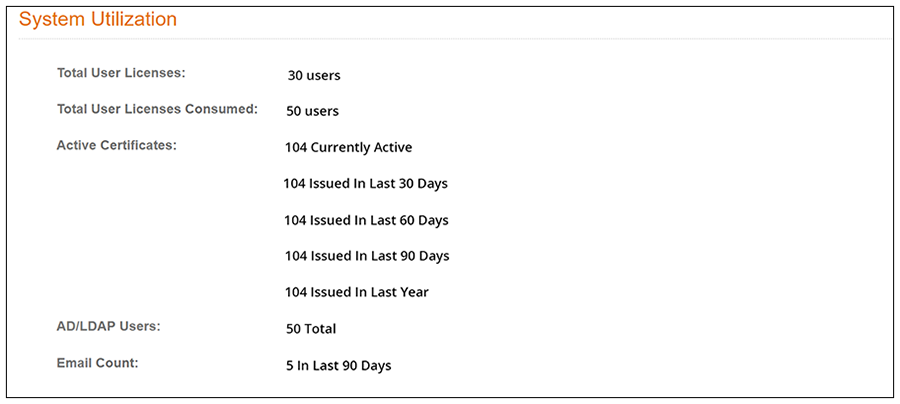
The following Licensing Information page shows an example of the number of total user licenses consumed exceeding the number of total user licenses for an existing Cloudpath system:
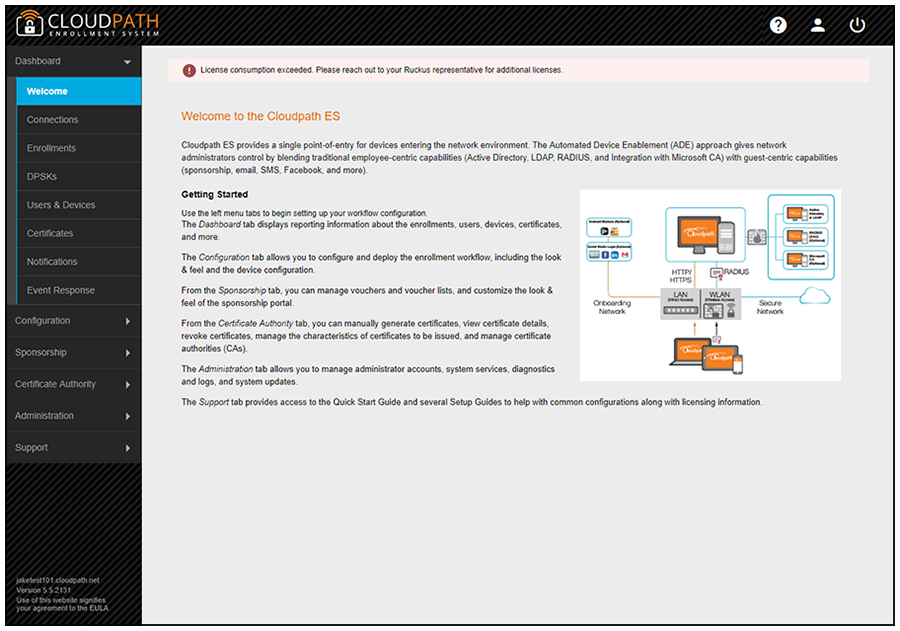
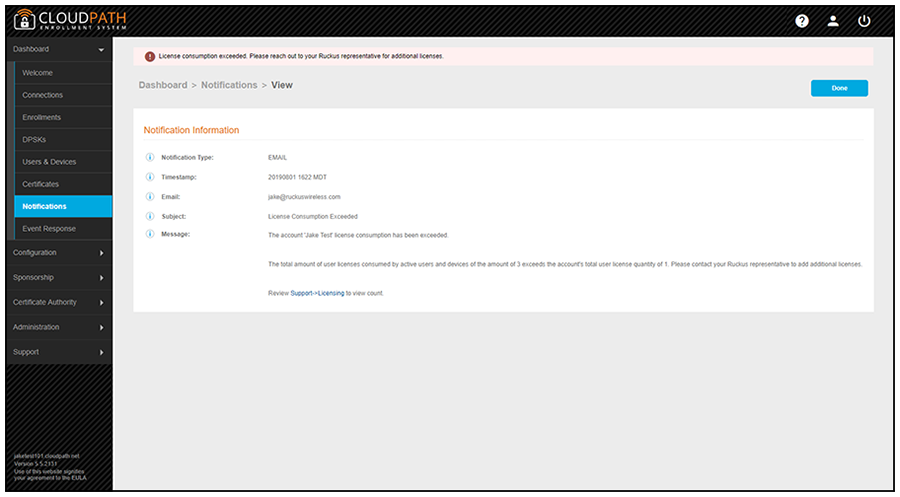
When this situation occurs, the account is flagged at midnight, and you receive an email notification. The next time you log in to your Cloudpath system, a banner indicating that the license consumption has exceeded the maximum number of allowed licenses will appear, and the email that was sent will also appear in your Notifications (see the two figures below). The banner continues to appear, followed by monthly email notifications, until the situation has been resolved with your Cloudpath support representative. Once the situation has been resolved, the banner will be removed the next day, and monthly email notifications will no longer be sent.
Diagnostics
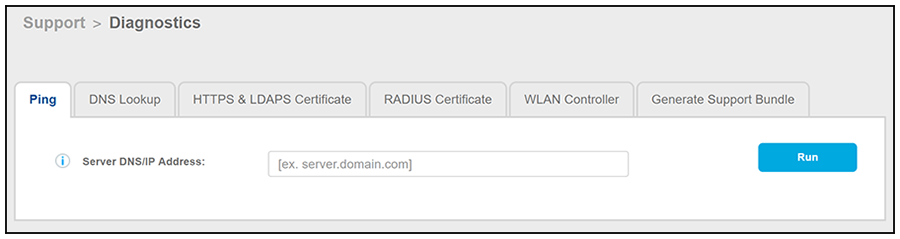
The Diagnostics page provides useful tools for system troubleshooting connectivity issues and for verifying certificate information.
=GUID-91A7EFE7-D9F1-4304-A245-C68356F7A93F=1=en-US=Low.png)
The diagnostics include:
- Ping: Ping an IP address or hostname
- DNS Lookup: Provide server information and IP address for a given hostname.
- HTTPS & LDAPS Certificate: Query the server certificate used by a secured server (such as HTTPS or LDAPS) to verify the certificate currently in use by a server.
- RADIUS Certificate: Query the RADIUS server certificate and the chain presented by the RADIUS server. This is useful to verify the certificate currently in use by a RADIUS server. For this test to work, Cloudpath must be able to reach the IP and port, the shared secret must be correct, and Cloudpath must be an approved client for the RADIUS server.
- WLAN Controller: Query the WLAN controller to check if required ports are accessible.
-
New for 5.4Generate Support Bundle: Click Run from this tab to generate a zip file that contains log files and metrics information to provide to your Ruckus support representative.
Upload Support File
If Cloudpath support has provided a support file, you can upload it on this page. This will make changes to the system, so it is recommended that you first create a VMware snapshot.