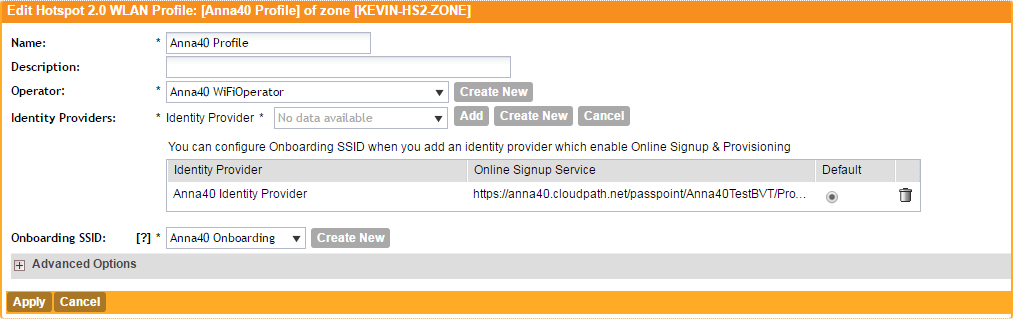
Configure Hotspot 2.0 Profile Hotspot 2.0 Name the Hotspot 2.0 profile. Select the previously configured Wi-Fi Operator. Add the previously configured Identity Provider. Select the previously configured Onboarding SSID. Leave the default values for the remaining fields, and Apply changes. Parent topic: Controller Configuration