Importing an SSL Certificate
After you receive the signed certificate from the certificate authority, you must import it into RUCKUS Unleashed.
Complete the following steps to import a signed certificate.
- Select .
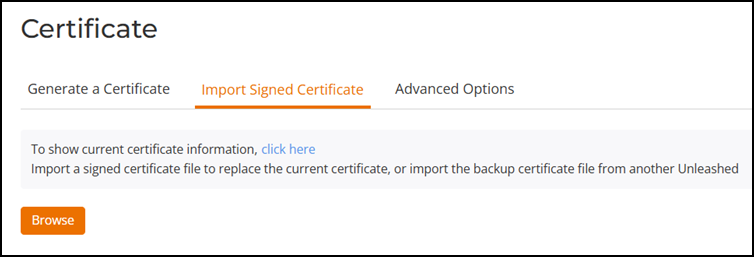
- Select the Import Signed Certificate tab and click Browse to select the certificate (in PEM, CRT, or CER format) to upload it.
- If there are no intermediate CA
certificates, click the Import button to
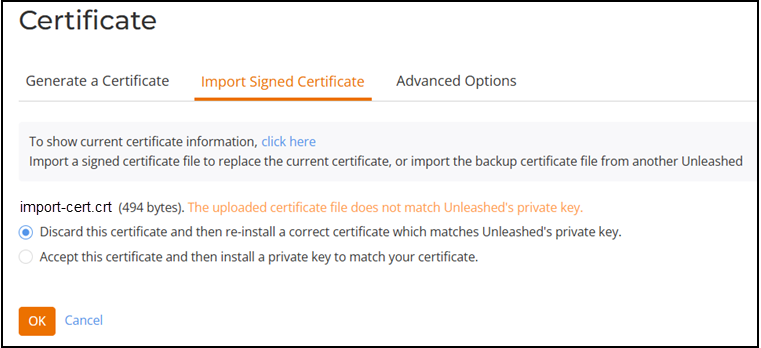
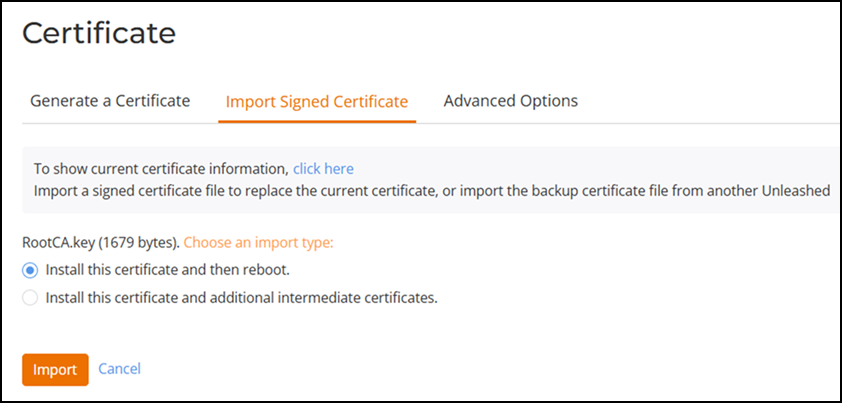
install the uploaded certificate. Note: If the certificate does not match the currently installed private key, you are prompted to upload the correct private key.Note: Beginning with Unleashed 200.13, the Elliptic Curve Cryptography (ECC) certificate is supported. The recommended encryption algorithm is Prime256v1.Note: Currently, the dual-certificate mode is not supported on an Unleashed AP. If an Elliptic Curve Cryptography certificate is used, the browser of the earlier version may fail to log in to the Unleashed web interface.
- If the certificate was issued by
an intermediate CA, you must also import the intermediate CA certificate (as
well as all other intermediate CA certificates in the path to the root CA). In
this event, you would receive intermediate CA certificate download instructions
from the certificate vendor. Complete the following steps to import an
intermediate CA certificate.
- After selecting the end certificate, click the intermediate certificate import option.
- Click the Import button to display the Import Intermediate Certificates form.
- Click the Browse button and select the file containing the intermediate certificate (PEM, CRT, or CER format) to upload it.
- If there are no additional intermediate certificates, click the Import button to install the uploaded certificate.
Alternatively, you can simplify this process by appending the intermediate CA certificates to the RUCKUS Unleashed certificate file. Then, you only need to import a single file. The intermediate certificates will be imported automatically. In this case, you will see multiple ---BEGIN CERTIFICATE--- and ---END CERTIFICATE--- pairs in the file.