Creating an Application Control Policy
Application control policies can be used to block access to certain applications,
to rate limit traffic identified as belonging to certain applications, or to perform
QoS traffic shaping on traffic identified as belonging to a certain application.
Note: For more information on configuring and enforcing application control policies, see
Application Policy.
To create an Application Control Policy:
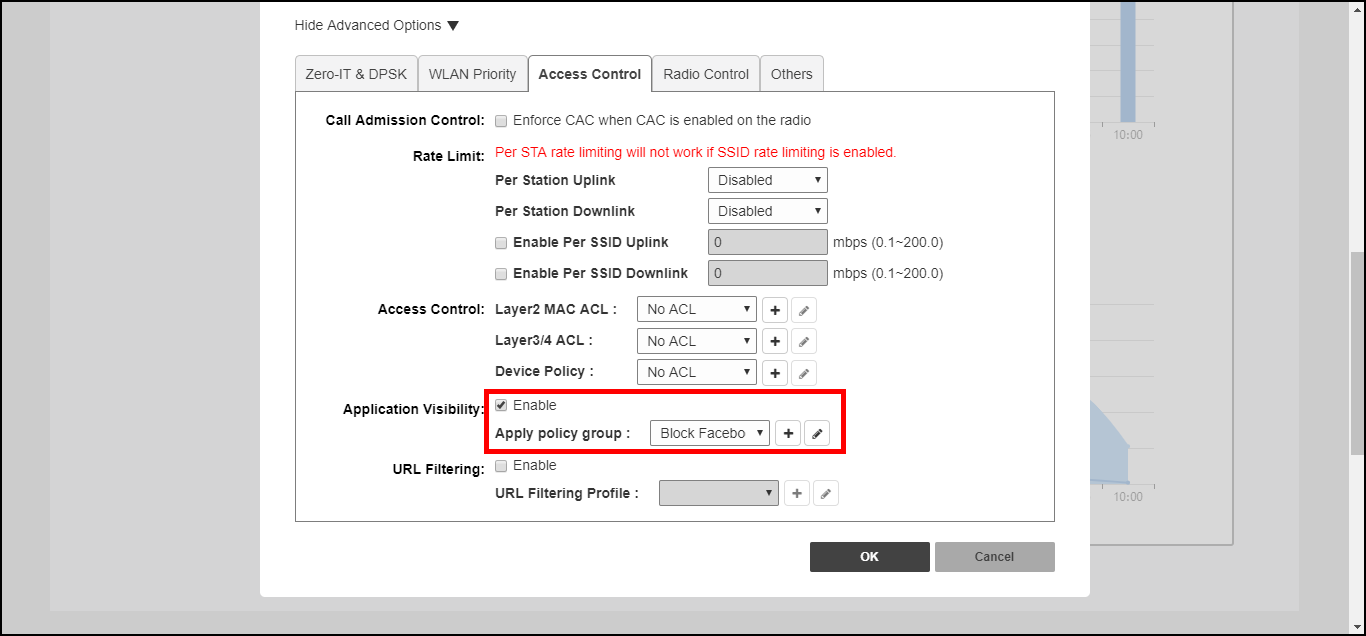
- Go to WLAN > Advanced Options > Access Control.
- Enable Application Visibility.
- In Apply policy group, click Create New to create a new policy.
- Enter a Name and optionally a Description for the policy.
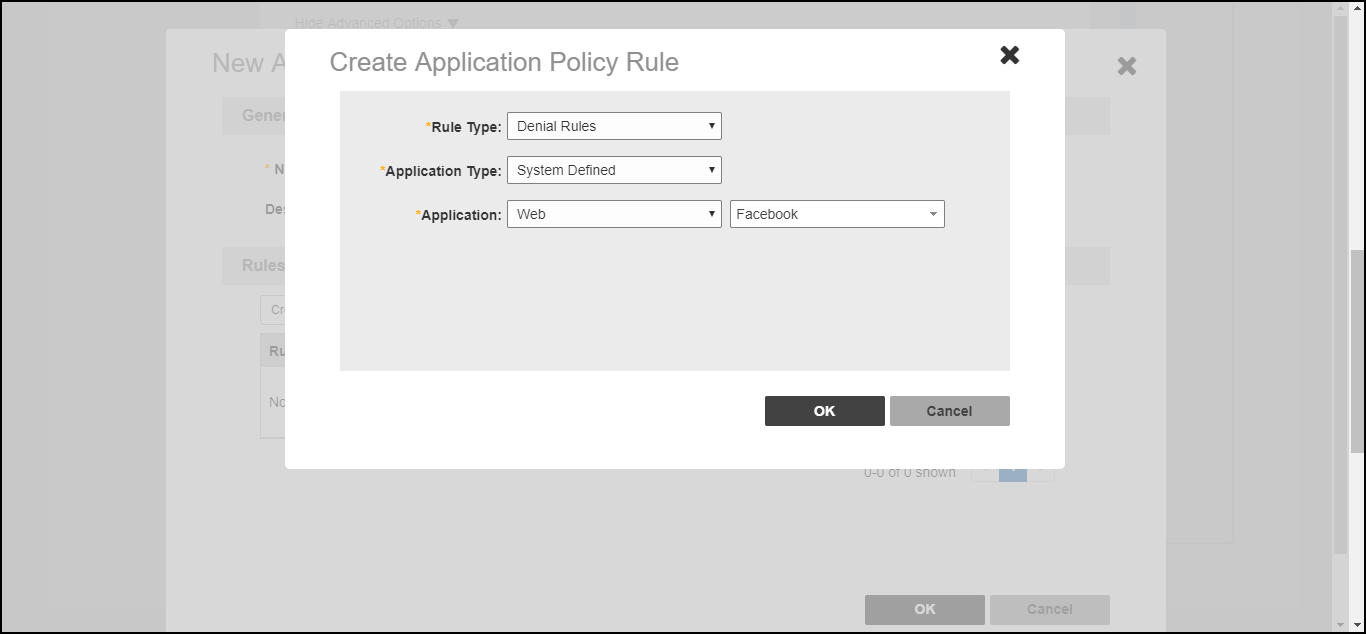
- In Rules, click Create New to create a new rule for this policy.
- In Rule Type, select whether this will be a Denial policy, a Rate Limiting policy or a QoS policy.
- In Application Type, Select System Defined or one of the user-defined application types (IP-based, port-based or application name-based).
- In Application, select the user-defined application from the list, or select the application category and application name from the list of system-defined applications.
- If the Rule Type you selected was Rate Limiting or QoS, enter the uplink and downlink speeds at which to limit this application, or the QoS traffic shaping rules to enforce if it is a QoS rule.
- Click Save to save the rule, and click OK to save the policy.