Setting Up the Virtual Machine Using VMware ESXi
VMware ESXi is an enterprise-class hypervisor used for deploying and serving virtual
computers.
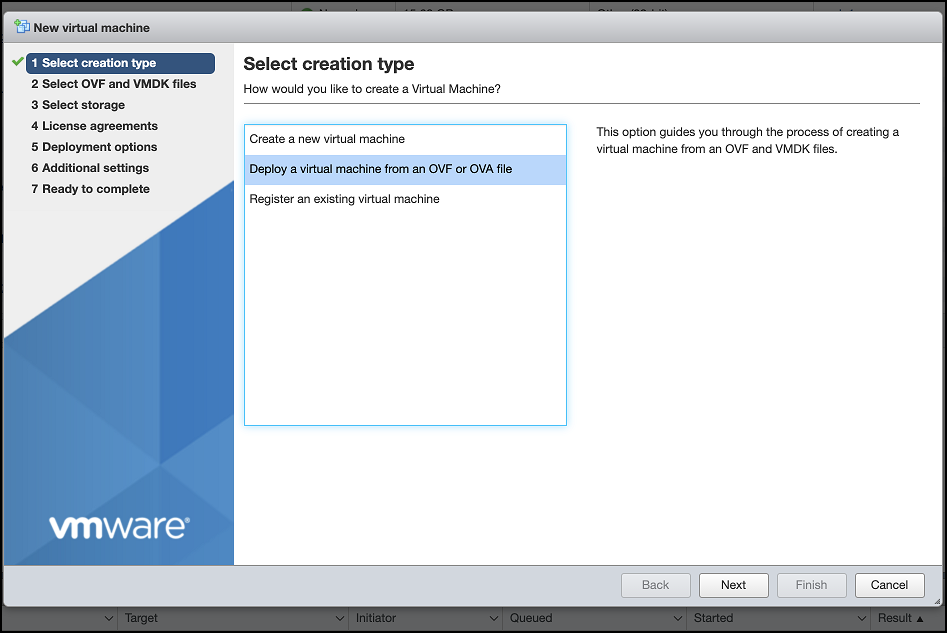
- Open VMware ESXi and select Virtual Machines from the Navigator pane and click Create/Register VM.
- On the New virtual machine window, click Select creation type and select Deploy a virtual machine from an OVF or OVA file. Click Next to continue.
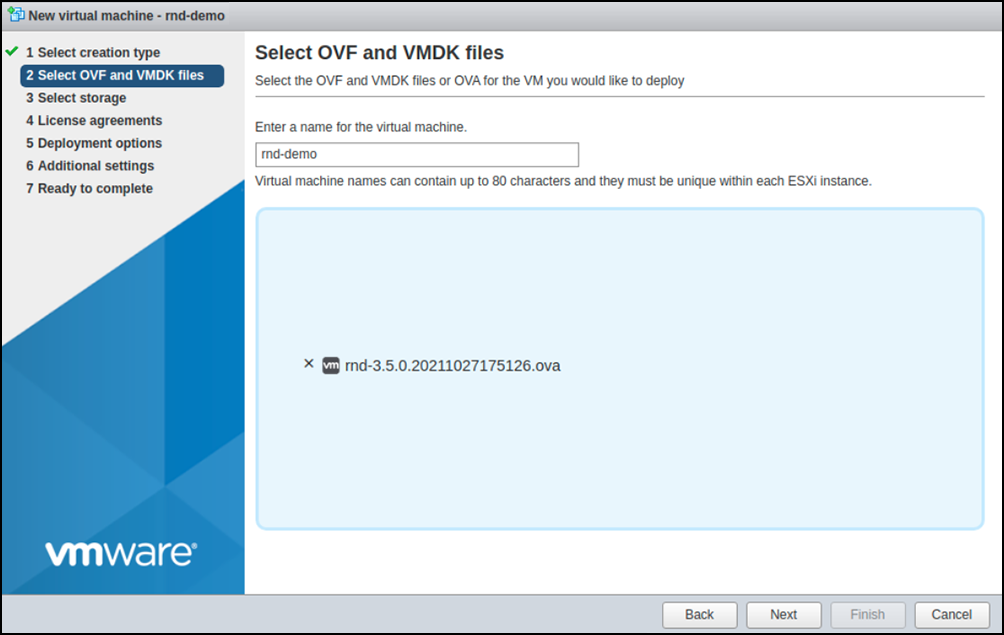
- Click Select OVF and VMDK files, enter a name for the virtual machine, and select the .OVA file. Click Next to continue.
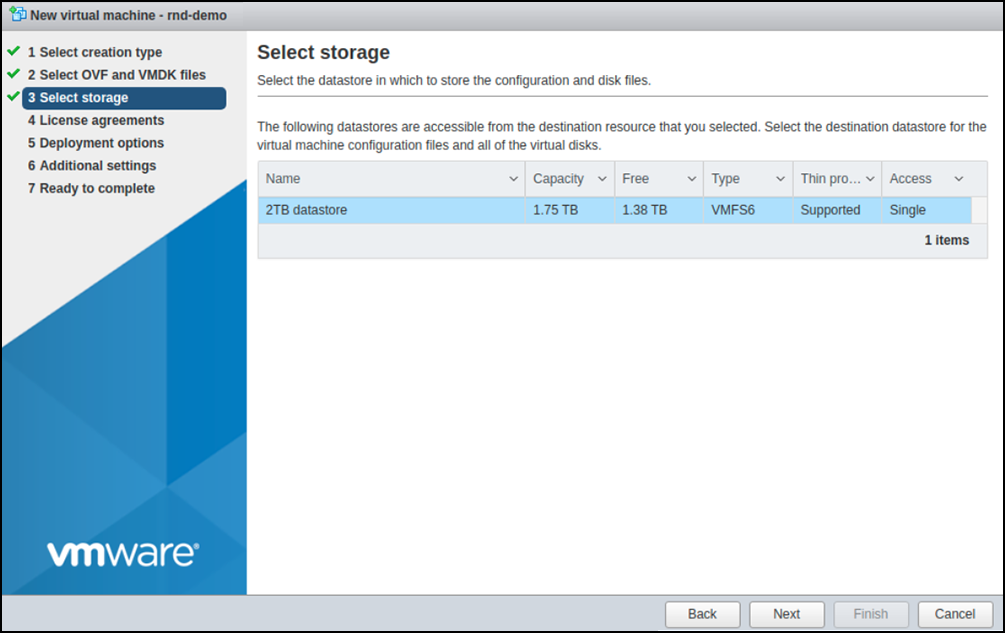
- Click Select storage and select the datastore location where you want to store the virtual machine configuration files and disk files. Click Next to continue.
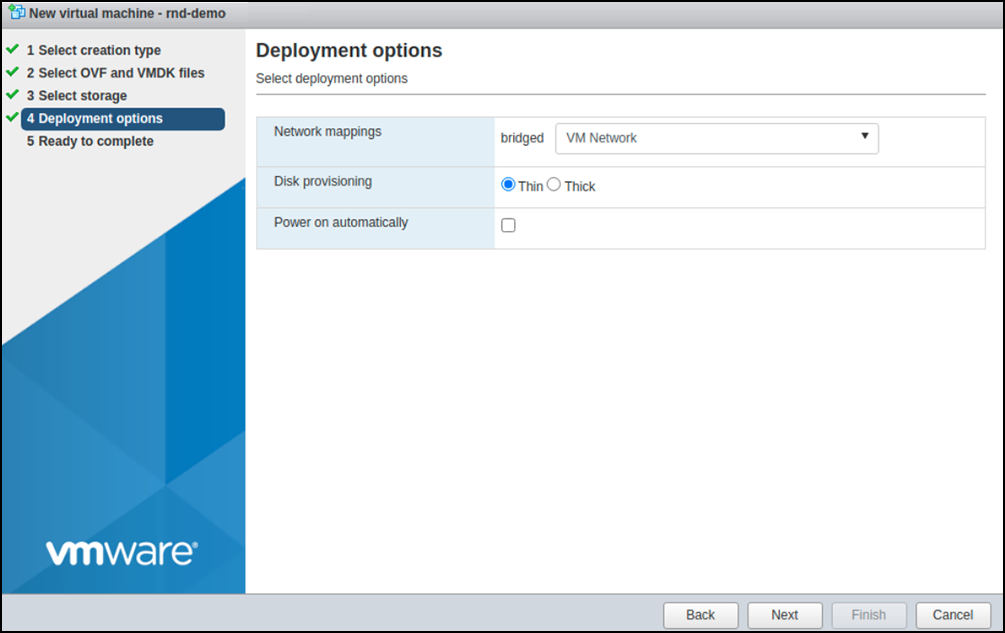
- Click Deployment options and map the network interface to be used by RUCKUS Network Director from the Network mappings list and choose the format for the virtual machine disks from the Disk provisioning options. Uncheck the Power on automatically option so that you can do more configurations before booting up the system. Click Next to continue.
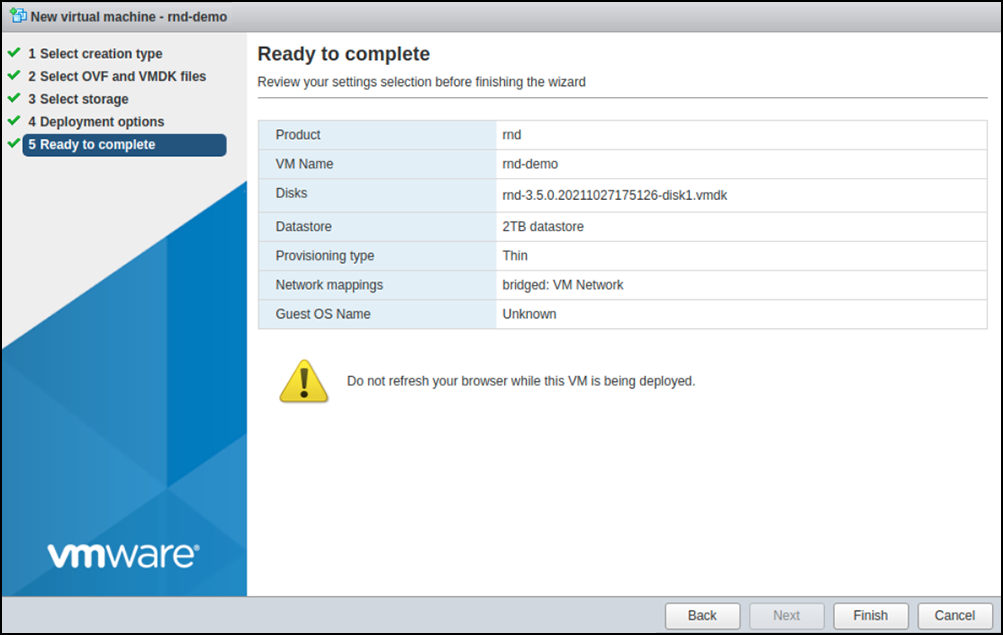
- Click Ready to complete and review the deployment settings. Click Finish. The deployment process starts and it will take a few minutes for the image upload and installation to complete. Once it is complete, the RUCKUS Network Director VM is successfully deployed.
- Perform the following additional configurations to set the hardware options and
OS version.
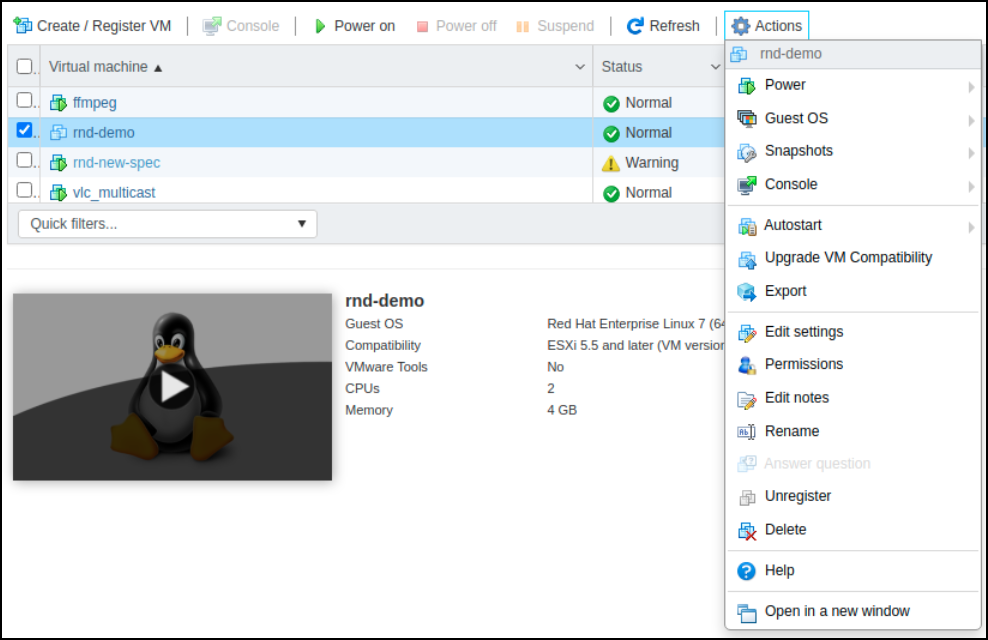
- While the VM is powered off, select the new VM in the list.
- Click the Actions button and select Edit settings from the menu.
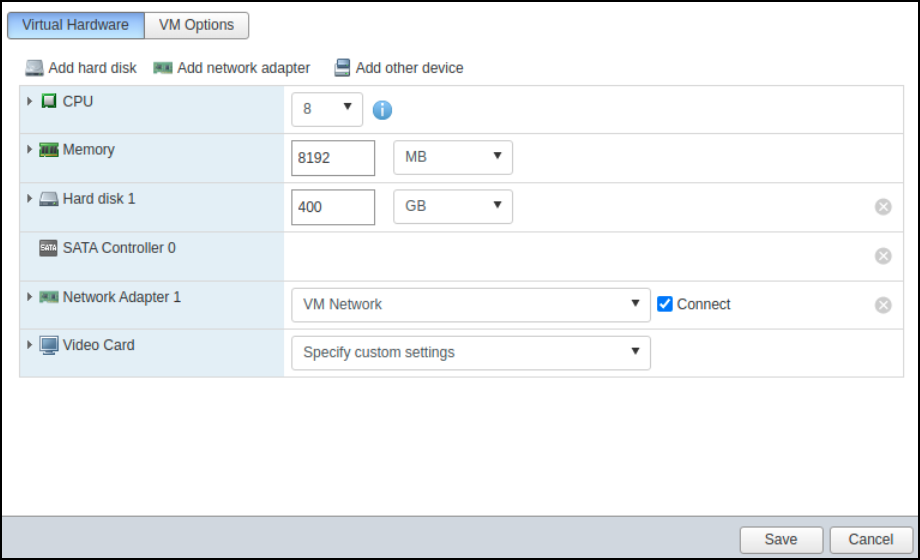
- In the Virtual Hardware tab, set the following hardware settings:
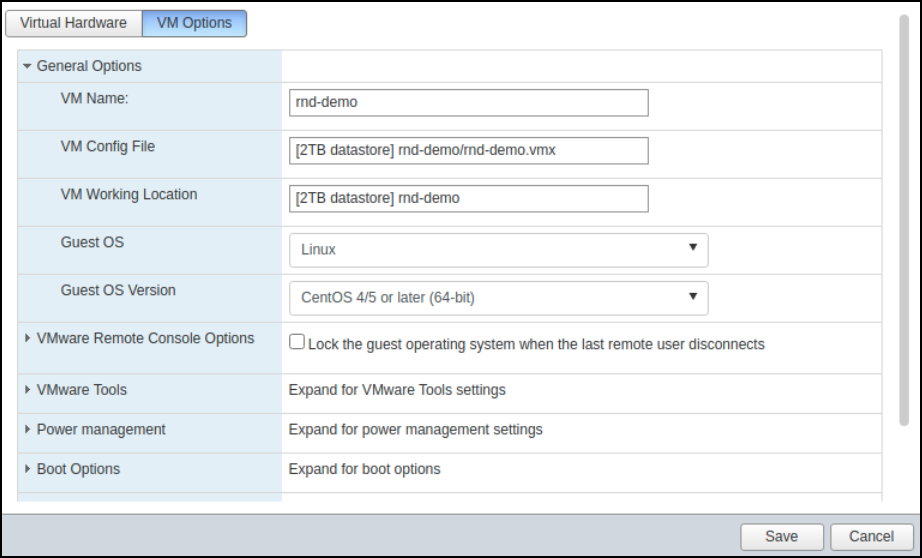
- In the VM Options tab, click General Options to expand the option group.
- For Guest OS Version, select CentOS 4/5 or later (64-bit) from the list.
- Click Save to save the hardware settings and OS version configurations.
- Click the Power on button to boot up the VM.After the VM instance bootup, you can log in and run the setup command to initiate the setup wizard and proceed to set up the network and RND nodes, as described in Setting Up the RUCKUS Network Director Cluster.