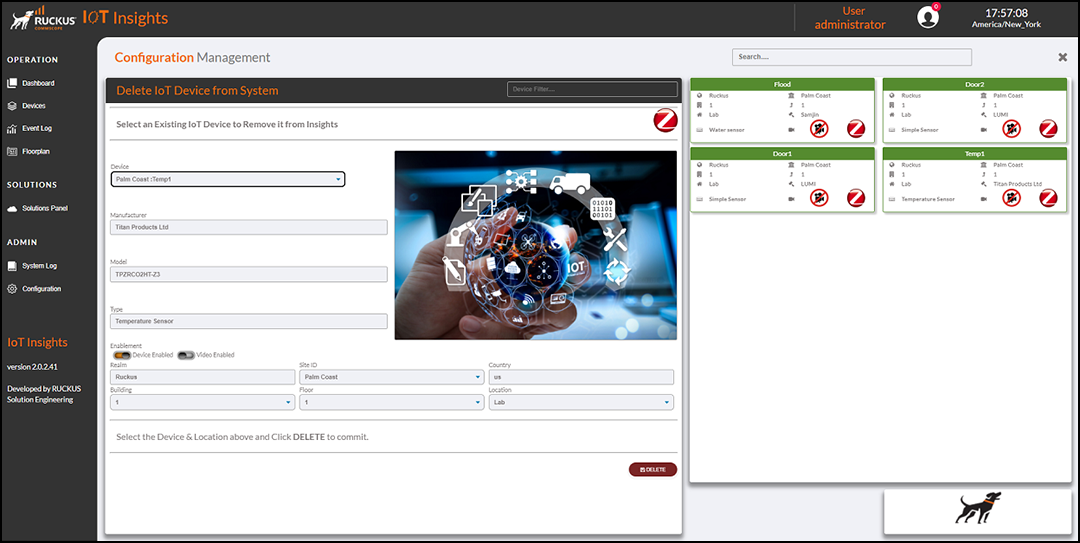
Deleting Devices

Complete the following steps to delete a device from the RUCKUS IoT Insightsc database.
  1. From the main menu, go to Configuration > Admin > System > Devices > Delete Device

    Deleting an IoT Device

    Deleting an Iot Device
  2. Click Delete to delete the device from the RUCKUS IoT Insightsc database.

The Current Devices table lists the device details that include the Location, Name, Type, Model, Vendor and Network.

You can enter the search criteria in the Search field, the search operation filters the Current Devices table to display the results.