Adding Floorplans
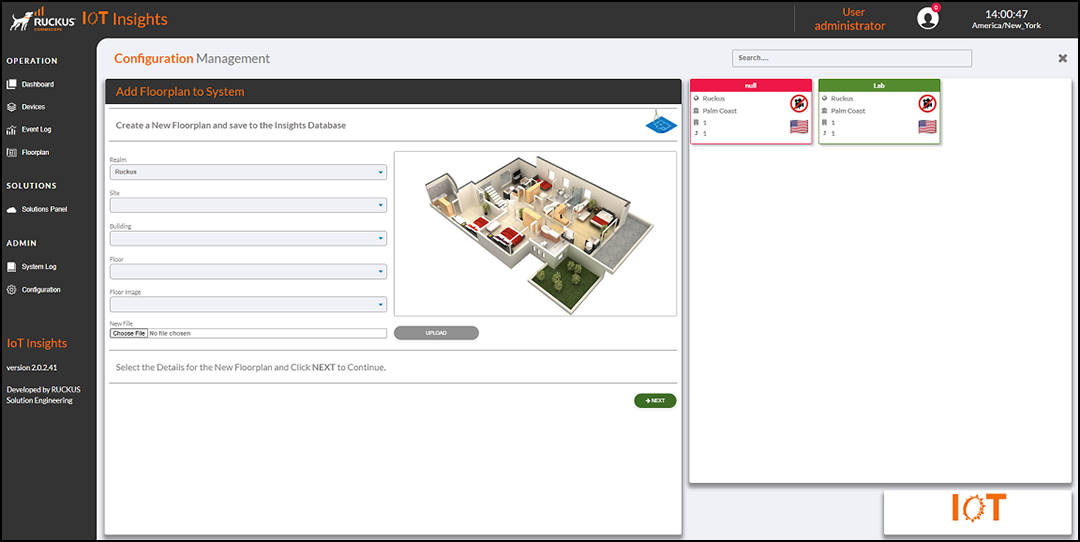
- From the main menu, go to
- Realm: From the Realm list, select the name of the realm.
- Site: From the Site list, select the name of the site.
- Building: From the Building list, select the number of the building.
- Floor: From the Floor list, select the floor number
- Floor Image: Upload the image of the floorplan. From the Floor Image list, select the floor image.
- Click Next to continue adding the floorplan details to the RUCKUS IoT Insights database.
The Current Locations table lists the location details, including the country, realm, site name, floor number, building number , and location name.
You can enter search criteria in the Search field to search the Current Locations table for information.