ICX 7850 Stacking Topologies
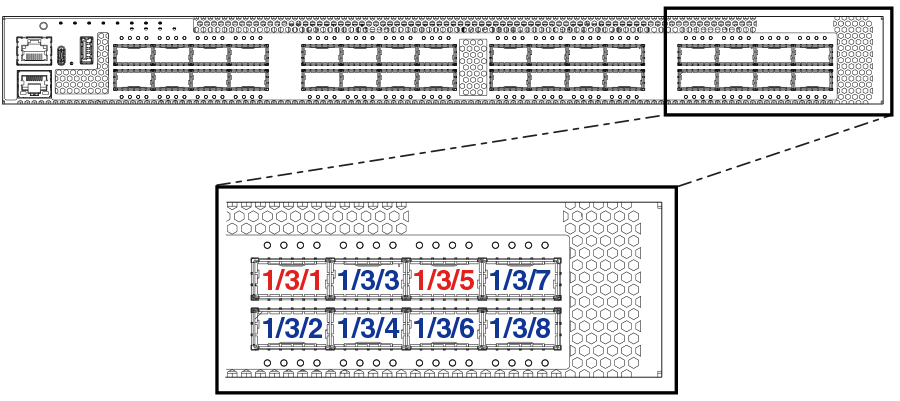
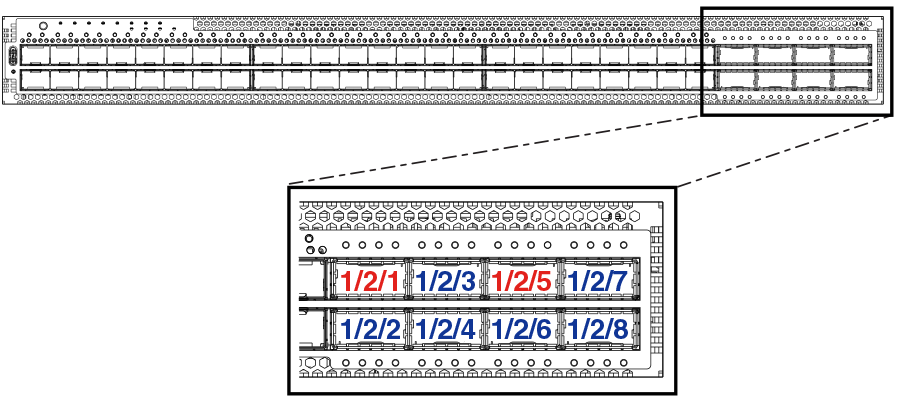
The following figures show available ICX 7850 stacking ports on the front panel. On ICX 7850-32Q devices, valid-stack-ports are 1/3/1 and 1/3/5 and available stacking ports are 1/3/1 through 1/3/8. On ICX 7850-48C, ICX 7850-48F, and ICX 7850-48FS devices, stacking ports are in the same location on the front panel; however, the module is number 2. Valid-stack-ports on ICX 7850-48C, ICX 7850-48F, and ICX 7850-48FS are 1/2/1 and 1/2/5, and available stacking ports are 1/2/1 through 1/2/8.
The following figure shows an ICX 7850 linear stack.
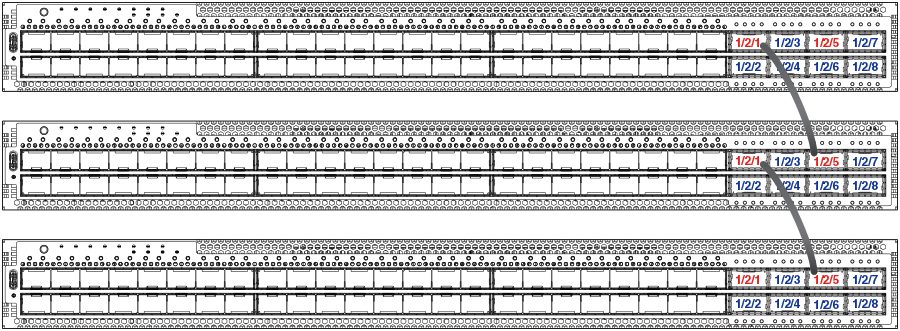
The following figure shows an ICX 7850-48F/48FS stack connected in a ring topology.
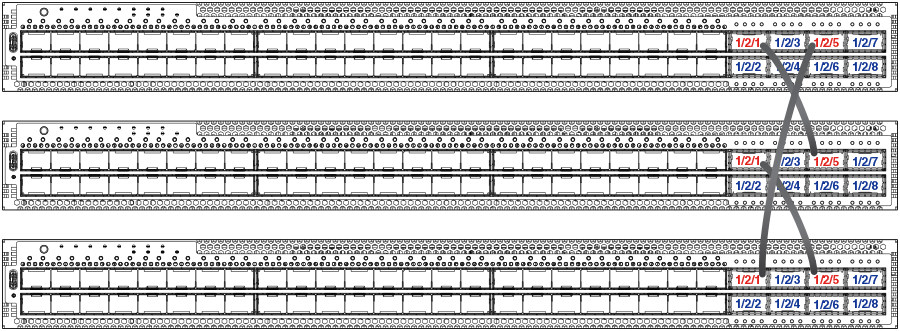
ICX 7850 Two-unit Stacks with Linear-topology Trunks
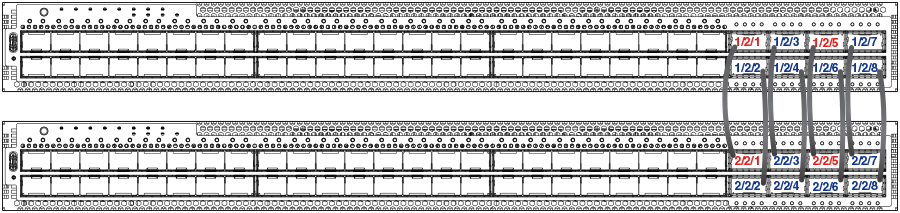
The following figure depicts a two-unit stack linear-topology trunk in an ICX 7850-48FS stack. ICX 7850-32Q stacks are cabled the same way, but the ICX 7850-32Q uses slot 3 for stacking as shown in the port location graphic for that model. All ICX 7850 models support this type of trunk, which improves redundancy and bandwidth. For more information, refer to Configuring Two-unit Stack Linear-topology Trunks.