Validating Upgrade Images for SmartZone and Data Plane Upgrades
Before an upgrade can proceed, SmartZone
validates the uploaded software image. Based on the upgrade type and software version,
SmartZone may require a digitally signed image. If image validation fails, SmartZone
rejects
the image and prevents the upgrade from proceeding.
Verify the following:
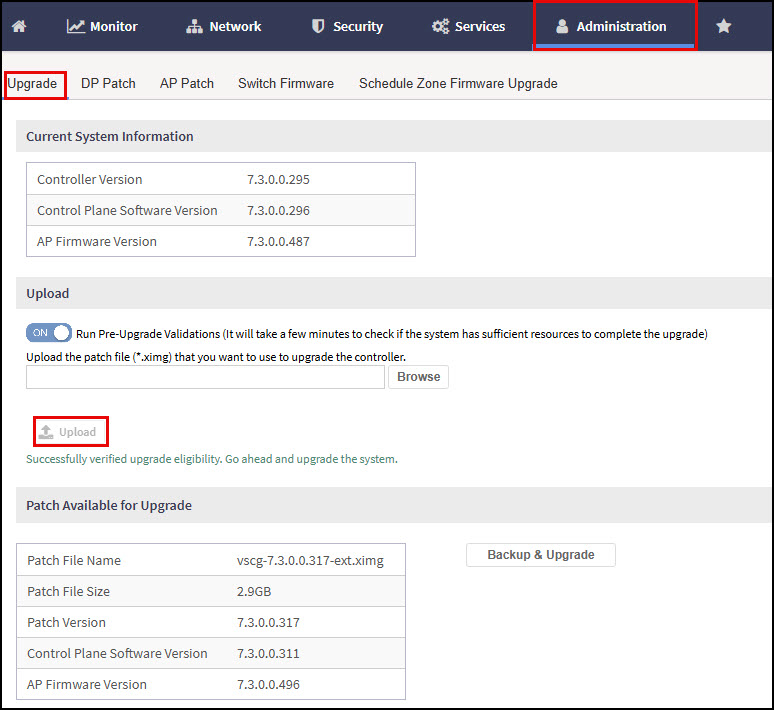
To validate the SmartZone controller and Data Plane upgrade images, complete the following steps:
- Validate a SmartZone upgrade image:
- Validate a Data Plane upgrade image:
- Review the upload result:
- Continue with the controller
upgrade procedure.
- For controller upgrade, refer to Performing the Upgrade.
- For Data Plane upgrade, refer to Upgrading the Data Plane.