Schedule Zone Firmware Upgrade
Allows user to setup a schedule time to
upgrade/downgrade single or multiple zone firmware.
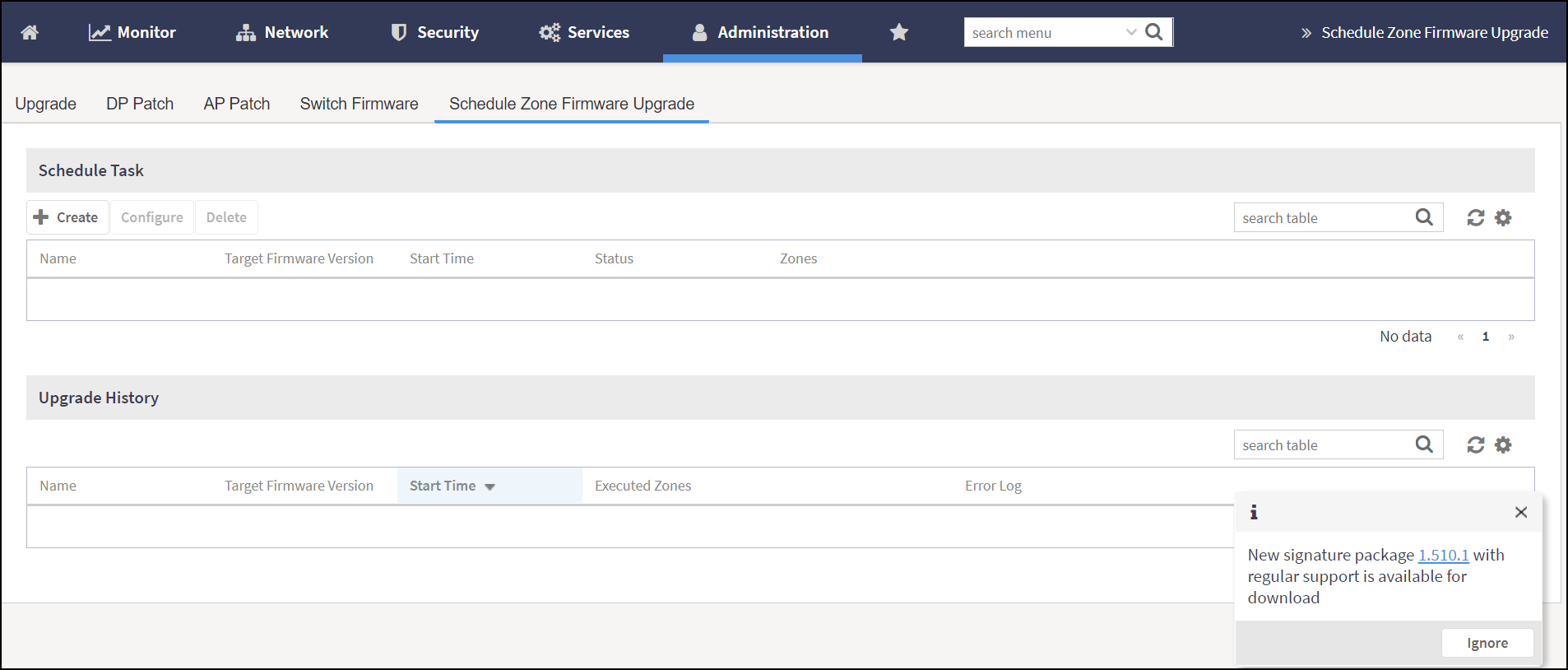
- Go to .
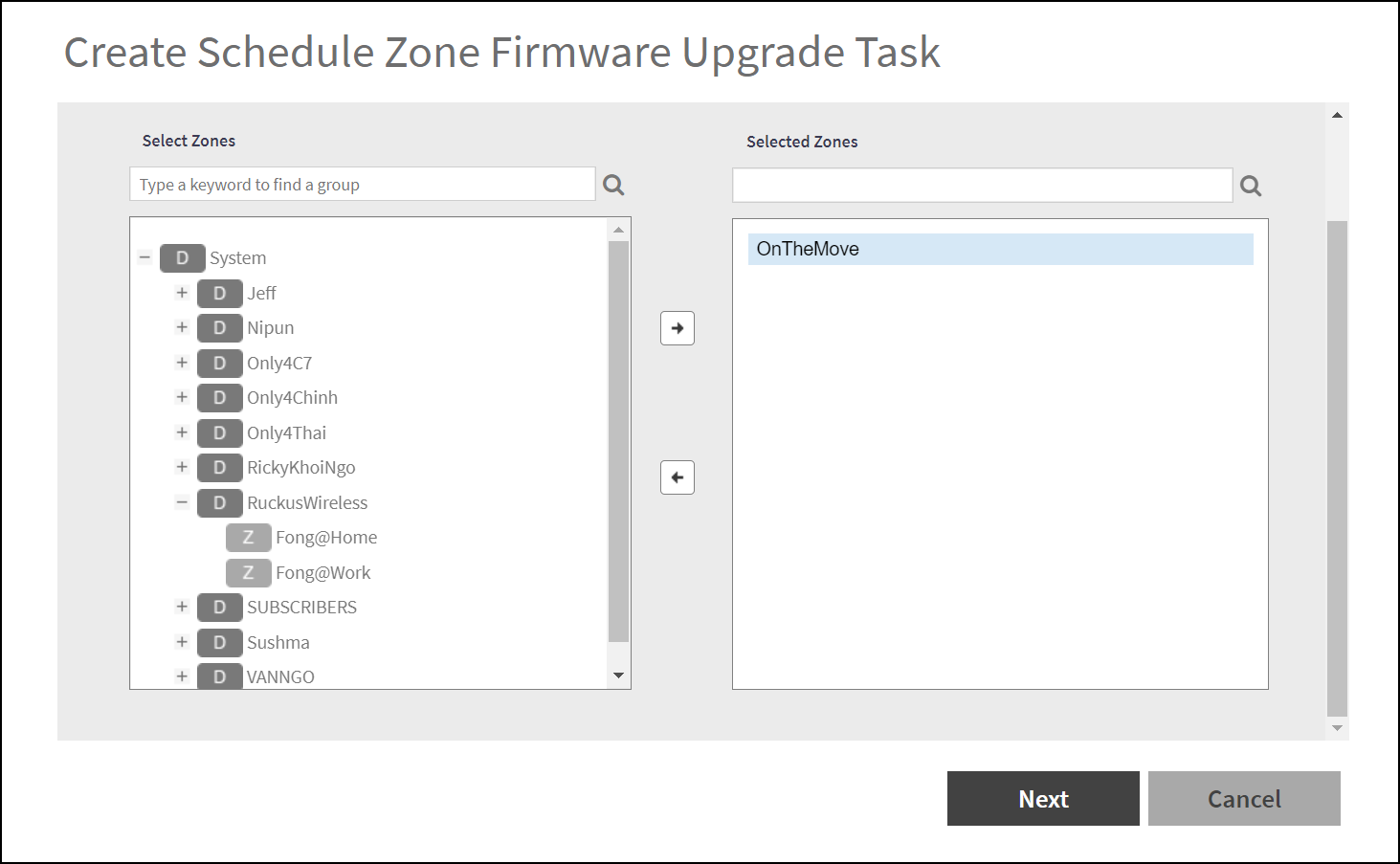
- click Create, the Create Schedule Zone Firmware Upgrade Task page is displayed.
- Select the required zone from the Select Zones list and move it to the Selected Zones list.
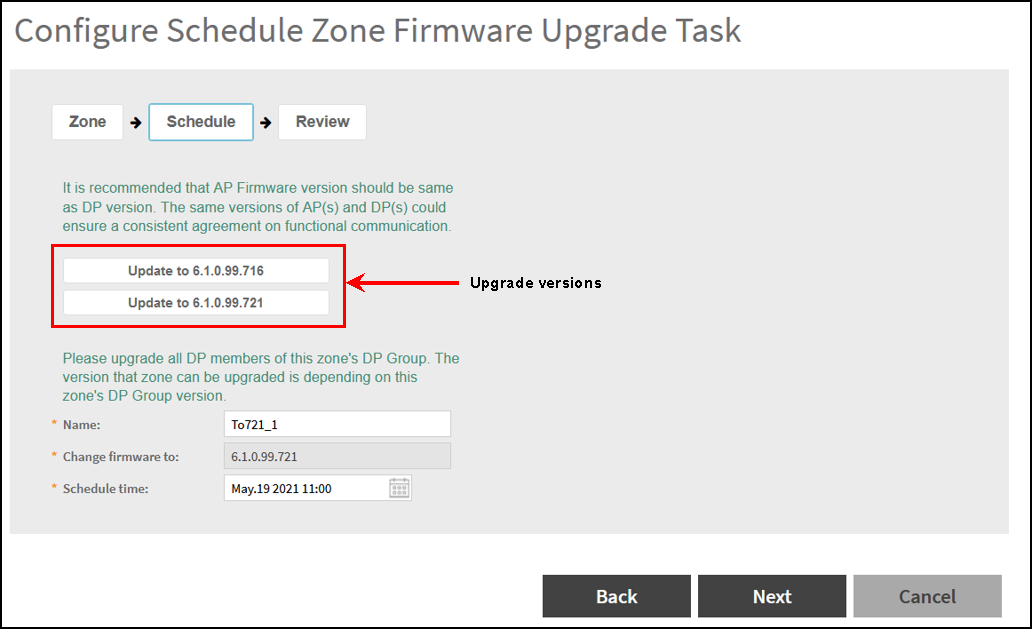
- Click Next, the Schedule tab page is displayed.
- Enter a Name.
- Select the upgrade version from the list. The Change Firmware to field will automatically be updated with the selected version.
- Select the Schedule time.
- Click Next.
- Review the task and click OK.
%20Access%20Points%20and%20Switch%20Management%20Guide,%207.3.0_v1_GUID-9EDAFEBC-D669-470F-B65A-76268D68FB3F/Schedule%20Zone%20Firmware%20Upgrade%20Task=GUID-2C9EADCE-8E38-4877-9FBC-555389D9CE8F=2=en-US=Low.png)
%20Access%20Points%20and%20Switch%20Management%20Guide,%207.3.0_v1_GUID-9EDAFEBC-D669-470F-B65A-76268D68FB3F/Create%20Schedule%20Zone%20Firmware%20Upgrade%20Task=GUID-AF003393-0F3C-4EBD-AF83-25F8B62222D7=2=en-US=Low.png)
%20Upgrade%20Guide,%207.3.0_v1_GUID-195D2566-1000-44B7-A06D-02BF56D443F0/GUID-CA716825-9F33-4B5E-9FB5-E5AEBED07404-low=GUID-5C24CE4A-1700-4061-BEB0-8564683C00EC=1=en-US=Low.png)