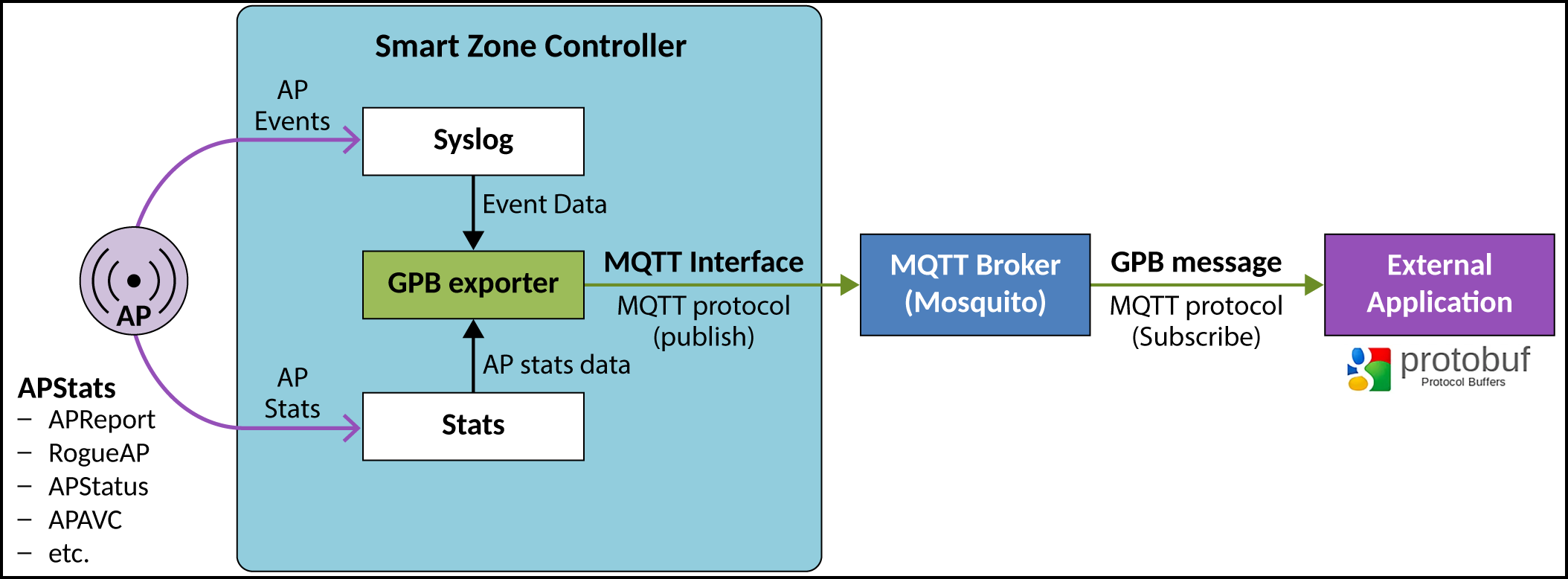
Working with the GPB-MQTT Interface
- Set the MQTT broker to receive GPB data.
- Configure the MQTT broker IP address on the controller web user interface to publish to GPB data to MQTT broker.
- Use the GPB compiler to get the library for reading the data with SZ data structure (.proto files). The SmartZone (SZ) GPB .proto files can be downloaded from the RUCKUS support site at: https://support.ruckuswireless.com
- The external application implements the MQTT protocol and subscribes the topic to MQTT broker.
- The external application receives the GPB data from MQTT broker and then uses the GPB library to read the streaming data.
- The external application converts the GPB data and saves it to its local system.